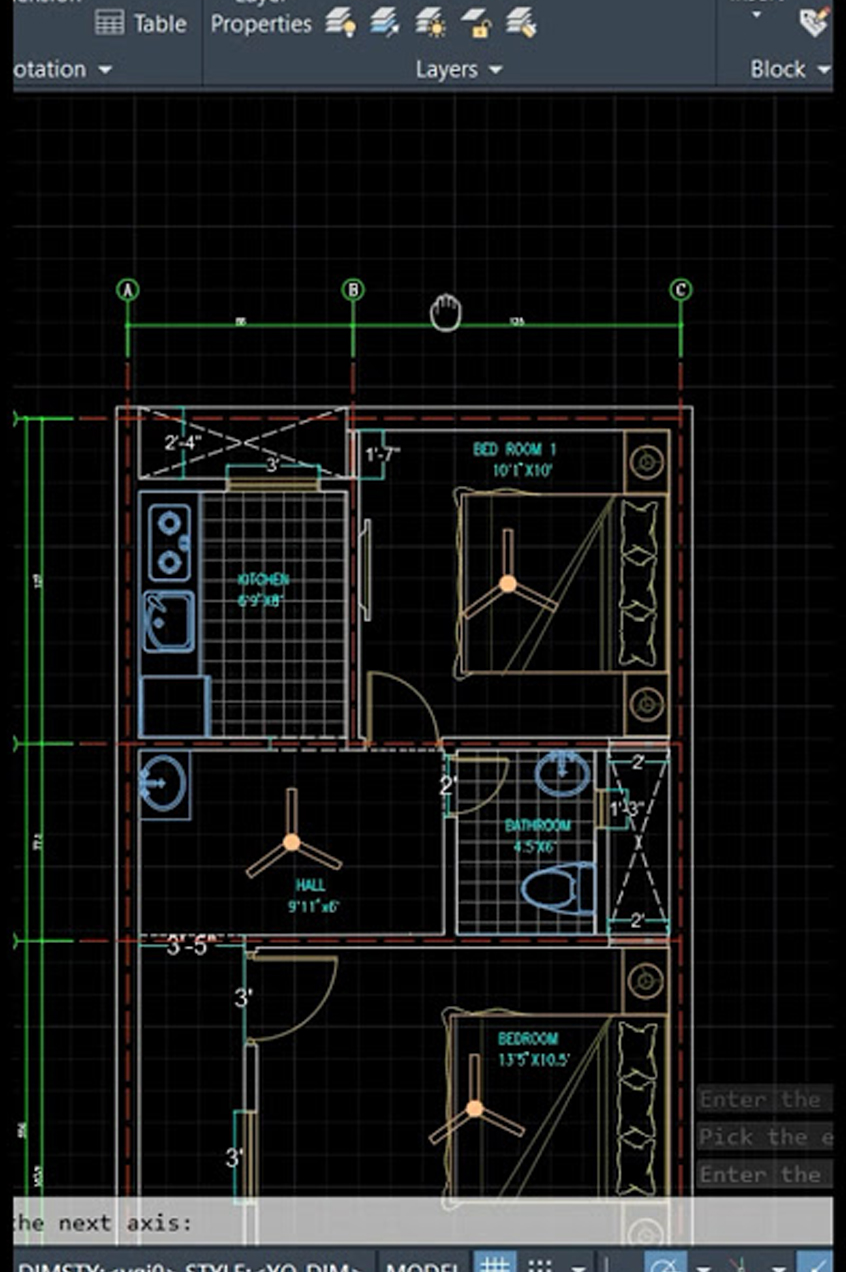
TechCadd Mohali offers a professional AutoCAD training program designed for students, engineers, and working professionals who want to build strong skills in computer-aided design. The course covers 2D drafting, 3D modeling, architectural drawings, mechanical designs, and real industry projects. Our expert trainers provide hands-on training with practical assignments to help students gain real-world experience. After completing the course, students receive a recognized certificate and placement assistance to start their career in design, engineering, architecture, or construction industries.
AutoCAD Course in Mohali – Professional CAD Training at TechCadd
AutoCAD is one of the most widely used computer-aided design software applications in the world. It is used by engineers, architects, designers, and construction professionals to create precise 2D drawings and 3D models. At TechCadd Mohali, we provide a complete AutoCAD training program that helps students learn the software from basics to advanced level.
Our AutoCAD course is designed for beginners as well as professionals who want to improve their design skills. The training includes practical exercises, real-world projects, and industry-based assignments so students can gain hands-on experience.
Why Learn AutoCAD?
AutoCAD is an essential skill in many industries including mechanical engineering, civil engineering, architecture, electrical design, and interior design. Learning AutoCAD opens many career opportunities in design and drafting fields.
Some key benefits of learning AutoCAD include:
• Ability to create accurate technical drawings
• Improved design productivity
• High demand in engineering and construction industries
• Better career opportunities and salary growth
• Global industry standard software
AutoCAD skills are required by many companies, making it a valuable skill for students and professionals.
AutoCAD Course at TechCadd Mohali
TechCadd Mohali is one of the leading CAD training institutes offering professional AutoCAD training with experienced instructors. Our course focuses on both theoretical concepts and practical implementation.
Students will learn how to create professional drawings, manage layers, apply dimensions, and generate complex designs using AutoCAD tools.
The training is conducted in a modern computer lab with the latest AutoCAD software.
What You Will Learn in This Course
During the AutoCAD training program, students will learn:
AutoCAD Fundamentals
• Introduction to CAD and AutoCAD software
• User interface and workspace
• Basic drawing tools and commands
• Coordinate systems
2D Drafting
• Lines, circles, arcs, rectangles
• Editing commands (trim, extend, offset)
• Object properties and layers
• Dimensions and annotations
Advanced AutoCAD Tools
• Blocks and attributes
• Hatching and gradients
• External references
• Layouts and plotting
3D Modeling Basics
• Introduction to 3D workspace
• 3D objects and surfaces
• Basic 3D editing tools
Project Work
• Mechanical drawing projects
• Architectural floor plan designs
• Electrical layout drawings
Who Can Join This Course?
The AutoCAD course is suitable for:
• Mechanical engineering students
• Civil engineering students
• Architecture students
• Interior designers
• Diploma holders
• Working professionals
• Beginners interested in CAD design
No prior experience in AutoCAD is required to join the course.
Course Duration
The duration of the AutoCAD course at TechCadd Mohali typically ranges from 1 month to 3 months, depending on the learning mode and depth of training. Flexible batch timings are available for students and working professionals.
Practical Training and Projects
At TechCadd Mohali, we focus on practical training. Students will work on real-world design projects during the course. This helps them understand how AutoCAD is used in industries.
Students will create:
• Mechanical part drawings
• Architectural floor plans
• Electrical layout designs
• 2D and basic 3D models
Practical assignments help students build confidence and improve their skills.
Certification
After successfully completing the AutoCAD course, students receive a TechCadd certification which is recognized by many companies in the design and engineering industries.
This certificate helps students improve their resume and increase their job opportunities.
Placement Assistance
TechCadd Mohali provides placement assistance to help students start their careers. Our placement team connects students with companies in engineering, architecture, manufacturing, and construction sectors.
We also provide:
• Resume preparation support
• Interview preparation guidance
• Job referrals and placement assistance
Career Opportunities After AutoCAD Course
After completing the AutoCAD course, students can work in different roles such as:
• CAD Designer
• AutoCAD Draftsman
• Mechanical Draftsman
• Architectural Draftsman
• Interior Design Draftsman
• Electrical CAD Designer
These jobs are available in industries like construction, manufacturing, architecture, engineering consulting firms, and infrastructure companies.
Why Choose TechCadd Mohali?
There are many reasons why students choose TechCadd Mohali for AutoCAD training:
• Experienced trainers with industry knowledge
• Practical training with real projects
• Modern computer labs
• Flexible batch timings
• Industry-recognized certification
• Placement assistance
Our goal is to provide high-quality CAD training that prepares students for real industry work.
Start Your AutoCAD Training Today
If you want to build a successful career in design and engineering, learning AutoCAD is a great step. TechCadd Mohali provides professional AutoCAD training that helps students develop strong technical skills and industry knowledge.
Join the AutoCAD course today and start your journey toward becoming a professional CAD designer.
Importance of AutoCAD in Modern Industries
In today's modern engineering and construction industries, AutoCAD plays a crucial role in design and drafting. Professionals across various sectors rely on AutoCAD to create accurate and detailed drawings. Whether it is mechanical components, building floor plans, electrical circuits, or interior layouts, AutoCAD helps designers convert their ideas into professional technical drawings.
Companies prefer candidates who have strong AutoCAD skills because it improves productivity and reduces errors in design. With AutoCAD, professionals can easily modify designs, share digital drawings with teams, and create highly accurate models for manufacturing and construction.
As industries continue to grow, the demand for skilled AutoCAD professionals is also increasing. This makes AutoCAD training an excellent career opportunity for students and professionals who want to enter the design field.
Hands-On Learning Approach
At TechCadd Mohali, our AutoCAD training program follows a practical and hands-on learning approach. Instead of focusing only on theoretical knowledge, we emphasize real software practice. Students get the opportunity to work directly on AutoCAD software and learn how different tools and commands are used in real design projects.
Each student receives individual attention from the trainer to ensure that concepts are clearly understood. Practical assignments and exercises are given regularly so that students can develop confidence in using the software independently.
This hands-on training method helps students learn faster and prepare them for real industry work.
Industry-Oriented Training Curriculum
The AutoCAD course curriculum at TechCadd Mohali is designed according to industry requirements. The training covers all the essential tools and techniques used by professionals in engineering and design companies.
The curriculum includes:
• Basic drawing and editing commands
• Precision drafting techniques
• Layer management for organized drawings
• Dimensioning and annotation for technical documentation
• Blocks and reusable components
• Layouts and printing settings
• Introduction to 3D modeling concepts
This structured curriculum ensures that students gain a complete understanding of AutoCAD and become capable of creating professional drawings.
Experienced Trainers
One of the biggest advantages of learning AutoCAD at TechCadd Mohali is our experienced training faculty. Our trainers have strong industry experience in CAD design and engineering projects.
They guide students step-by-step through the software and share practical knowledge that helps students understand real-world applications of AutoCAD.
Students can ask questions freely during training sessions, and trainers provide clear explanations and demonstrations to solve problems.
Modern Computer Lab and Learning Environment
TechCadd Mohali provides a modern computer lab equipped with the latest versions of AutoCAD software. Each student gets access to a computer system for practical learning.
The learning environment is designed to help students focus on developing their design skills without distractions. Our classrooms are comfortable, and the lab setup allows students to practice efficiently.
Regular practice sessions help students master AutoCAD commands and tools.
Flexible Batch Timings
We understand that students and working professionals have different schedules. Therefore, TechCadd Mohali offers flexible batch timings for AutoCAD training.
Students can choose from:
• Morning batches
• Afternoon batches
• Evening batches
• Weekend batches
This flexibility allows students to learn AutoCAD without affecting their college or job schedules.
Real-World Design Applications
During the course, students will learn how AutoCAD is used in real industry projects. Trainers demonstrate how professionals create drawings for buildings, machines, and electrical systems.
Students will practice creating:
• Mechanical component drawings
• House floor plans
• Interior layouts
• Electrical circuit diagrams
• Structural drawings
These exercises help students understand how AutoCAD is applied in different industries.
Skill Development and Career Growth
Learning AutoCAD not only improves technical drawing skills but also develops important professional skills such as problem-solving, attention to detail, and design accuracy.
These skills are highly valued by companies in engineering and construction industries.
By completing the AutoCAD course, students gain the confidence to work on design projects and pursue careers in CAD drafting and design engineering.
Job Opportunities After AutoCAD Training
AutoCAD professionals are required in many industries including construction, manufacturing, architecture, infrastructure, and interior design.
Some common job roles include:
• AutoCAD Designer
• CAD Draftsman
• Mechanical CAD Designer
• Architectural Draftsman
• Interior Design Draftsman
• Electrical CAD Engineer
With experience and additional CAD software skills, professionals can grow into senior design roles and project management positions.
Build a Successful Career with TechCadd Mohali
TechCadd Mohali aims to provide high-quality CAD training that helps students build successful careers in design and engineering fields.
Our AutoCAD training program focuses on practical knowledge, industry-relevant skills, and professional guidance. By joining this course, students can develop strong design skills and open doors to exciting career opportunities in the CAD industry.
If you want to start your journey in computer-aided design, the AutoCAD course at TechCadd Mohali is an excellent choice.
Benefits of Learning AutoCAD for Students
AutoCAD learning is very beneficial for students who want to build a career in engineering, architecture, or design fields. Many companies require candidates who can create technical drawings using CAD software. By learning AutoCAD, students gain a valuable technical skill that increases their employability.
AutoCAD allows students to understand how real engineering drawings are created. It also helps them visualize designs more clearly and understand the relationship between different components in a design project.
Students who learn AutoCAD early during their studies often get better internship and job opportunities because they already have practical design skills.
AutoCAD in Mechanical Engineering
AutoCAD is widely used in the mechanical engineering industry for designing machine components and manufacturing drawings. Mechanical engineers use AutoCAD to create precise drawings of machine parts, tools, and equipment.
These drawings help manufacturers understand the exact dimensions and structure of components before production begins.
In the AutoCAD training program at TechCadd Mohali, mechanical students learn how to create mechanical drawings, part designs, and assembly layouts using AutoCAD tools.
This training helps mechanical engineering students prepare for careers in manufacturing, automobile industries, and mechanical design companies.
AutoCAD in Civil Engineering and Construction
Civil engineers and construction professionals use AutoCAD to create building plans, structural layouts, and infrastructure designs. These drawings are essential for construction projects because they provide accurate details about dimensions, materials, and structural elements.
With AutoCAD, civil engineers can create:
• Building floor plans
• Structural layouts
• Road and bridge drawings
• Construction site plans
• Section and elevation drawings
Learning AutoCAD helps civil engineering students understand how construction drawings are prepared and used in real projects.
AutoCAD for Architects and Interior Designers
Architects and interior designers rely heavily on AutoCAD to create building layouts and interior design plans. The software helps them design spaces efficiently and present their ideas clearly to clients.
With AutoCAD, architects can create detailed architectural drawings including floor plans, elevations, sections, and site plans.
Interior designers use AutoCAD to design room layouts, furniture placements, lighting plans, and decorative elements.
By learning AutoCAD, architecture and interior design students can improve their design presentation skills and work more efficiently on professional projects.
Digital Design Skills for the Future
Technology is rapidly transforming the design and engineering industries. Traditional manual drafting methods are now being replaced by digital design tools like AutoCAD.
Professionals who have strong CAD software skills are more valuable to companies because they can work faster and produce highly accurate drawings.
Learning AutoCAD prepares students for the digital future of engineering and design. It also provides a strong foundation for learning other advanced design software such as SolidWorks, Revit, CATIA, and other CAD tools.
Students who start with AutoCAD often find it easier to learn advanced design software later in their careers.
Project-Based Learning
One of the key features of the AutoCAD course at TechCadd Mohali is project-based learning. Instead of only practicing small exercises, students also work on full design projects.
These projects help students understand how different AutoCAD tools are used together to create complete drawings.
For example, students may work on:
• Designing a residential house floor plan
• Creating a mechanical component drawing
• Preparing an electrical wiring layout
• Developing a small architectural project
These projects simulate real industry work and help students gain practical experience.
Supportive Learning Environment
TechCadd Mohali provides a friendly and supportive learning environment where students can learn comfortably. Trainers encourage students to practice regularly and ask questions whenever they face difficulties.
Students receive guidance throughout the training program to ensure they fully understand the software.
Regular practice sessions and trainer feedback help students improve their skills step by step.
Portfolio Development
During the AutoCAD course, students create multiple drawings and design projects. These projects can be used to build a professional portfolio.
A strong design portfolio is very helpful when applying for jobs because it shows employers the practical skills of the candidate.
At TechCadd Mohali, students are encouraged to save and organize their project work so they can present it during job interviews.
This portfolio helps students stand out from other candidates.
Career Growth in CAD Industry
The CAD industry offers excellent career growth opportunities. After gaining experience in AutoCAD drafting, professionals can move into advanced design roles or specialize in other CAD software.
Some professionals choose to learn advanced tools like:
• 3D modeling software
• Building Information Modeling (BIM) software
• Product design software
With experience, CAD professionals can become senior designers, project coordinators, or design engineers.
This career path offers stable job opportunities and continuous professional growth.

Enroll Today for Professional AutoCAD Training
If you want to develop professional design skills and build a career in engineering or architecture, learning AutoCAD is the first step.
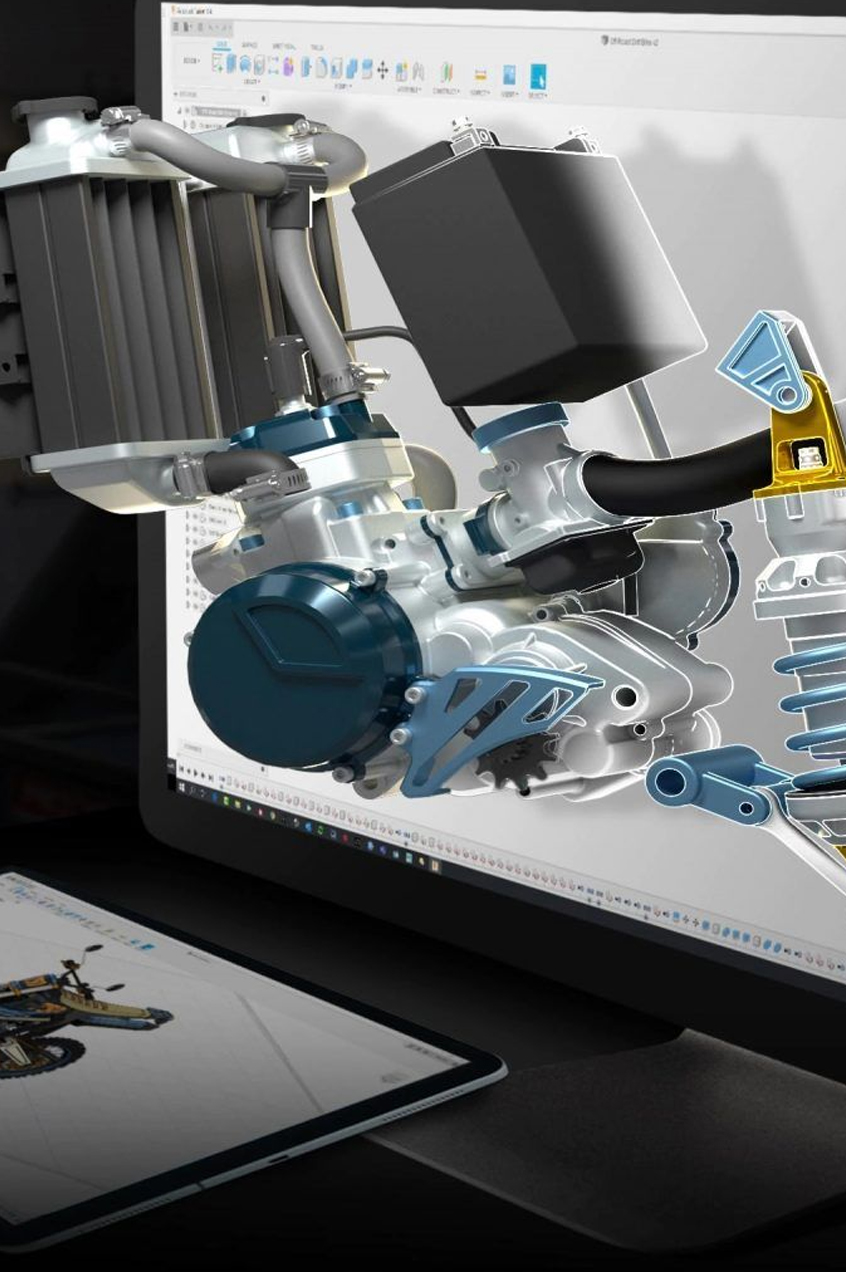
TechCadd Mohali provides professional AutoCAD training with experienced trainers, practical projects, and career guidance.
By joining this course, students gain valuable CAD skills that help them succeed in the competitive design industry.
Start your AutoCAD learning journey today and take the first step toward becoming a skilled CAD professional.