DRAG
TechCADD

Best AutoCAD Course in Mohali | AutoCAD Training Institute in Mohali – TechCadd

  • Home
  • Course
  • Best AutoCAD Course in Mohali | AutoCAD Training Institute in Mohali – TechCadd
Best AutoCAD Course in Mohali | AutoCAD Training Institute in Mohali – TechCadd

TechCadd Mohali offers a professional AutoCAD course designed for students, engineers, architects, and working professionals who want to master CAD designing skills. This course covers 2D drafting, 3D modeling, dimensioning, layouts, and real industry projects. Learn AutoCAD from certified trainers and get practical knowledge with hands-on training. After completing the course, students receive an industry-recognized certificate that helps them build a successful career in mechanical, civil, architecture, and interior design fields.

AutoCAD is one of the most widely used computer-aided design (CAD) software applications in engineering, architecture, construction, and manufacturing industries. Professionals across the world use AutoCAD for creating precise 2D drawings and 3D models for technical designs.

The AutoCAD Course in Mohali at TechCadd is designed to help students learn professional drafting and design skills from basic to advanced levels. Whether you are a student, engineer, architect, or working professional, this course will help you develop practical CAD skills that are required in real-world industries.

At TechCadd Mohali, we focus on practical learning, industry-based projects, and real design examples so that students can gain hands-on experience using AutoCAD software.


Why Learn AutoCAD?

AutoCAD is an essential skill for many technical careers. Industries such as civil engineering, mechanical engineering, architecture, and interior design rely heavily on AutoCAD for design and drafting work.

Learning AutoCAD provides several advantages:

  • High demand in engineering and design industries

  • Opportunity to work in architecture and construction companies

  • Better job opportunities in mechanical and civil fields

  • Ability to create accurate technical drawings and layouts

  • Increased productivity in design projects

Because of these benefits, AutoCAD has become one of the most important technical software tools used worldwide.


Why Choose TechCadd Mohali for AutoCAD Training?

TechCadd Mohali is one of the leading training institutes that provides professional CAD training programs for students and professionals.

Key features of our AutoCAD training include:

Expert Trainers

Our trainers are experienced professionals with strong industry knowledge. They provide step-by-step guidance and practical training so students can understand AutoCAD easily.

Practical Training

The course focuses on hands-on practice. Students work on real design projects to improve their drafting and modeling skills.

Industry Based Curriculum

The AutoCAD course syllabus is designed according to industry requirements so that students learn the most relevant skills needed for jobs.

Certification

After successful completion of the course, students receive an industry-recognized certificate from TechCadd.

Job Assistance

TechCadd Mohali provides placement assistance to help students start their careers in engineering, architecture, and design industries.


What You Will Learn in AutoCAD Course

During the AutoCAD training program, students will learn all the essential tools and commands required for professional CAD designing.

Introduction to AutoCAD

Students will learn the basic interface of AutoCAD software, navigation tools, and important commands used in drafting.

Drawing Tools

The course covers essential drawing commands such as:

  • Line

  • Circle

  • Rectangle

  • Arc

  • Polygon

  • Polyline

These tools help in creating basic design shapes and structures.

Modify Commands

Students will learn how to edit and modify drawings using commands like:

  • Move

  • Copy

  • Rotate

  • Trim

  • Extend

  • Mirror

  • Offset

These tools help in improving design accuracy and editing drawings efficiently.

Layers and Properties

Layer management is an important part of AutoCAD drafting. Students will learn how to organize drawings using layers, colors, line types, and properties.

Dimensioning

Dimension tools help in adding measurements to drawings. Students will learn:

  • Linear dimensions

  • Angular dimensions

  • Radius and diameter

  • Dimension styles

Text and Annotation

Students will learn how to add text, notes, and annotations to technical drawings.

Layout and Plotting

This section teaches how to prepare drawings for printing and presentation using layouts and plot settings.

3D Basics

Students will also get an introduction to 3D modeling concepts using AutoCAD.


Who Can Join This Course?

The AutoCAD course at TechCadd Mohali is suitable for:

  • Civil engineering students

  • Mechanical engineering students

  • Architecture students

  • Interior design students

  • Diploma holders

  • ITI students

  • Working professionals who want to upgrade their skills

Even beginners with basic computer knowledge can easily learn AutoCAD.


Career Opportunities After AutoCAD Course

After completing the AutoCAD training, students can explore various career opportunities in design and engineering industries.

Some of the popular job roles include:

  • AutoCAD Designer

  • CAD Draftsman

  • Mechanical Draftsman

  • Civil Draftsman

  • Architectural Draftsman

  • Interior Design Draftsman

AutoCAD professionals are required in construction companies, manufacturing industries, architecture firms, and engineering consultancies.


Duration of AutoCAD Course

The duration of the AutoCAD course at TechCadd Mohali usually ranges between 1 month to 3 months, depending on the learning level and batch schedule.

Both weekday and weekend batches are available for students and working professionals.


Certification

After completing the course successfully, students receive a TechCadd certification, which helps them demonstrate their CAD skills to employers.

Certificates improve job opportunities and add value to professional resumes.


Placement Support

TechCadd Mohali also provides placement assistance to help students find job opportunities after completing their course.

Students get guidance for:

  • Resume preparation

  • Interview preparation

  • Job opportunities in engineering companies


Start Your AutoCAD Training Today

If you want to build a career in engineering design, architecture, or drafting, learning AutoCAD is the perfect step.

Join the AutoCAD Course at TechCadd Mohali and gain the skills required to succeed in the CAD design industry.

Learn from expert trainers, work on real projects, and get industry certification to start your professional career.

Importance of AutoCAD in Modern Industries

In today's modern engineering and design industries, AutoCAD plays a very important role. Almost every construction project, mechanical component, architectural plan, or interior design layout is created using CAD software.

AutoCAD helps professionals design accurate drawings with high precision and efficiency. Earlier, engineers and designers used manual drafting methods, which required a lot of time and effort. With the help of AutoCAD software, complex designs can now be created quickly with better accuracy.

Many industries such as construction, manufacturing, architecture, product design, and interior designing depend on AutoCAD for preparing technical drawings and blueprints.

Because of this reason, companies are always looking for professionals who have strong AutoCAD skills and can handle design projects effectively.


Practical Learning Approach at TechCadd Mohali

At TechCadd Mohali, we believe that practical learning is the most effective way to master AutoCAD. Instead of focusing only on theory, students get hands-on training through real projects and exercises.

During the course, students will work on practical design assignments that help them understand how AutoCAD is used in real-world industry scenarios.

Some practical learning activities include:

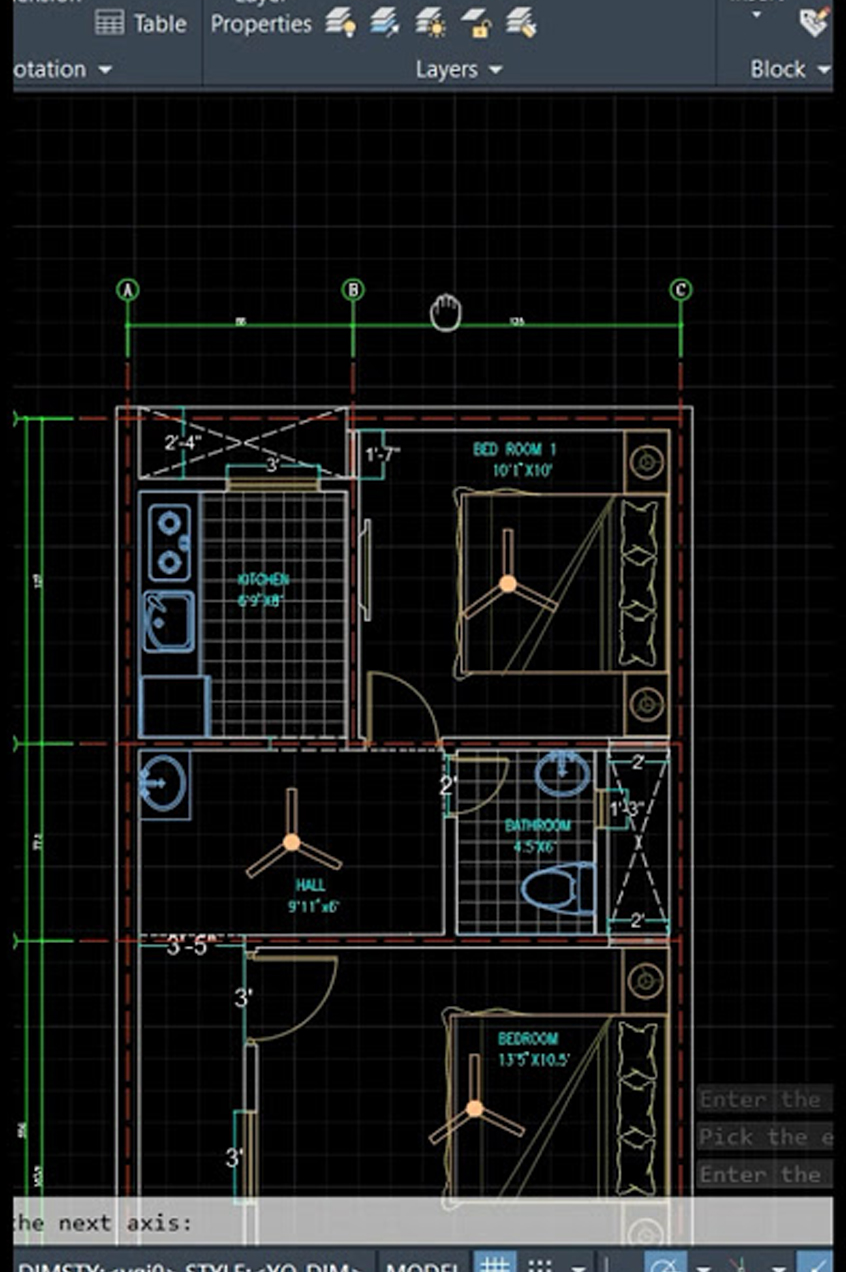
  • Creating architectural floor plans

  • Mechanical part drawings

  • Structural layouts

  • Electrical design layouts

  • Interior design plans

This approach helps students gain confidence in using AutoCAD and prepares them for professional work environments.


AutoCAD for Civil Engineering

Civil engineers use AutoCAD extensively for designing construction plans and structural layouts.

In civil engineering projects, AutoCAD helps create drawings such as:

  • Building floor plans

  • Elevation drawings

  • Structural drawings

  • Site layout plans

  • Road design drawings

Civil engineers rely on AutoCAD to ensure that designs are accurate and meet engineering standards.

Students from civil engineering backgrounds benefit greatly from learning AutoCAD because it allows them to understand construction drawings and prepare project plans more efficiently.


AutoCAD for Mechanical Engineering

AutoCAD is also widely used in the mechanical engineering industry for designing machine components and mechanical systems.

Mechanical engineers use AutoCAD to create:

  • Machine part drawings

  • Assembly drawings

  • Product designs

  • Manufacturing layouts

  • Equipment design models

Learning AutoCAD helps mechanical engineering students improve their design skills and prepares them for careers in manufacturing and production industries.


AutoCAD for Architecture and Interior Design

Architects and interior designers use AutoCAD for creating building layouts, furniture designs, and interior planning.

Using AutoCAD, architects can create:

  • Building floor plans

  • Section drawings

  • Elevation drawings

  • Landscape plans

  • Interior layouts

Interior designers also use AutoCAD to design furniture layouts, room arrangements, lighting plans, and decorative elements.

The AutoCAD course at TechCadd Mohali provides the necessary skills required for architecture and interior design professionals.


Benefits of Learning AutoCAD

Learning AutoCAD offers several professional and career advantages.

Some of the major benefits include:

High Demand Skill

AutoCAD is one of the most demanded design software in engineering and architecture industries.

Better Career Opportunities

AutoCAD knowledge opens career opportunities in construction companies, architecture firms, and manufacturing industries.

Increased Productivity

Design work becomes faster and more efficient using AutoCAD tools and commands.

Professional Design Skills

Students learn how to create professional technical drawings that meet industry standards.

Global Career Opportunities

AutoCAD skills are recognized globally, allowing professionals to work in international design companies.


Course Training Methodology

The AutoCAD course at TechCadd Mohali follows a structured training methodology that helps students learn effectively.

The training includes:

  • Instructor-led training sessions

  • Live software demonstrations

  • Practical assignments

  • Real industry projects

  • Doubt clearing sessions

Students receive personal attention from trainers to ensure that every concept is understood properly.


Hands-on Projects

Projects are an important part of the AutoCAD training program. They allow students to apply their knowledge and practice design skills.

Some example projects include:

  • Residential building floor plan

  • Mechanical machine component design

  • Interior design layout

  • Electrical wiring layout

  • Construction site plan

These projects help students develop problem-solving abilities and practical experience.


Learning Environment at TechCadd Mohali

TechCadd Mohali provides a professional learning environment with modern computer labs and licensed software.

Students get access to:

  • High-performance computer systems

  • Latest AutoCAD software

  • Comfortable classrooms

  • Experienced trainers

  • Practical training sessions

This environment helps students focus on learning and improving their design skills.


Who Should Enroll in This Course?

This course is ideal for individuals who want to build a career in design and drafting fields.

The course is suitable for:

  • Engineering students

  • Diploma students

  • Architecture students

  • Interior design students

  • ITI students

  • Working professionals

  • Job seekers who want technical skills

Even beginners with no prior design experience can start learning AutoCAD from basic level.


Future Scope of AutoCAD

The future scope of AutoCAD is very strong because engineering and construction industries continue to grow rapidly.

With increasing infrastructure development and industrial projects, the demand for CAD designers is also increasing.

Professionals who have strong AutoCAD skills can work in industries such as:

  • Construction companies

  • Engineering consultancies

  • Manufacturing companies

  • Architecture firms

  • Interior design studios

Experienced AutoCAD professionals can also work as freelance designers or start their own design consultancy.


Join TechCadd Mohali Today

If you want to build a successful career in design and engineering industries, learning AutoCAD is the right step.

The AutoCAD course at TechCadd Mohali provides the perfect combination of practical training, expert guidance, and industry-focused curriculum.

Students gain valuable skills that help them secure job opportunities and grow in their professional careers.

Enroll today and start your journey toward becoming a skilled AutoCAD designer.

Detailed AutoCAD Training Modules

The AutoCAD course at TechCadd Mohali is divided into multiple modules to help students learn step by step from basic to advanced levels. Each module focuses on specific tools and techniques used in professional drafting and design.

Module 1: Introduction to CAD and AutoCAD

Students begin the course by understanding the fundamentals of Computer Aided Design (CAD). In this module, students learn about the importance of CAD in engineering and design industries.

Topics covered include:

  • Introduction to CAD technology

  • Understanding AutoCAD interface

  • Navigation tools and workspace settings

  • Coordinate systems

  • Basic drawing setup

This module helps beginners become comfortable with the AutoCAD software environment.


Module 2: Basic Drawing Commands

In this module, students learn how to create basic shapes and structures using AutoCAD drawing tools.

Important commands include:

  • Line

  • Circle

  • Rectangle

  • Arc

  • Polygon

  • Polyline

These commands form the foundation of CAD drafting and are essential for creating technical drawings.


Module 3: Modify Commands

Modify commands help designers edit and improve drawings easily. Students learn how to modify existing objects using powerful editing tools.

Commands covered include:

  • Move

  • Copy

  • Rotate

  • Mirror

  • Trim

  • Extend

  • Offset

  • Scale

These tools help improve productivity and make drawing adjustments faster.


Module 4: Layers and Object Properties

Layers are used to organize different parts of a drawing. Proper layer management helps designers maintain clarity in complex drawings.

Students learn:

  • Creating and managing layers

  • Assigning colors and line types

  • Object properties and settings

  • Layer visibility control

This module helps students manage large design projects efficiently.


Module 5: Dimensioning and Annotation

Dimensioning is essential in technical drawings because it provides measurement information.

Students learn how to add dimensions such as:

  • Linear dimension

  • Angular dimension

  • Radius and diameter

  • Dimension styles

  • Text annotations

These tools help create professional engineering drawings that follow industry standards.


Module 6: Blocks and External References

Blocks are reusable design elements that help improve efficiency.

Students learn:

  • Creating blocks

  • Editing blocks

  • Inserting blocks in drawings

  • Using external references

Blocks help reduce repetitive work and maintain consistency in drawings.


Module 7: Layouts and Printing

Once drawings are completed, they need to be prepared for printing and presentation.

Students learn:

  • Paper space and model space

  • Creating layouts

  • Viewports

  • Plot settings and printing drawings

This module ensures that students can prepare professional drawings ready for submission or construction use.

Choosing the right training institute is very important for building a successful career in technical fields. When it comes to learning professional design software like AutoCAD, students need proper guidance, practical training, and industry exposure. TechCadd Mohali has established itself as one of the most trusted institutes for CAD and engineering design training.

TechCadd Mohali focuses on providing quality education, practical knowledge, and career-oriented training programs for students who want to build careers in engineering, architecture, and design industries. The AutoCAD course at TechCadd Mohali is designed to help students gain strong technical skills and confidence in using CAD software for real-world applications.

Below are some important reasons why TechCadd Mohali is the preferred choice for AutoCAD training.


Industry-Oriented Curriculum

One of the biggest advantages of learning at TechCadd Mohali is the industry-focused curriculum. The AutoCAD training program is designed according to the latest industry standards and requirements.

Many institutes only focus on theoretical knowledge, but TechCadd ensures that students learn the skills that companies actually require. The course includes real design examples, practical exercises, and industry-based projects.

Students learn how AutoCAD is used in engineering companies, construction projects, architecture firms, and manufacturing industries. This practical approach helps students understand real-world design workflows.


Experienced and Professional Trainers

The quality of training largely depends on the experience and expertise of the trainers. TechCadd Mohali has a team of highly qualified and experienced instructors who have strong knowledge of CAD software and engineering design.

The trainers guide students step-by-step through each concept, ensuring that even beginners can understand the software easily. Students also receive personalized attention during practical sessions, which helps them solve doubts and improve their design skills.

Experienced trainers also share industry insights and real project examples that help students understand how design work is carried out in professional environments.


Practical Training with Real Projects

Practical training is one of the most important aspects of AutoCAD learning. At TechCadd Mohali, students are encouraged to practice regularly through hands-on exercises and real design projects.

During the course, students work on different types of drawings such as architectural floor plans, mechanical part drawings, structural layouts, and interior design plans.

Working on real projects helps students develop confidence in using AutoCAD tools and commands. It also improves problem-solving skills and prepares students for real job responsibilities.


Modern Computer Labs and Infrastructure

TechCadd Mohali provides a modern learning environment with well-equipped computer labs and advanced software tools. Students get access to high-performance computer systems installed with the latest versions of AutoCAD software.

The classrooms are designed to create a comfortable and focused learning atmosphere. With modern infrastructure and updated software tools, students can learn and practice AutoCAD efficiently.

Having access to professional software and systems helps students gain practical experience similar to what they will encounter in industry workplaces.


Step-by-Step Learning Approach

TechCadd Mohali follows a structured and step-by-step learning approach that helps students understand AutoCAD concepts clearly.

The training begins with basic concepts such as understanding the AutoCAD interface, drawing commands, and navigation tools. Once students become comfortable with the basics, they gradually move to advanced topics like layers, dimensioning, layout management, and printing.

This systematic training approach ensures that students build a strong foundation before learning advanced design techniques.


Certification After Course Completion

After completing the AutoCAD course successfully, students receive a professional certification from TechCadd Mohali.

This certificate validates the student's knowledge and skills in AutoCAD design and drafting. Certifications are valuable because they enhance a student’s resume and help demonstrate their technical expertise to employers.

Many companies prefer candidates who have professional training certificates, which increases the chances of getting better job opportunities.


Placement Assistance and Career Support

TechCadd Mohali not only provides training but also helps students build their careers. The institute offers placement assistance to help students find suitable job opportunities after completing their training.

Students receive guidance in:

  • Resume preparation

  • Interview preparation

  • Job application process

  • Career counseling

The placement support helps students connect with companies that are looking for skilled CAD designers and draftsmen.


Suitable for Students from Different Backgrounds

The AutoCAD course at TechCadd Mohali is suitable for students from various educational backgrounds.

Students who can benefit from this course include:

  • Civil engineering students

  • Mechanical engineering students

  • Architecture students

  • Interior design students

  • Diploma holders

  • ITI students

  • Working professionals

Even beginners with basic computer knowledge can easily learn AutoCAD through the step-by-step training process.


Flexible Batch Timings

TechCadd Mohali understands that students and working professionals have different schedules. To accommodate everyone, the institute offers flexible batch timings.

Students can choose from:

  • Weekday batches

  • Weekend batches

  • Morning batches

  • Evening batches

This flexibility allows students to learn AutoCAD without affecting their college or job schedules.


Focus on Skill Development

The main objective of TechCadd Mohali is to develop practical technical skills among students. The training programs focus on building strong design skills rather than only theoretical knowledge.

Students practice various AutoCAD tools and commands repeatedly until they become confident in creating professional drawings.

By the end of the course, students are able to create accurate technical drawings independently.


Growing Reputation in CAD Training

TechCadd Mohali has gained a strong reputation as a reliable training institute for CAD software and engineering design courses.

Many students from different parts of Punjab and nearby regions join TechCadd Mohali to learn AutoCAD and other technical courses.

The institute is known for providing quality training, experienced instructors, and practical learning opportunities.

Because of this reputation, many companies trust TechCadd-trained students for CAD design roles.


Learning Environment that Encourages Growth

A positive learning environment plays an important role in student success. TechCadd Mohali provides a supportive and encouraging atmosphere where students can focus on learning and improving their skills.

Students can freely ask questions, discuss design problems, and seek guidance from trainers whenever needed.

Group discussions, practical exercises, and project work help students learn collaboratively and gain better understanding of design concepts.


Affordable Course Fees

TechCadd Mohali offers professional AutoCAD training at affordable course fees so that students from different backgrounds can access quality technical education.

Despite providing modern infrastructure, experienced trainers, and practical training, the institute maintains reasonable fees compared to many other training centers.

This makes TechCadd Mohali an excellent choice for students who want high-quality CAD training at a reasonable cost.


Start Your AutoCAD Learning Journey with TechCadd Mohali

Learning AutoCAD is a valuable step toward building a successful career in engineering, architecture, and design industries.

TechCadd Mohali provides the right combination of professional training, practical experience, expert guidance, and career support to help students achieve their goals.

With experienced trainers, modern labs, industry-focused curriculum, and placement assistance, TechCadd Mohali ensures that students gain the skills required to succeed in the competitive design industry.

If you want to develop strong CAD design skills and explore exciting career opportunities, joining the AutoCAD course at TechCadd Mohali is the perfect choice.

Start your learning journey today and become a skilled AutoCAD professional with TechCadd Mohali.

Continuous Support and Doubt Clearing Sessions

At TechCadd Mohali, learning does not stop in the classroom. Students receive continuous support from trainers throughout the course duration. If students face any difficulty while practicing AutoCAD commands or working on design projects, trainers are always available to guide them.

Regular doubt-clearing sessions are conducted to ensure that every student understands the concepts clearly. This approach helps students build confidence and improves their overall learning experience.

Many students appreciate this supportive environment because it allows them to learn at their own pace without feeling pressured.


Learning Through Practical Assignments

Assignments are an important part of the learning process at TechCadd Mohali. After each module, students receive practical assignments that help them apply what they have learned.

These assignments may include:

  • Creating technical drawings

  • Designing building layouts

  • Preparing mechanical component drawings

  • Working with dimensioning and annotation tools

By completing these assignments, students gain hands-on experience and improve their design accuracy.

Assignments also help trainers evaluate student progress and provide feedback for improvement.


Exposure to Industry Standards

Professional CAD drawings must follow specific industry standards. At TechCadd Mohali, students learn how to create drawings according to these standards.

The training program covers topics such as:

  • Standard drawing formats

  • Layer management practices

  • Dimensioning guidelines

  • Drawing presentation techniques

Understanding these standards helps students prepare professional drawings that meet industry expectations.

Employers prefer candidates who understand proper drafting standards because it ensures better quality and consistency in design projects.


Focus on Concept Clarity

One of the main objectives of TechCadd Mohali is to ensure that students fully understand the concepts behind AutoCAD tools and commands.

Instead of memorizing commands, students learn the logic and purpose of each tool. This helps them use AutoCAD more effectively when working on real projects.

Concept clarity also allows students to solve design problems independently and adapt to different project requirements.


Training for Real Job Roles

The AutoCAD course at TechCadd Mohali prepares students for real job roles in the design industry.

Students learn skills required for positions such as:

  • CAD Designer

  • CAD Draftsman

  • Design Technician

  • Architectural Draftsman

  • Mechanical Draftsman

The training focuses on practical tasks that professionals perform in their daily work, which helps students transition smoothly into the workplace.


Strong Foundation for Advanced Software

Learning AutoCAD also provides a strong foundation for learning other advanced design software in the future.

Students who understand AutoCAD can easily move on to learning advanced tools such as:

  • 3D modeling software

  • BIM software

  • Mechanical design software

  • Architectural visualization tools

Because AutoCAD teaches the fundamentals of digital drafting and design, it becomes easier to learn more advanced technologies later.


Increased Confidence in Technical Skills

Many students initially feel nervous about learning technical software. However, with the structured training approach at TechCadd Mohali, students gradually develop confidence in their skills.

Regular practice, project work, and trainer support help students become comfortable with AutoCAD tools and commands.

By the end of the course, students are capable of creating professional drawings independently, which boosts their confidence when applying for jobs.


Career-Oriented Learning Environment

TechCadd Mohali focuses on career-oriented education rather than only classroom learning.

Students are encouraged to develop professional skills that are valuable in the workplace. These include:

  • Attention to detail in drawings

  • Time management during design projects

  • Communication of design ideas

  • Problem-solving skills

These abilities help students perform better in professional environments and increase their chances of career growth.


Networking Opportunities

Studying at TechCadd Mohali also allows students to connect with other learners and professionals interested in design and engineering fields.
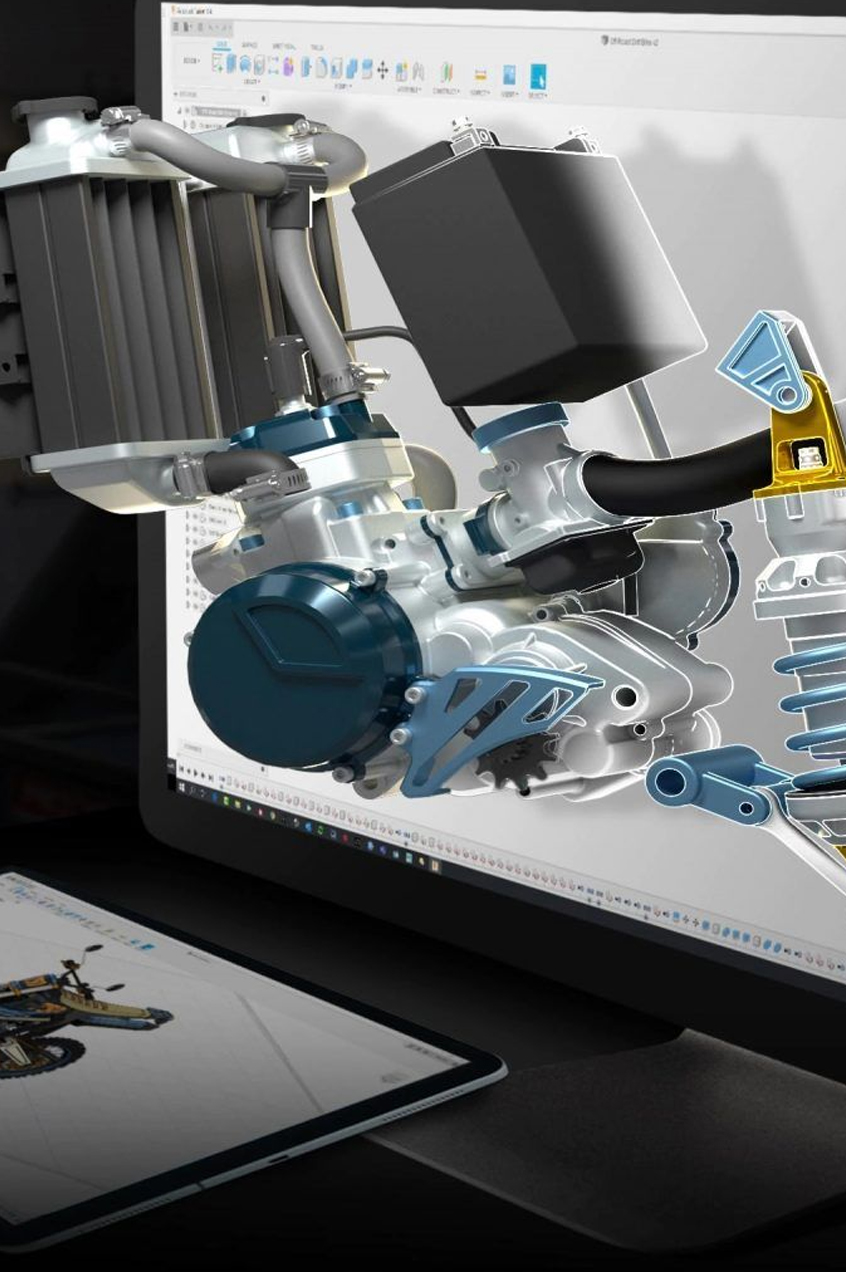
Students can exchange ideas, share project experiences, and learn from each other during the training program.

This networking environment helps students build professional connections that may benefit them in their future careers.


Long-Term Career Value

Learning AutoCAD is not just useful for getting the first job; it also provides long-term career value.

As students gain experience in design and drafting, they can move to higher positions such as:

  • Senior CAD Designer

  • Project Designer

  • Design Engineer

  • CAD Manager

AutoCAD skills remain valuable throughout a professional’s career because design and drafting are essential parts of many engineering projects.


Trusted Training Institute in Mohali

Over the years, TechCadd Mohali has built a reputation as a trusted institute for CAD training and technical education.

Many students have successfully completed their AutoCAD training here and started their careers in engineering and design industries.

The institute’s commitment to quality training, experienced instructors, and practical learning makes it one of the preferred choices for students who want to learn AutoCAD professionally.


Your Path to a Successful Design Career

If you want to develop strong design skills and work in industries such as construction, architecture, manufacturing, or interior design, learning AutoCAD is a great first step.

TechCadd Mohali provides the knowledge, tools, and guidance needed to become a skilled CAD professional.

With industry-focused training, practical experience, and expert mentorship, students gain the confidence to pursue exciting career opportunities in the design field.

Join TechCadd Mohali and take the first step toward building a successful future in AutoCAD design and drafting.

AutoCAD is one of the most widely used design and drafting software in the world. Developed for engineers, architects, designers, and construction professionals, AutoCAD has become an essential tool in modern design and development industries. As technology continues to advance and infrastructure projects increase across the world, the demand for professionals with AutoCAD skills is also growing rapidly.

Learning AutoCAD today opens the door to many career opportunities in industries such as construction, manufacturing, architecture, interior design, and engineering consulting. Students who gain expertise in AutoCAD can work in different sectors where precise technical drawings and designs are required.

The future scope of AutoCAD is very strong because almost every engineering or design project requires accurate drafting and visualization. From designing buildings and roads to creating machine parts and interior layouts, AutoCAD plays an important role in transforming ideas into practical designs.


Growing Demand for CAD Professionals

The demand for CAD professionals is increasing every year. Companies need skilled designers who can create accurate technical drawings and design layouts for projects.

Industries such as construction, infrastructure development, and manufacturing are expanding rapidly, especially in developing countries. This growth creates a continuous demand for professionals who have knowledge of design software like AutoCAD.

Organizations look for trained CAD designers who can prepare professional drawings, modify designs quickly, and support engineers and architects in completing projects efficiently.

Because of this growing demand, students who learn AutoCAD can find many employment opportunities in both private and government sectors.


Role of AutoCAD in Engineering Industries

Engineering industries rely heavily on AutoCAD for designing and planning projects. Engineers use AutoCAD to create technical drawings that guide the manufacturing or construction process.

For example, civil engineers use AutoCAD to design building layouts, structural plans, bridges, and road networks. Mechanical engineers use AutoCAD to design machine components, equipment parts, and manufacturing tools.

Electrical engineers also use AutoCAD for designing wiring diagrams, electrical layouts, and circuit plans.

Because engineering industries cannot function efficiently without proper design documentation, AutoCAD skills remain highly valuable in these fields.


AutoCAD in Architecture and Construction

Architecture and construction are two of the largest industries that depend on AutoCAD software. Architects use AutoCAD to create building floor plans, elevation drawings, and section views.

Construction companies rely on these drawings to build structures accurately according to design specifications.

AutoCAD helps architects visualize building designs before construction begins. It also allows easy modification of plans if changes are required during the project.

With increasing urbanization and infrastructure development across cities, the demand for skilled AutoCAD professionals in architecture and construction is expected to grow significantly in the future.

Opportunities in Interior Design

Interior designers also use AutoCAD to create layouts for residential and commercial spaces. Using AutoCAD, designers can plan furniture placement, lighting arrangements, and decorative elements in a room.

Interior designers create detailed drawings that help clients visualize how a space will look after renovation or decoration.

AutoCAD helps interior designers present professional design concepts and accurate measurements, making it easier to execute projects.

As the interior design industry grows due to increasing demand for modern homes and offices, professionals with AutoCAD knowledge will have strong career opportunities.


Manufacturing and Product Design

The manufacturing industry uses AutoCAD for designing mechanical components and products. Engineers create detailed drawings of machine parts, tools, and equipment using AutoCAD software.

These drawings are used during the production process to ensure that each component is manufactured according to design specifications.

AutoCAD also helps in developing prototypes and testing design concepts before manufacturing begins.

Because manufacturing industries continue to grow and adopt modern technologies, the need for CAD designers will remain strong in the future.


Opportunities in Government Projects

Government infrastructure projects such as highways, bridges, railways, and public buildings require extensive planning and design work.

Engineers and designers working on these projects use AutoCAD to prepare technical drawings and layouts.

Professionals with AutoCAD skills can find opportunities in government departments, public sector organizations, and infrastructure development companies.

Large-scale projects require accurate design documentation, making AutoCAD an important tool in government construction and planning activities.


Freelancing Opportunities

AutoCAD professionals also have the option to work as freelance designers. Freelancing allows designers to work independently and provide drafting services to clients from different industries.

Freelance CAD designers can work on projects such as:

  • Architectural drawings

  • Mechanical component designs

  • Interior layouts

  • Construction plans

With the rise of online freelancing platforms, skilled AutoCAD professionals can work with clients from different parts of the world.

Freelancing provides flexibility and additional income opportunities for designers who have strong technical skills.


Career Growth and Advancement

Learning AutoCAD can be the starting point of a successful design career. Beginners usually start as junior CAD designers or draftsmen and gradually move to higher positions with experience.

Career growth in this field may include positions such as:

  • CAD Draftsman

  • CAD Designer

  • Design Engineer

  • Project Designer

  • CAD Manager

With experience and additional training in advanced software tools, professionals can move into leadership roles and manage large design projects.


Integration with Advanced Technologies

AutoCAD is also evolving with modern technologies such as 3D modeling, Building Information Modeling (BIM), and cloud-based collaboration tools.

Professionals who start with AutoCAD can later expand their skills by learning advanced design software used in modern engineering workflows.

For example, architects and engineers often combine AutoCAD with BIM tools for large construction projects.

This integration with advanced technologies ensures that AutoCAD remains relevant and useful in the future design industry.


Global Opportunities

AutoCAD is recognized and used worldwide. Professionals who have strong AutoCAD skills can work not only in their local region but also in international companies.

Many global engineering firms and architecture studios require CAD professionals who can create technical drawings according to international standards.

Because AutoCAD is widely used around the world, learning this software can open opportunities for working in multinational companies and global projects.


Increasing Importance of Digital Design

The world is moving rapidly toward digital design and automation. Manual drafting methods are becoming obsolete, and companies prefer digital design tools that improve efficiency and accuracy.

AutoCAD plays a major role in this transition from manual drawing to digital design.

Professionals who understand digital drafting tools like AutoCAD are better prepared to work in modern engineering and design environments.

As industries continue to adopt digital technologies, the importance of AutoCAD skills will continue to grow.


Building a Strong Professional Portfolio

Learning AutoCAD also helps students build a strong professional portfolio. During training, students work on various design projects that demonstrate their technical abilities.

A portfolio containing well-prepared drawings and design projects can impress employers and increase job opportunities.

Employers often evaluate candidates based on their design portfolio, making practical AutoCAD experience very valuable.


Long-Term Career Stability

One of the biggest advantages of learning AutoCAD is long-term career stability. Engineering, construction, and manufacturing industries will always require design professionals who can prepare accurate drawings and layouts.

Because of this constant demand, AutoCAD professionals enjoy stable career opportunities and long-term job prospects.

With experience and continuous learning, professionals can achieve higher salaries and better career positions.


Conclusion

The future scope of AutoCAD is extremely promising. As industries continue to expand and infrastructure development increases worldwide, the demand for skilled CAD professionals will continue to grow.

AutoCAD skills provide opportunities in multiple industries such as engineering, architecture, construction, manufacturing, and interior design.

Students who learn AutoCAD gain valuable technical skills that help them enter the professional design world with confidence.

By mastering AutoCAD and gaining practical experience, individuals can build successful and rewarding careers in the design and engineering industries.

AutoCAD is not just a software skill—it is a powerful career tool that opens doors to numerous opportunities in the modern digital design world.

Increasing Demand in Smart City Projects

Across India and many other countries, governments are focusing on developing smart cities and modern infrastructure. These projects require proper planning, design, and technical documentation before construction begins.

AutoCAD plays a major role in preparing detailed drawings for these projects. Engineers and planners use AutoCAD to design road layouts, drainage systems, building structures, and utility networks.

As smart city projects continue to grow, the need for skilled AutoCAD professionals will also increase. CAD designers help transform complex engineering ideas into clear and accurate drawings that can be used for implementation.


Role of AutoCAD in Infrastructure Development

Infrastructure development is one of the fastest-growing sectors in many countries. Projects such as highways, airports, railway stations, bridges, and industrial parks require detailed planning and design.

AutoCAD helps engineers prepare accurate layouts and structural drawings for these large projects. The software allows designers to modify designs quickly and collaborate with other professionals involved in the project.

Because infrastructure development will continue to expand in the coming years, professionals who are skilled in AutoCAD will have excellent career opportunities.


Opportunities in Real Estate Development

The real estate sector also depends heavily on AutoCAD for planning residential and commercial properties. Builders and developers use AutoCAD to create floor plans, building layouts, and site plans.

These drawings help investors, architects, and construction teams understand the project clearly before construction begins.

With the growth of urban housing projects and commercial complexes, real estate companies require skilled CAD designers who can prepare professional building plans.

Students who learn AutoCAD can explore opportunities in real estate companies, construction firms, and architectural consultancies.


Importance of AutoCAD in Project Planning

Every engineering or construction project begins with proper planning and design documentation. Without accurate drawings, it becomes difficult to implement projects successfully.

AutoCAD allows engineers and designers to visualize their ideas and create technical drawings that guide the entire project execution process.

Project managers and engineers rely on these drawings to understand the structure, measurements, and layout of the project.

Because of this importance, AutoCAD continues to be an essential tool in project planning and development across multiple industries.


Opportunities for Entrepreneurs

AutoCAD skills also provide opportunities for individuals who want to start their own design business. Experienced CAD professionals can start freelance drafting services or design consultancy firms.

Such professionals can work with architects, builders, and engineering companies to prepare drawings and design layouts.

Entrepreneurs who have strong AutoCAD knowledge can offer services such as:

  • Architectural drafting

  • Mechanical design drafting

  • Interior layout planning

  • Construction design documentation

Starting a design consultancy allows professionals to work independently and build their own business in the design industry.


Remote Work Opportunities

With the advancement of digital technology and online collaboration tools, many companies now allow designers to work remotely.

AutoCAD drawings can be created and shared digitally, allowing designers to work from different locations.

This creates opportunities for skilled AutoCAD professionals to work with companies or clients from other cities or even other countries.

Remote work opportunities provide flexibility and allow designers to gain international project experience without relocating.


Continuous Learning and Skill Development

AutoCAD is often the first step in learning professional design software. Once students gain expertise in AutoCAD, they can continue expanding their knowledge by learning advanced tools used in design industries.

Learning additional software along with AutoCAD can help professionals specialize in specific industries such as construction, mechanical design, or architecture.

Continuous skill development ensures that designers remain competitive in the job market and adapt to new technologies used in the industry.


High Value in Technical Education

AutoCAD training is highly valuable for students pursuing technical education such as engineering, architecture, or diploma courses.

Many universities and technical institutes include AutoCAD in their curriculum because it helps students understand engineering drawings more effectively.

Students who already have AutoCAD skills during their academic studies often perform better in practical subjects and project work.

This advantage helps them gain better internships and job opportunities after graduation.


Contribution to Modern Design Processes

Modern design processes require digital tools that allow designers to create, modify, and share designs quickly.

AutoCAD has become a key part of these modern design processes because it provides powerful drafting tools and efficient workflows.

Professionals can easily update drawings, make corrections, and share designs with project teams.

This efficiency makes AutoCAD a preferred tool for many industries that require accurate and fast design solutions.


Enhancing Creativity and Design Skills

AutoCAD not only helps professionals create technical drawings but also enhances their creativity and design capabilities.

Designers can experiment with different layouts, structures, and design ideas using AutoCAD tools.

The software allows easy modification of designs, enabling designers to explore multiple solutions before finalizing a project.

This flexibility encourages innovation and creative thinking in engineering and architectural design.


Long-Term Industry Relevance

Despite the introduction of many advanced design software tools, AutoCAD continues to remain one of the most widely used drafting programs in the world.

Many companies still rely on AutoCAD because of its reliability, accuracy, and compatibility with other design tools.

AutoCAD drawings are often used as the foundation for many advanced design processes and engineering documentation.

Because of its long history and widespread adoption, AutoCAD will continue to remain relevant in design and engineering industries for many years.


Conclusion: A Promising Future with AutoCAD

The future scope of AutoCAD is extremely promising. As technology advances and industries continue to expand, the demand for skilled CAD professionals will remain strong.

AutoCAD skills open career opportunities in multiple fields including engineering, architecture, construction, manufacturing, and interior design.

Professionals who invest time in learning AutoCAD gain valuable technical skills that help them build successful careers in the design industry.

With continuous learning, practical experience, and industry exposure, AutoCAD professionals can achieve excellent career growth and long-term stability.

Learning AutoCAD today is not just about mastering a software tool—it is about preparing for a future filled with opportunities in modern engineering and design industries.

5
10 reviews
5
10
4
0
3
0
2
0
1
0
A
Amanpreet Singh

I had a great learning experience at TechCadd Mohali. The AutoCAD training was very practical and easy to understand. The trainer explained every command step by step and helped me clear all my doubts. I highly recommend this institute for anyone who wants to learn AutoCAD professionally.

R
Rohit Sharma

TechCadd Mohali is one of the best institutes for AutoCAD training. The trainers are very knowledgeable and supportive. The course covered all the important topics like 2D drafting, dimensioning, and layout creation. I feel confident using AutoCAD after completing the course.

N
Neha Thakur

I joined the AutoCAD course at TechCadd Mohali after completing my diploma in civil engineering. The training helped me understand technical drawings much better. The practical sessions and projects were very useful for improving my skills.

M
Manish Verma

The teaching method at TechCadd Mohali is excellent. Trainers focus on practical learning and real project examples. The AutoCAD course helped me improve my drafting skills and prepare for job opportunities in the design field.

S
Simran Kaur

I am very happy that I chose TechCadd Mohali for learning AutoCAD. The trainers are very friendly and supportive. They explain every topic clearly and provide enough practice sessions to improve our skills.

R
Rahul Kumar

The AutoCAD course at TechCadd Mohali is very well structured. Even beginners can easily learn the software. The institute provides good learning support and helps students understand professional drawing standards.

Karan Mehta

K
Karan Mehta

TechCadd Mohali provides excellent training for CAD software. The AutoCAD course helped me understand both basic and advanced tools. The trainers always encourage students to practice more and improve their design skills.

P
Priya Sharma

I had a wonderful learning experience at TechCadd Mohali. The classroom environment is very professional and the trainers are very experienced. This course helped me build confidence in creating technical drawings.

H
Harpreet Singh

The AutoCAD training program at TechCadd Mohali is very helpful for engineering students. The practical training and assignments helped me understand the software in a better way.

A
Ankit Verma

TechCadd Mohali is a great place to learn AutoCAD. The trainers explain every concept clearly and provide individual attention to students. I would recommend this institute to anyone who wants to start a career in CAD design.

Frequently Asked Questions

1 What is AutoCAD and why should I learn it?

AutoCAD is a computer-aided design (CAD) software used to create accurate 2D drawings and 3D models. It is widely used by engineers, architects, and designers in industries such as construction, manufacturing, and interior design. Learning AutoCAD helps students develop professional drafting skills and improves career opportunities in technical fields.

2 Who can join the AutoCAD course at TechCadd Mohali?

The AutoCAD course is suitable for civil engineering students, mechanical engineering students, architecture students, interior design students, diploma holders, ITI students, and working professionals. Anyone with basic computer knowledge can easily learn AutoCAD.

3 What is the duration of the AutoCAD course?

The duration of the AutoCAD course at TechCadd Mohali usually ranges from 1 month to 3 months depending on the course level and batch schedule.

4 Will I receive a certificate after completing the AutoCAD course?

Yes, after successfully completing the AutoCAD course at TechCadd Mohali, students receive an industry-recognized certificate that validates their CAD design skills.

5 Do you provide practical training in the AutoCAD course?

Yes, the AutoCAD training at TechCadd Mohali focuses mainly on practical learning. Students work on real design exercises and projects to gain hands-on experience with AutoCAD tools and commands.

6 Are there job opportunities after completing the AutoCAD course?

Yes, students with AutoCAD skills can find job opportunities as CAD designers, draftsmen, and design engineers in industries such as construction, architecture, manufacturing, and interior design.

7 Does TechCadd Mohali provide placement assistance?

Yes, TechCadd Mohali provides placement assistance to help students prepare for job opportunities. The institute offers guidance in resume preparation, interview preparation, and job applications.

8 Do I need prior experience to learn AutoCAD?

No prior experience is required to join the AutoCAD course. The training starts from basic concepts and gradually moves to advanced tools, making it easy for beginners to learn.

9 What topics are covered in the AutoCAD course?

The AutoCAD course covers important topics such as drawing commands, modify tools, layers, dimensioning, annotation, layouts, plotting, and basic 3D concepts.

10 Why should I choose TechCadd Mohali for AutoCAD training?

TechCadd Mohali provides industry-oriented training, experienced instructors, practical learning sessions, modern computer labs, and placement assistance. These features make it one of the best institutes for AutoCAD training.

WhatsApp