


AutoCAD is one of the most powerful and widely used computer-aided design (CAD) software applications in the world. Developed by Autodesk, AutoCAD is used by engineers, architects, designers, and construction professionals to create precise drawings and models. It allows users to create both 2D drawings and 3D models with high accuracy.
In today’s competitive technical world, having AutoCAD skills can significantly improve your career opportunities. Many industries such as mechanical engineering, civil engineering, architecture, interior design, and manufacturing rely heavily on AutoCAD for designing and drafting purposes.
If you are looking for the best AutoCAD training in Mohali, TechCadd Mohali provides a comprehensive AutoCAD course that covers all essential concepts and practical applications of the software.
Why Learn AutoCAD?
AutoCAD has become a fundamental tool in engineering and design industries. Companies prefer candidates who have practical knowledge of CAD software because it helps them create professional drawings efficiently.
Some major reasons to learn AutoCAD include:
-
High demand in engineering and design industries
-
Essential skill for architects and engineers
-
Helps create accurate technical drawings
-
Improves job opportunities and career growth
-
Used worldwide in construction and manufacturing industries
Learning AutoCAD can open doors to various career opportunities and help you become a skilled design professional.
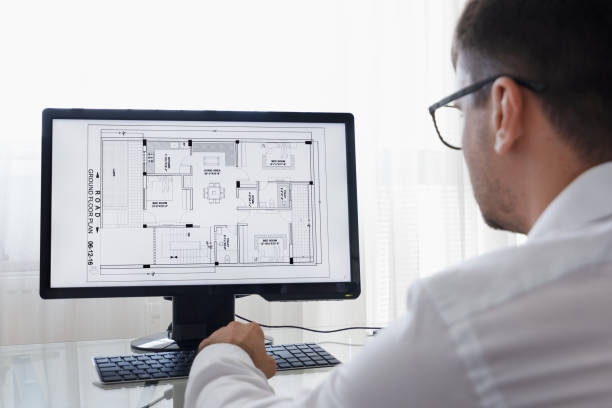
Why Choose TechCadd Mohali for AutoCAD Training?
TechCadd Mohali is a reputed training institute known for providing professional technical courses in CAD, CAM, and engineering software. The AutoCAD course at TechCadd Mohali is designed to provide both theoretical knowledge and practical experience.
Key Benefits of Learning at TechCadd Mohali
1. Experienced Trainers
Students learn from industry experts who have years of experience in engineering design and CAD software training.
2. Practical Training
The institute focuses on hands-on practice so students can work on real engineering drawings and projects.
3. Industry Relevant Curriculum
The AutoCAD course syllabus is designed according to current industry requirements to ensure students gain practical skills.
4. Certification
After completing the course, students receive a recognized certificate that helps in job applications.
5. Job Assistance
TechCadd Mohali also provides guidance and support to help students find job opportunities in design and engineering companies.
Who Should Join the AutoCAD Course?
The AutoCAD course at TechCadd Mohali is suitable for a wide range of students and professionals.
This course is ideal for:
-
Mechanical engineering students
-
Civil engineering students
-
Architecture students
-
Interior designers
-
Diploma holders in engineering
-
Professionals in construction or manufacturing industries
-
Anyone interested in design and drafting
Even beginners with no prior experience in CAD software can join this course and learn AutoCAD from the basics.
AutoCAD Course Curriculum
The AutoCAD training program at TechCadd Mohali covers all important concepts required for professional drafting and design.
Introduction to AutoCAD
Students learn about the AutoCAD interface, workspace, and basic tools used for creating drawings.
Drawing Tools
The course teaches basic drawing commands such as line, circle, arc, rectangle, polygon, and polyline.
Editing Tools
Students learn editing commands like move, copy, rotate, mirror, trim, extend, and scale.
Layers and Properties
Understanding layers is important in AutoCAD. Students learn how to manage layers, colors, line types, and object properties.
Dimensioning
Dimensioning is essential for technical drawings. The course teaches different dimension styles and measurement techniques.
Blocks and Groups
Students learn how to create and manage blocks to reuse common drawing components.
Layout and Printing
This module teaches how to create layouts and prepare drawings for printing.
3D Modeling Basics
Students are introduced to basic 3D modeling tools that allow them to create simple 3D objects.
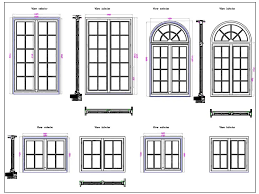
Practical Projects
At TechCadd Mohali, practical training is an important part of the AutoCAD course. Students work on real industry-style drawings and projects that help them understand how AutoCAD is used in professional environments.
Examples of practical projects include:
-
Mechanical component drawings
-
Building floor plans
-
Electrical layout drawings
-
Interior design layouts
-
Structural drawings
These projects help students build confidence and develop professional design skills.
Career Opportunities After Learning AutoCAD
AutoCAD skills can help you build a successful career in many industries. After completing the AutoCAD course at TechCadd Mohali, students can apply for jobs such as:
-
CAD Designer
-
AutoCAD Draftsman
-
Mechanical Design Engineer
-
Civil CAD Designer
-
Architectural Draftsman
-
Interior Design Draftsman
Many engineering companies, construction firms, and design studios hire AutoCAD professionals to create technical drawings and design layouts.
Industries That Use AutoCAD
AutoCAD is widely used across many industries. Some of the major industries that require AutoCAD professionals include:
-
Construction industry
-
Architecture firms
-
Manufacturing companies
-
Mechanical design companies
-
Electrical engineering firms
-
Interior design companies
Because AutoCAD is used worldwide, learning this software can also help you find international job opportunities.
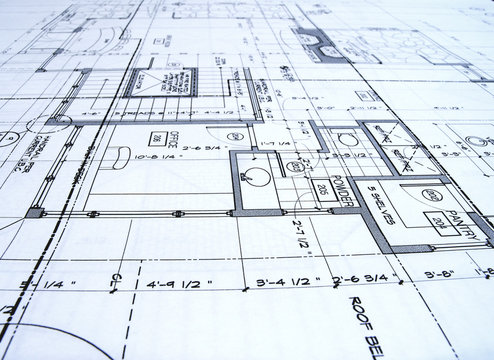
Certification
After successfully completing the AutoCAD course at TechCadd Mohali, students receive a certification that validates their skills in AutoCAD drafting and design.
This certification helps students showcase their skills to employers and improve their chances of getting hired in engineering and design companies.
Why AutoCAD Skills Are Important for Engineers
Engineering projects require precise drawings and technical documentation. AutoCAD allows engineers to create accurate and professional drawings that help communicate design ideas effectively.
By learning AutoCAD, engineers can:
-
Improve design accuracy
-
Reduce manual drafting time
-
Create professional project documentation
-
Collaborate with other design professionals
This makes AutoCAD an essential skill for anyone pursuing a career in engineering or design.
Advanced AutoCAD Features
AutoCAD is not only limited to basic drafting. It also provides advanced features that help professionals create complex designs and improve productivity. At TechCadd Mohali, students are also introduced to advanced AutoCAD tools that are widely used in industries.
Some advanced AutoCAD features include:
Dynamic Blocks
Dynamic blocks allow users to create flexible block components that can be modified easily without creating multiple blocks.
External References (Xrefs)
External references help designers attach external drawings to the current project file. This is especially useful in large projects where multiple designers are working on different parts of the drawing.
Parametric Drawing
Parametric drawing allows users to apply geometric and dimensional constraints to maintain design relationships.
Annotation Scaling
Annotation scaling helps maintain consistent text and dimension sizes across different drawing scales.
Learning these advanced tools helps students work more efficiently and professionally in real-world projects.
Importance of AutoCAD in Civil Engineering
AutoCAD plays a very important role in civil engineering projects. Civil engineers use AutoCAD to design infrastructure such as buildings, roads, bridges, and drainage systems.
Some common civil engineering drawings created in AutoCAD include:
-
Building floor plans
-
Site plans
-
Structural drawings
-
Road design layouts
-
Plumbing layouts
-
Electrical layouts
With AutoCAD, civil engineers can easily modify designs, calculate dimensions, and create accurate construction drawings.
At TechCadd Mohali, civil engineering students gain practical experience by working on building and structural drawings using AutoCAD.
Importance of AutoCAD in Mechanical Engineering
Mechanical engineers also use AutoCAD extensively for designing mechanical components and machine parts. AutoCAD helps engineers create detailed drawings of mechanical assemblies and manufacturing parts.
Examples of mechanical drawings include:
-
Machine components
-
Mechanical assemblies
-
Manufacturing parts
-
Product design drawings
-
Industrial equipment layouts
Learning AutoCAD helps mechanical engineers communicate their design ideas clearly and accurately.
AutoCAD for Architecture and Interior Design
Architects and interior designers use AutoCAD to create building layouts, room designs, furniture placements, and interior plans. It helps professionals visualize spaces and make design changes easily.
Common architectural drawings include:
-
Floor plans
-
Elevations
-
Sections
-
Furniture layouts
-
Lighting plans
-
Interior design layouts
By learning AutoCAD, architects and interior designers can create professional and detailed drawings for their projects.
Hands-on Learning at TechCadd Mohali
One of the biggest advantages of joining TechCadd Mohali is the focus on hands-on learning. Students get the opportunity to practice every concept through real design projects.
The training methodology includes:
-
Classroom training by experienced instructors
-
Practical assignments
-
Real-world drawing exercises
-
Project-based learning
-
Doubt clearing sessions
This practical approach ensures that students gain confidence in using AutoCAD effectively.
Software Skills You Will Learn
During the AutoCAD training program at TechCadd Mohali, students develop multiple technical skills that are essential for design professionals.
Key skills include:
-
2D drafting and design
-
Technical drawing creation
-
Dimensioning and annotations
-
Layout creation and plotting
-
Layer management
-
Block creation and editing
-
Basic 3D modeling
These skills are highly valuable in engineering and design industries.
Benefits of Learning AutoCAD for Students
Learning AutoCAD offers several advantages for students who want to pursue careers in engineering or design.
Some major benefits include:
-
Improves technical drawing skills
-
Enhances design creativity
-
Provides practical industry knowledge
-
Increases job opportunities
-
Helps build a professional portfolio
Students who learn AutoCAD early during their studies gain a competitive advantage in the job market.
Job Roles After Completing AutoCAD Course
After completing the AutoCAD training program from TechCadd Mohali, students can explore various job roles in engineering and design industries.
Some popular job roles include:
AutoCAD Draftsman
Responsible for creating technical drawings and design layouts.
CAD Designer
Works on product designs, mechanical parts, or architectural layouts.
Design Engineer
Develops engineering designs using CAD software.
Architectural Draftsman
Creates building plans and construction drawings for architects.
Interior Design Draftsman
Designs interior layouts and furniture arrangements.
These roles offer good career growth opportunities in engineering and construction industries.
Scope of AutoCAD in India
The demand for AutoCAD professionals is growing rapidly in India. With increasing infrastructure development, construction projects, and manufacturing industries, companies require skilled CAD designers.
Major cities such as:
-
Chandigarh
-
Mohali
-
Delhi
-
Bangalore
-
Pune
-
Hyderabad
have a high demand for AutoCAD professionals.
Completing AutoCAD training from a reputed institute like TechCadd Mohali can help students find job opportunities in these cities.
Placement Support at TechCadd Mohali
TechCadd Mohali also provides career guidance and placement support to students after completing their training.
The placement support includes:
-
Resume preparation guidance
-
Interview preparation
-
Job referrals
-
Career counseling
This support helps students start their professional careers in design and engineering fields.
Future of AutoCAD
AutoCAD continues to evolve with new features and technologies. Modern design industries are integrating AutoCAD with other software tools such as:
-
SolidWorks
-
Revit
-
CATIA
-
3ds Max
Learning AutoCAD provides a strong foundation for mastering advanced design software and technologies.
As industries move toward digital design and smart infrastructure, the demand for skilled AutoCAD professionals will continue to grow.
Learning Methodology at TechCadd Mohali
The learning methodology followed at TechCadd Mohali focuses on practical knowledge and industry-oriented training. The goal is to ensure that students not only understand the software but also know how to use it effectively in real-world projects.
The training process includes step-by-step learning where students start from the basics of AutoCAD and gradually move toward advanced tools and features. Trainers explain each command in detail and demonstrate its application in real engineering drawings.
Students also get the opportunity to practice multiple assignments during the course. These assignments help them build confidence and improve their drafting accuracy. Regular practice sessions allow students to develop strong technical drawing skills.
Another important part of the training is project-based learning. Students work on practical projects that simulate real industry work. This helps them understand how professional drawings are created and managed in engineering companies.
Conclusion
AutoCAD is an essential software for anyone interested in engineering design, drafting, or architecture. With industries increasingly relying on digital design tools, learning AutoCAD can significantly improve your career prospects.
TechCadd Mohali provides one of the best AutoCAD training programs for students and professionals who want to build strong design skills. With experienced trainers, practical learning, industry-relevant curriculum, and certification, the institute helps students become confident AutoCAD professionals.
If you want to start your career in design and drafting, enrolling in the AutoCAD course at TechCadd Mohali can be a great step toward achieving your professional goals.


Comments
No comments yet. Be the first to comment.
Leave a Comment