


In today’s competitive world, technical skills play a major role in career growth. One of the most demanded design software in engineering, construction, architecture, and manufacturing industries is AutoCAD. If you are planning to build your career in drafting and design, enrolling in the AutoCAD Course at TechCadd Mohali can be a smart decision.
This article provides complete information about course details, duration, eligibility, syllabus, career opportunities, fees, certification, and placement support.
About AutoCAD Software

AutoCAD is one of the most widely used Computer-Aided Design (CAD) software applications in the world. Developed by Autodesk, AutoCAD is used to create precise 2D drawings and 3D models.
It is commonly used in:
-
Civil Engineering
-
Mechanical Engineering
-
Electrical Engineering
-
Architecture
-
Interior Design
-
Industrial Design
AutoCAD allows professionals to design building plans, machine parts, electrical layouts, piping systems, and much more with accuracy and efficiency.
Why Choose TechCadd Mohali for AutoCAD?
TechCadd Mohali is known for providing quality technical training with practical exposure. The institute focuses on skill-based learning rather than only theoretical concepts.
Key Highlights:
✔ Industry-experienced trainers
✔ Practical training with live projects
✔ Latest AutoCAD version training
✔ Flexible batch timings (morning/evening/weekend)
✔ Affordable course fees
✔ Certification after course completion
✔ Placement assistance support
The training environment is designed to make students confident in handling real-time design projects.
AutoCAD Course Duration
The duration of the AutoCAD course at TechCadd Mohali generally ranges between:
-
1 Month (Fast Track Batch)
-
2 to 3 Months (Regular Batch)
Batch timing flexibility helps students and working professionals manage their schedule easily.
Eligibility Criteria
The AutoCAD course is suitable for:
-
10+2 (Science) Students
-
Diploma Students (Civil/Mechanical/Electrical)
-
B.Tech / BE Students
-
ITI Students
-
Architects & Interior Designers
-
Working Professionals
No advanced computer knowledge is required. Basic computer skills are enough to start learning.
AutoCAD Course Syllabus
The course covers both basic and advanced topics to ensure complete knowledge.
1. Introduction to AutoCAD
-
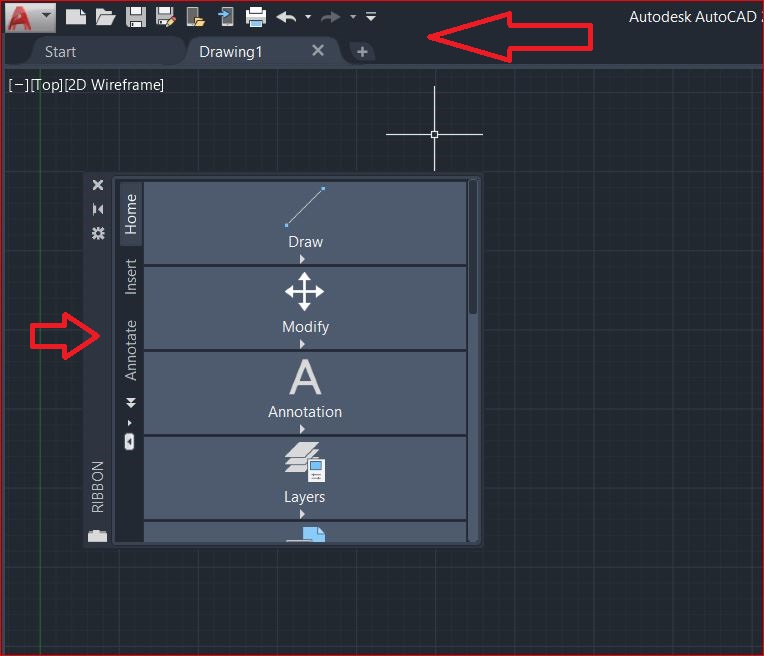
AutoCAD Interface
-
Workspace & Toolbars
-
File Management
-
Units and Limits
2. Drawing Tools
-
Line
-
Circle
-
Arc
-
Rectangle
-
Polygon
-
Ellipse
3. Editing Commands
-
Move
-
Copy
-
Rotate
-
Trim
-
Extend
-
Offset
-
Mirror
-
Scale
4. Dimensioning & Annotation
-
Linear Dimension
-
Angular Dimension
-
Text Commands
-
Hatch & Gradient
-
Layers Management
5. Layout & Printing
-
Paper Space
-
Viewports
-
Plotting & Printing
-
Title Blocks
6. 3D Modeling (If Included)
-
3D Basics
-
Extrude
-
Revolve
-
Union
-
Subtract
-
Render
 7. Project Work
-
Residential Floor Plan
-
Mechanical Part Drawing
-
Electrical Layout Design
Practical assignments are given regularly to improve drafting skills.
Career Opportunities After AutoCAD Course
After completing the AutoCAD course, students can apply for the following job roles:
-
CAD Draftsman
-
Design Engineer
-
Site Engineer
-
Mechanical Draftsman
-
Civil Draftsman
-
Architectural Assistant
-
Interior CAD Designer
Industries Hiring AutoCAD Professionals:
-
Construction Companies
-
Manufacturing Industries
-
Architecture Firms
-
Real Estate Companies
-
Government Departments
-
Engineering Consultancies
In states like Punjab and Himachal Pradesh, AutoCAD skills are highly valuable for private and government sector jobs.
Salary After AutoCAD Course
Salary depends on experience and industry:
-
Fresher: ₹10,000 – ₹18,000 per month
-
1–3 Years Experience: ₹20,000 – ₹35,000 per month
-
Experienced Professionals: ₹40,000+ per month
With additional software skills like STAAD Pro, Revit, SolidWorks, or 3ds Max, salary packages increase significantly.
Certification
After successful completion of the course, students receive a certificate from TechCadd Mohali. Certification helps in:
-
Resume Building
-
Interview Selection
-
Government Job Applications
-
Skill Verification
Certified candidates have better job opportunities compared to non-certified candidates.
Who Can Join?
-
12th Science students
-
Diploma holders
-
B.Tech / BE students
-
ITI students
-
Architects
-
Site engineers
-
Working professionals
Basic computer knowledge is sufficient.
Career Opportunities After AutoCAD
After completing the course, students can apply for:
-
CAD Draftsman
-
Civil Draftsman
-
Mechanical Draftsman
-
Electrical Draftsman
-
Design Engineer
-
Planning Engineer
-
Architectural Assistant
-
Interior CAD Designer
AutoCAD professionals are required in:
-
Construction companies
-
Infrastructure projects
-
Real estate firms
-
Manufacturing industries
-
Government departments
-
Engineering consultancies
Salary Expectations
-
Fresher: ₹10,000 – ₹18,000 per month
-
1–3 Years Experience: ₹20,000 – ₹35,000
-
Senior Level: ₹40,000+
Salary increases with experience and additional software skills.
Placement Assistance
TechCadd Mohali provides placement support by:
-
Conducting mock interviews
-
Resume preparation guidance
-
Referring students to companies
-
Sharing job openings
Although job placement depends on student performance, the institute supports students throughout the process.
Benefits of Learning AutoCAD
-
High Demand Skill
-
Global Career Opportunities
-
Freelancing Opportunities
-
Career Growth in Engineering Field
-
Better Salary Prospects
-
Strong Technical Foundation
AutoCAD knowledge also helps students understand advanced software more easily.
Who Should Join This Course?
-
Students planning a career in Civil or Mechanical field
-
Engineers who want to improve drafting skills
-
Professionals seeking promotion
-
Individuals planning overseas jobs
-
Government job aspirants
If you have completed industrial training (like your 6-month industrial training experience), adding AutoCAD certification can significantly improve your technical profile and employability.
Practical Training Approach
The course is focused on:
-
Hands-on practice
-
Real-world projects
-
Daily assignments
-
Doubt-clearing sessions
-
Personal attention
Students work on real layout drawings to gain confidence in actual job tasks.
Why AutoCAD is Important in 2026
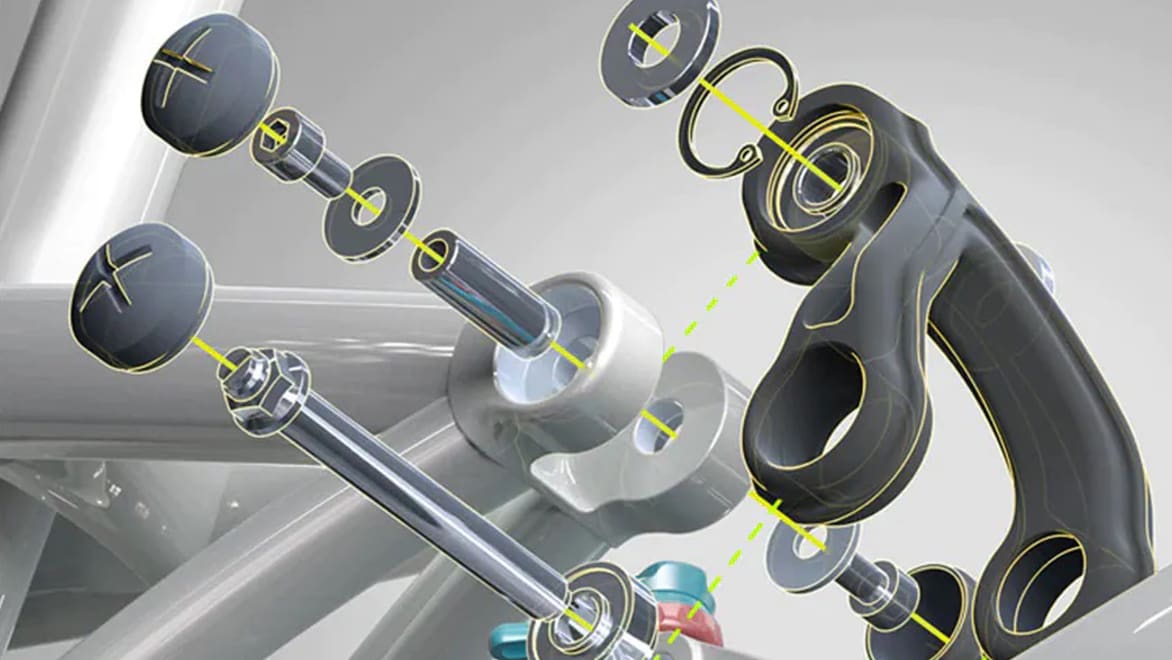
Even in 2026, AutoCAD remains one of the most essential design tools in engineering industries. Many companies still prefer AutoCAD for drafting and documentation purposes.
While advanced BIM software is growing, AutoCAD remains the foundation for all CAD-based work.
Frequently Asked Questions (FAQs)
Q1. What is the duration of the AutoCAD course?
The duration ranges from 1 to 3 months depending on the batch.
Q2. Is placement guaranteed?
Placement assistance is provided, but selection depends on student performance.
Q3. Can 12th pass students join?
Yes, 12th pass students with basic computer knowledge can join.
Q4. Is the course suitable for government jobs?
Yes, AutoCAD skills are helpful for government technical job roles.
Q5. Are weekend classes available?
Yes, weekend and evening batches are available.
Why Students Prefer TechCadd Mohali:
-
Experienced and industry-certified trainers
-
Practical-based teaching methodology
-
Updated course curriculum
-
Individual attention to students
-
Flexible batch options
-
Affordable course fees
-
Certification after completion
-
Placement assistance support
The learning environment is designed to help students gain hands-on experience and confidence.
Importance of AutoCAD in 2026
Even in 2026, AutoCAD remains a foundational software in engineering and design industries. While advanced BIM software like Revit and other 3D tools are growing, AutoCAD continues to be the base software for drafting and documentation.
Many companies require AutoCAD knowledge as a minimum qualification for technical roles. Without AutoCAD, it becomes difficult to move into advanced design software.
AutoCAD is:
-
Globally recognized
-
Industry standard software
-
Essential for technical documentation
-
Required in both private and government sectors
Course Duration
The AutoCAD course at TechCadd Mohali is available in multiple formats:
-
Fast Track Batch: 1 Month
-
Regular Batch: 2–3 Months
-
Weekend Batch: For working professionals
Students can choose batches according to their availability.
Eligibility Criteria
The course is suitable for:
-
10+2 Science students
-
Diploma holders (Civil, Mechanical, Electrical)
-
B.Tech / BE students
-
ITI students
-
Architects and interior designers
-
Site engineers
-
Working professionals
Basic computer knowledge is enough to start learning AutoCAD.
Detailed Course Syllabus
1. Introduction to AutoCAD
-
Understanding CAD concept
-
Interface overview
-
Toolbars and workspace
-
File handling
-
Units and drawing limits
2. Basic Drawing Commands
-
Line
-
Circle
-
Arc
-
Rectangle
-
Polygon
-
Ellipse
3. Modify Commands
-
Move
-
Copy
-
Rotate
-
Mirror
-
Trim
-
Extend
-
Offset
-
Scale
4. Layers and Properties
-
Layer creation
-
Line types
-
Line weights
-
Object properties

5. Dimensioning and Annotation
-
Linear dimensions
-
Angular dimensions
-
Text styles
-
Multiline text
-
Leaders
-
Hatch
6. Blocks and Attributes
-
Creating blocks
-
Inserting blocks
-
Editing blocks
7. Layout and Plotting
-
Paper space
-
Viewports
-
Page setup
-
Plotting settings
8. 3D Modeling Basics
-
3D workspace
-
Extrude
-
Revolve
-
Union
-
Subtract
-
Rendering basics
9. Practical Project Work
-
Residential floor plan
-
Section and elevation drawing
-
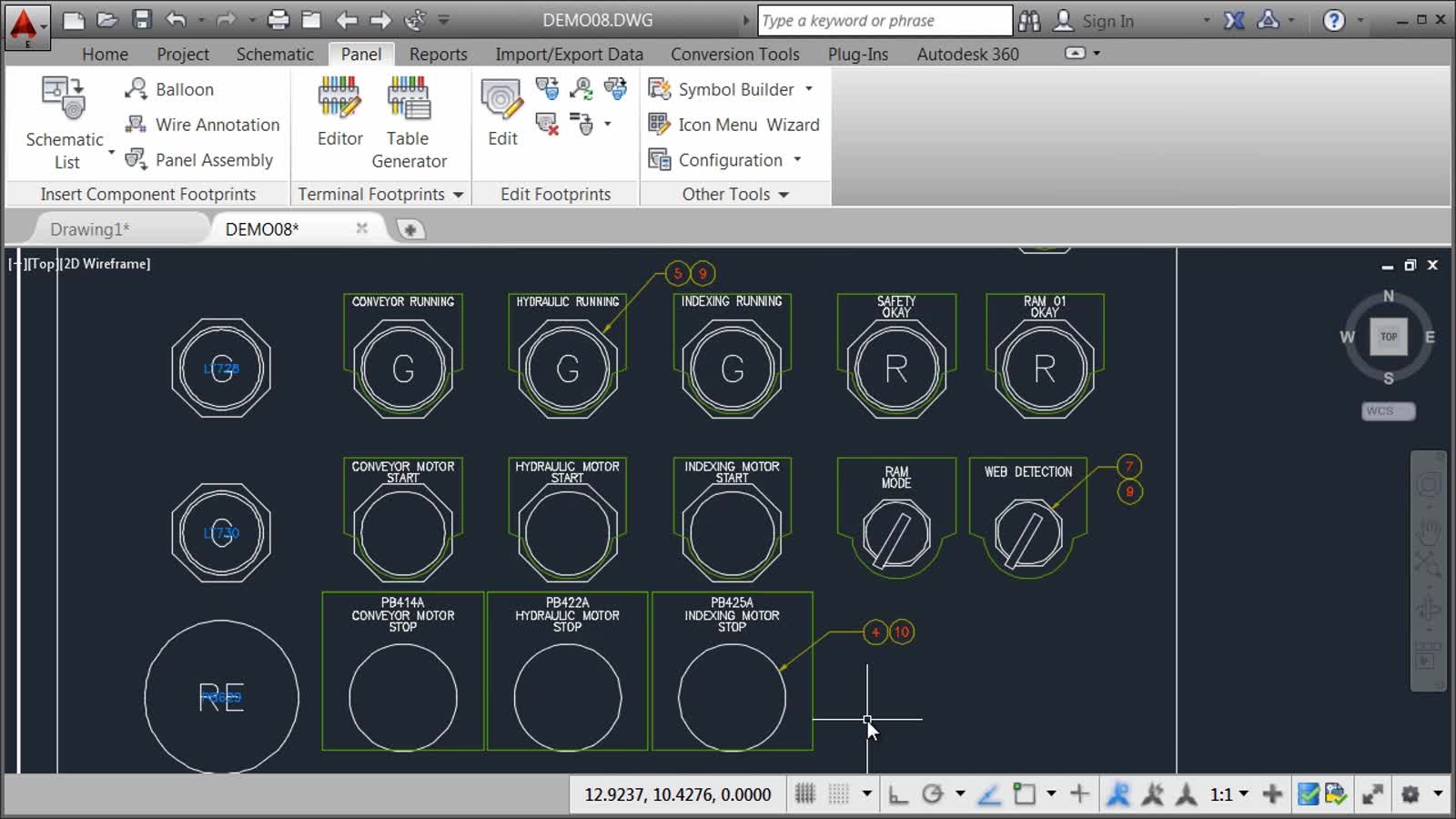
Mechanical component drafting
-
Electrical layout plan
Practical Training Approach
The training is focused on:
-
Live project-based learning
-
Daily practical assignments
-
Real industry drawings
-
Doubt clearing sessions
-
Performance evaluation
Students work on actual drafting examples to gain job-ready skills.
If you have completed industrial training (like 6-month industrial exposure), adding AutoCAD certification will strengthen your technical profile and increase your job opportunities significantly.
Career Opportunities After AutoCAD
After completing the course, students can apply for roles such as:
-
CAD Draftsman
-
Civil Draftsman
-
Mechanical Draftsman
-
Design Engineer
-
Site Engineer
-
Architectural Assistant
-
Interior CAD Designer
-
Planning Engineer
Industries Hiring AutoCAD Professionals
-
Construction companies
-
Infrastructure firms
-
Real estate companies
-
Manufacturing industries
-
Government departments
-
Engineering consultancies
-
Architecture firms
AutoCAD professionals are in demand across Punjab, Himachal Pradesh, and throughout India.
Salary Structure
Salary depends on experience and industry type:
-
Freshers: ₹10,000 – ₹18,000 per month
-
1–3 Years Experience: ₹20,000 – ₹35,000
-
Experienced Professionals: ₹40,000+
With additional software skills like STAAD Pro, Revit, or SolidWorks, salary packages increase further.
Certification Benefits
After successful completion, students receive a certificate from TechCadd Mohali.
Benefits of certification:
-
Adds value to resume
-
Improves job selection chances
-
Helpful in government job applications
-
Professional credibility
Certified professionals are preferred by employers.
Placement Assistance
TechCadd Mohali provides placement support including:
-
Resume building guidance
-
Interview preparation
-
Mock interviews
-
Company referrals
-
Job vacancy updates
Although placement is performance-based, the institute actively supports students in job search.
 Advantages of Learning AutoCAD
-
High demand in job market
-
Strong foundation for advanced software
-
Global career opportunities
-
Freelancing options
-
Career growth in engineering field
-
Better salary prospects
-
Professional skill development
Who Should Join This Course?
-
Students planning a career in civil engineering
-
Mechanical engineering aspirants
-
Electrical design professionals
-
Architects and interior designers
-
Working professionals seeking promotion
-
Government job aspirants
AutoCAD is suitable for both beginners and experienced professionals.
Frequently Asked Questions
Is AutoCAD difficult to learn?
No, with proper guidance and practice, AutoCAD is easy to learn.
What is the minimum qualification?
10+2 Science or diploma students can join.
Is practical training provided?
Yes, practical training is the main focus.
Is there any age limit?
No age limit.
Can working professionals join?
Yes, weekend and evening batches are available.
What is AutoCAD and Why is it Important?
AutoCAD is a Computer-Aided Design (CAD) software developed by Autodesk. It is used worldwide to create precise technical drawings and 3D models.
AutoCAD is important because:
-
It increases design accuracy
-
Reduces manual drafting errors
-
Saves time in modifications
-
Improves project documentation
-
Is globally accepted by engineering industries
From small construction projects to large industrial plants, AutoCAD is used everywhere.
About TechCadd Mohali

TechCadd Mohali is a reputed technical training institute offering CAD and engineering software courses. The institute focuses on practical training rather than only theory.
Why Choose TechCadd Mohali?
-
Experienced industry trainers
-
Practical project-based learning
-
Updated curriculum as per industry needs
-
Individual doubt clearing sessions
-
Flexible batch timings
-
Affordable fee structure
-
Certification on completion
-
Placement assistance
The institute’s mission is to make students job-ready and confident.
Conclusion
The AutoCAD Course at TechCadd Mohali is an excellent choice for students and professionals who want to build a career in design and drafting. With practical training, expert faculty, flexible batches, and placement support, students gain job-ready skills.
Whether you are a diploma holder, engineering student, or working professional, learning AutoCAD opens multiple career paths in civil, mechanical, electrical, and architectural industries.
If you want to secure a stable technical career, enrolling in AutoCAD training at TechCadd Mohali can be your first step towards success.


Comments
No comments yet. Be the first to comment.
Leave a Comment