


Introduction
In the modern engineering and construction world, technical knowledge alone is not enough. Companies expect candidates to have strong practical software skills. One of the most essential and globally recognized design software tools is AutoCAD.
AutoCAD plays a critical role in civil engineering, mechanical engineering, architecture, interior design, and industrial manufacturing. Whether it is designing a house plan, a bridge structure, a machine component, or an office layout, AutoCAD is widely used for precise and professional drafting.
If you are in Mohali or nearby regions and looking for professional AutoCAD training, TechCadd Mohali offers a structured, industry-oriented course that prepares students for real-world job roles.
This extended blog covers everything in detail — from syllabus to career growth, from beginner level to advanced drafting techniques.
What Makes AutoCAD a Must-Learn Skill?
1. Accuracy & Precision
Manual drafting can lead to errors. AutoCAD ensures high precision using coordinates, dimensions, and standardized drawing formats.
2. Faster Project Completion
With AutoCAD tools, complex drawings can be completed much faster compared to traditional methods.
3. Industry Standard Software
Almost every engineering and design company uses AutoCAD or CAD-based software.
4. Easy Design Modifications
Changes in drawings can be made instantly without redrawing everything.
5. Professional Presentation
Layouts, plotting, and scaling options help create professional client-ready drawings.
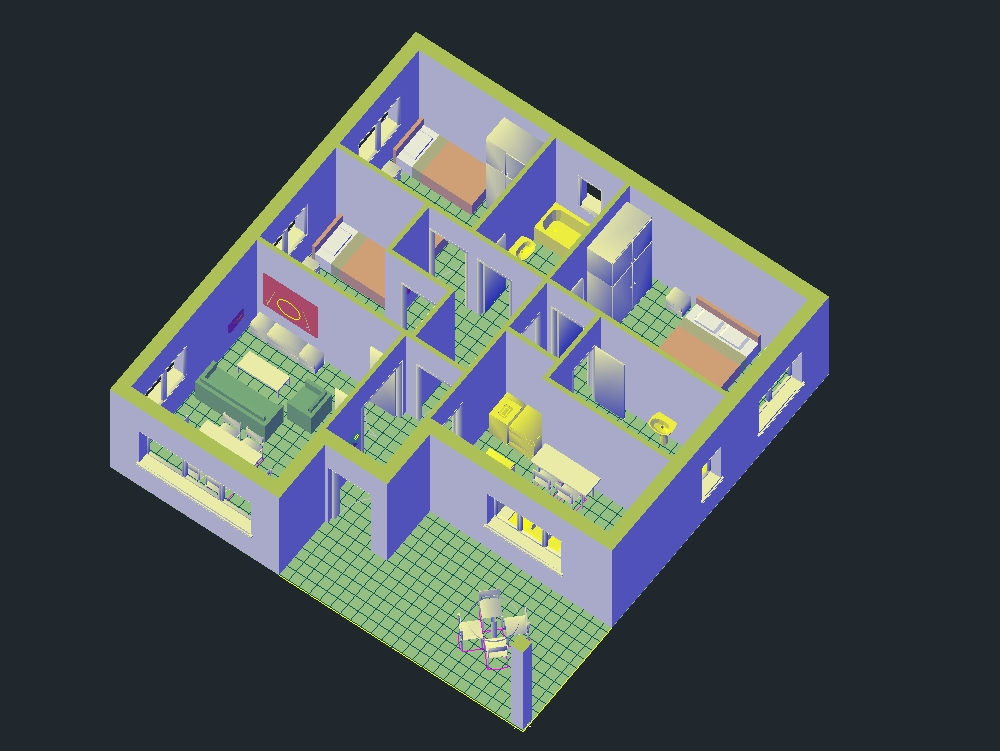
Complete Course Structure at TechCadd Mohali
The AutoCAD course is designed from basic to advanced levels to ensure every student becomes confident in handling projects independently.
Phase 1: Fundamentals of Drafting
Students are introduced to:
-
Understanding CAD concepts
-
Interface navigation
-
Drawing setup and units
-
Coordinate system (Absolute, Relative, Polar)
-
Basic drawing tools
This phase builds a strong foundation.
Phase 2: 2D Drafting Mastery
This is the core of AutoCAD learning.
Students practice:
-
Line, Polyline, Circle, Arc
-
Rectangle, Polygon, Ellipse
-
Trim, Extend, Offset
-
Move, Copy, Rotate, Scale
-
Mirror, Fillet, Chamfer
-
Array commands
Assignments are given to strengthen command understanding.
Phase 3: Layer & Annotation Management
Professional drawings require proper organization.
Students learn:
-
Creating and managing layers
-
Line types and thickness
-
Text formatting
-
Dimension styles
-
Leaders and annotations
-
Hatching techniques
Layer control is essential in civil and mechanical projects.
Phase 4: Layout, Plotting & Sheet Setup
-
Paper space vs Model space
-
Creating layouts
-
Viewports
-
Plot styles
-
Printing settings
Students learn to create final submission drawings ready for clients or construction sites.
Phase 5: 3D Modeling & Visualization

3D modeling adds extra value to a designer’s profile.
Students learn:
-
3D coordinate system
-
Extrude, Revolve, Sweep
-
Union, Subtract, Intersect
-
3D Modify tools
-
Basic rendering
This module improves visualization skills and understanding of real structures.
Practical Industry-Based Projects
Training includes real-life project exposure such as:
Civil Projects
-
Residential house plan
-
Structural beam-column layout
-
Foundation plan
-
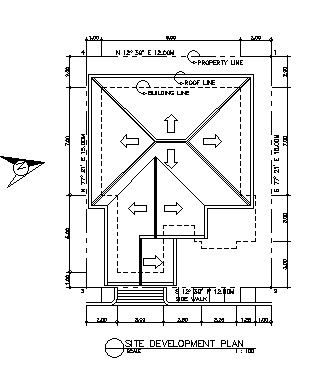
Site layout drawing
Mechanical Projects
-
Gear drawing
-
Shaft design
-
Assembly drawing
-
3D part modeling
Interior & Architecture
-
Modular kitchen layout
-
Office interior plan
-
Furniture detailing
-
Elevation and section drawings
These projects help students build a professional portfolio.
Duration & Training Pattern
-
Regular Course: 2–3 Months
-
Fast Track Course: 1–1.5 Months
-
Weekend Batches Available
-
Practical Lab-Based Sessions
Students receive individual computer systems for hands-on practice.
Soft Skills & Interview Preparation
Apart from software training, TechCadd Mohali also focuses on:
-
Resume building
-
Portfolio preparation
-
Interview question practice
-
Confidence building
-
Communication basics
This ensures students are ready for job interviews.
Career Opportunities After Completion
AutoCAD professionals are hired in:
-
Construction Companies
-
Real Estate Firms
-
Infrastructure Projects
-
Mechanical Industries
-
Manufacturing Units
-
Architectural Consultancies
-
Interior Design Studios
Job Profiles Include:
-
CAD Draftsman
-
Junior Design Engineer
-
Civil Drafting Engineer
-
Mechanical CAD Designer
-
Architectural Designer
-
Interior CAD Designer
Future Growth After AutoCAD
After mastering AutoCAD, students can upgrade their skills by learning:
-
3DS Max
-
Revit Architecture
-
SolidWorks
-
SketchUp
-
STAAD Pro
AutoCAD acts as a foundation for advanced software learning.
Benefits of Learning at TechCadd Mohali
Practical Focus
More than 70% of training is practical-based.
Updated Curriculum
Designed according to current industry standards.
Affordable Fees
Budget-friendly fee structure.
Small Batch Size
Better trainer attention.
Certification
Recognized course completion certificate.
Placement Assistance
Guidance for job opportunities.
Why Mohali is a Growing Hub for CAD Professionals
Mohali is developing rapidly in:
-
IT sector
-
Real estate projects
-
Infrastructure development
-
Industrial manufacturing
This growth creates demand for skilled CAD designers and drafting professionals.
Students trained locally can explore job opportunities in Mohali, Chandigarh, Panchkula, and nearby industrial regions.
Who Should Enroll?
This course is ideal for:
-
B.Tech / Diploma students
-
ITI students
-
Civil & Mechanical students
-
Architects
-
Interior designers
-
Job seekers
-
Working professionals
-
Contractors & Builders
Even beginners with basic computer knowledge can start learning.
Long-Term Career Advantages
Learning AutoCAD provides:
-
Technical confidence
-
Professional growth
-
Industry recognition
-
Freelancing opportunities
-
Strong design foundation
Experienced CAD designers can move into senior designer roles, project coordination, and design management positions.
Why AutoCAD is a Powerful Career Skill
In today’s competitive world, technical skills are the backbone of career success in engineering and design industries. Companies are constantly looking for professionals who can convert ideas into accurate technical drawings and professional design layouts. This is where AutoCAD plays a crucial role.
AutoCAD is one of the most trusted and widely used Computer-Aided Design (CAD) software tools globally. From designing small residential houses to large infrastructure projects, from machine components to office interiors — AutoCAD is everywhere.
For students and professionals in Mohali, enrolling in a structured and practical AutoCAD course at TechCadd Mohali can be a game-changing decision for career growth.
This extended guide will give you in-depth knowledge about course structure, practical exposure, industry applications, career growth, and long-term benefits.
Evolution of Drafting: From Manual to Digital
Earlier, engineers and architects used manual drafting methods with drawing boards, scales, and pencils. These methods required time, patience, and extreme precision. Even a small mistake meant redrawing the entire plan.
With the introduction of AutoCAD, drafting became faster, more accurate, and easier to modify. Digital drawings can now be edited instantly without starting from scratch. This revolution has made AutoCAD a must-learn software for every technical professional.
Core Skills You Develop in AutoCAD Training
Learning AutoCAD is not just about learning commands. It develops important professional skills:
1. Technical Accuracy
You learn how to create dimensionally accurate drawings.
2. Logical Thinking
Understanding coordinates and layers improves logical structuring of designs.
3. Problem-Solving Ability
You learn to correct errors and improve design efficiency.
4. Visualization Skills
3D modeling enhances your ability to visualize real structures.
5. Professional Documentation
You learn how to present drawings professionally for clients and projects.

Detailed Advanced Training Modules
Advanced 2D Drafting Techniques
Students go beyond basic tools and learn:
-
Advanced object snap techniques
-
Custom dimension styles
-
Advanced hatching patterns
-
Dynamic blocks creation
-
Parametric constraints
-
Drawing standards and templates
These advanced skills help in professional-level drafting.
Professional Layer Management
In real projects, drawings may contain hundreds of layers. Students learn:
-
Layer naming conventions
-
Layer filters
-
Layer states management
-
Layer transparency control
-
Color coding for professional projects
Proper layer management is essential in large construction and mechanical projects.
Real-Time Project Workflow Training

Students learn complete project workflow:
-
Project planning
-
Drawing setup
-
Drafting phase
-
Annotation phase
-
Layout creation
-
Plotting & submission
This practical approach prepares students for real industry environments.
Special Focus: Civil Engineering AutoCAD
Civil students learn detailed drawings such as:
-
Floor plans
-
Column layout
-
Beam layout
-
Foundation drawings
-
Staircase details
-
Elevation and section views
-
Site planning
Civil AutoCAD training is highly demanded in construction companies and government infrastructure projects.
Special Focus: Mechanical AutoCAD
Mechanical professionals gain expertise in:
-
Machine component drawing
-
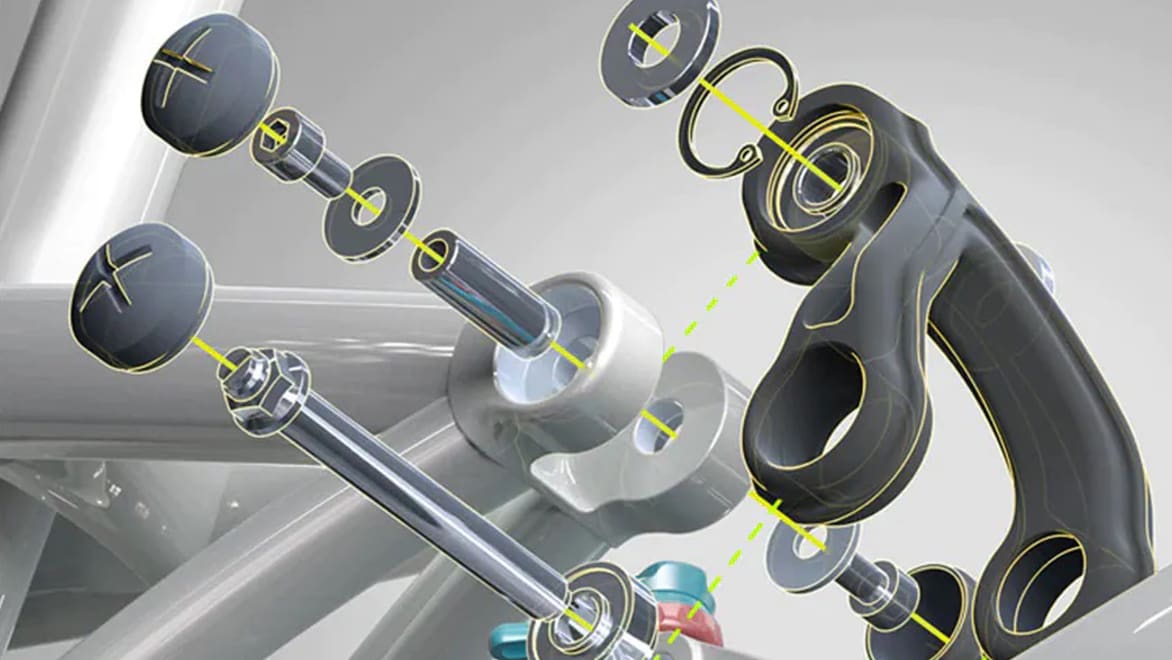
Assembly drawings
-
Tolerance application
-
Sectional views
-
Isometric drawings
-
3D solid modeling
These skills are required in manufacturing industries and production plants.
Special Focus: Interior & Architectural Design
Interior and architecture students learn:
-
Furniture layout design
-
False ceiling plans
-
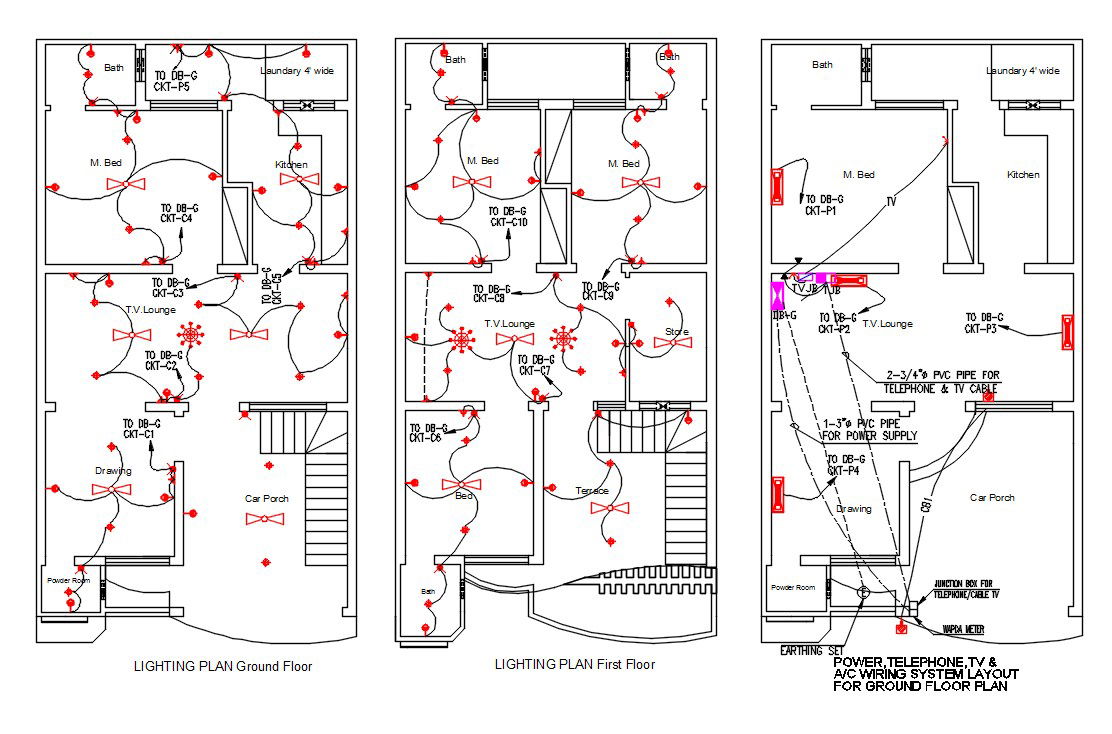
Electrical & lighting layout
-
Kitchen and wardrobe planning
-
Commercial office planning
-
3D visualization basics
Interior designers use AutoCAD for precision and space planning.
Training Methodology at TechCadd Mohali
The training pattern focuses on:
-
Step-by-step command explanation
-
Practical assignments after every module
-
Weekly project practice
-
Doubt clearing sessions
-
Individual attention in small batches
Students get maximum hands-on practice during training.
Industry Demand & Job Market in 2026
India is rapidly developing in:
-
Smart city projects
-
Infrastructure expansion
-
Residential & commercial real estate
-
Industrial manufacturing
-
Metro and highway projects
All these sectors require skilled AutoCAD professionals.
AutoCAD knowledge increases your employability significantly.
Freelancing & Self-Employment Opportunities
After gaining experience, students can:
-
Work as freelance CAD designers
-
Take residential plan projects
-
Work with contractors
-
Provide drafting services online
-
Start small design consultancy
AutoCAD allows you to work independently as well.
Career Growth Path After AutoCAD
Beginner Level
CAD Draftsman / Junior Designer
Intermediate Level
Design Engineer / Senior Draftsman
Advanced Level
Project Designer / CAD Manager
With experience and additional software skills, growth becomes faster.
 Advantages Over Non-CAD Professionals
Candidates without CAD skills struggle in technical interviews. Having AutoCAD knowledge gives you:
-
Better technical confidence
-
Higher selection chances
-
Professional portfolio
-
Industry-ready skills
Companies prefer candidates who require less training after hiring.
Additional Skills Covered During Course
Students also learn:
-
File management
-
Drawing standards
-
Industry symbols
-
Scaling techniques
-
Conversion between file formats
-
Exporting for presentations
These small details make a big difference professionally.
Long-Term Career Security
AutoCAD skills remain relevant across decades because:
-
Infrastructure will always grow
-
Construction never stops
-
Manufacturing industries continuously expand
-
Engineering projects require technical drawings
This makes AutoCAD a stable and reliable career skill.
Student Support & Guidance
TechCadd Mohali provides:
-
Career counseling
-
Course guidance
-
Skill upgrade suggestions
-
Industry exposure sessions
-
Interview preparation
The goal is not just teaching software but building careers.
Why Practical Exposure Matters
Many students learn software theoretically but struggle in real projects. Practical-based learning ensures:
-
Command clarity
-
Speed improvement
-
Real-world confidence
-
Error handling ability
Hands-on training builds professional-level expertise.
In the rapidly developing world of infrastructure, construction, and manufacturing, technical drawing skills are more valuable than ever. Every building, machine, road, bridge, or interior layout begins with a properly designed drawing. That drawing is usually created using AutoCAD.
AutoCAD is not just a software — it is the foundation of modern design and drafting industries. Professionals who master AutoCAD gain access to wide career opportunities in civil engineering, mechanical engineering, architecture, interior design, and industrial production.
If you are planning to learn AutoCAD in Mohali, enrolling in structured and practical training at TechCadd Mohali can give you industry-level skills and job-ready confidence.
This extended content will deeply explain every aspect of the AutoCAD course, including training approach, professional applications, real-world exposure, career benefits, and future growth opportunities.
Understanding the Power of AutoCAD in Modern Engineering
AutoCAD allows engineers and designers to:
-
Create precise 2D drawings
-
Develop realistic 3D models
-
Modify designs quickly
-
Reduce human drafting errors
-
Improve project visualization
-
Enhance communication between teams
In large infrastructure projects, even small errors can lead to financial losses. AutoCAD minimizes such risks by ensuring accurate measurements and standardized drawing systems.
Conclusion
AutoCAD is not just a software; it is a career-building tool. In the competitive job market, having practical AutoCAD skills gives you an advantage over others.
TechCadd Mohali provides structured training, practical exposure, project work, and career guidance to help students succeed.
If you want to build a professional career in civil, mechanical, architecture, or interior design industries, joining an advanced AutoCAD course in Mohali can be your first strong step toward success.
Invest in your skills today and shape your future with professional AutoCAD training.


Comments
No comments yet. Be the first to comment.
Leave a Comment