


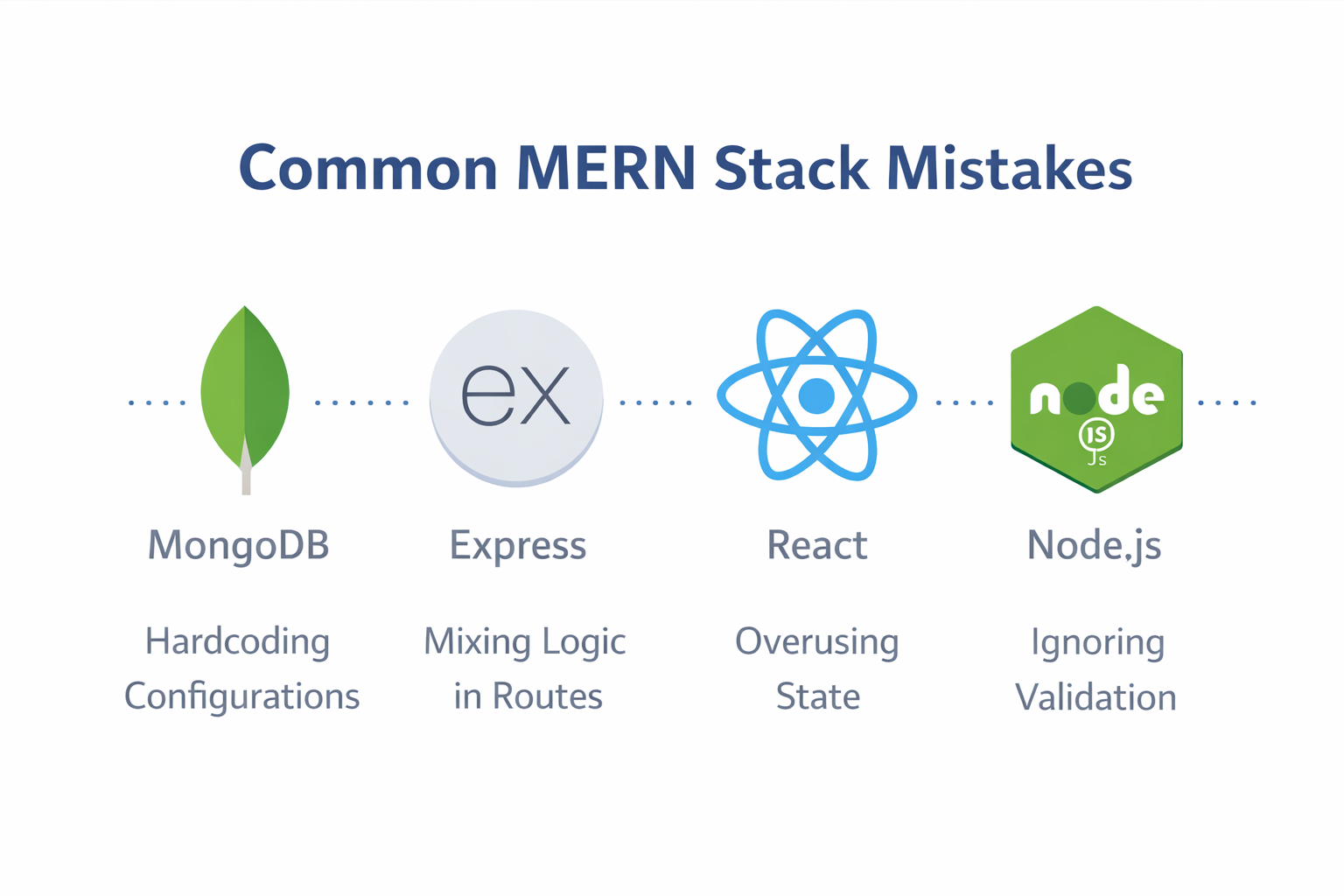
The Architect’s Guide to MERN: Navigating the Pitfalls of Modern Web Development
The MERN stack (MongoDB, Express, React, Node.js) has become the gold standard for full-stack JavaScript development. In my ten years of overseeing large-scale deployments and auditing codebases, I have seen it transform startups into giants. However, its greatest strength—its flexibility—is also its greatest weakness. Because MERN doesn’t force a strict set of rules on the developer, it is incredibly easy to build a "house of cards" that collapses under the weight of its own complexity.
Many developers struggle not because the technologies are difficult, but because they lack a conceptual roadmap. They treat the stack like a collection of separate tutorials rather than a single, unified engine. To build professional-grade applications, you must move beyond "just making it work" and start "making it right."
Below is a comprehensive analysis of the most common MERN mistakes and the high-level strategies used by senior engineers to avoid them.
1. The Myth of the "Flat" Project Structure
The Mistake
One of the most frequent errors is a lack of organized hierarchy. Beginners often place all backend logic in a single file or create a jumble of folders with ambiguous names like stuff, logic, or new-api. They treat the server as a single script rather than a complex system.
Why it’s bad
Software is organic—it grows. A structure that works for a "Hello World" app will fail for an e-commerce platform. When project files are dumped into a single directory, "file bloat" sets in. This makes it impossible for teams to collaborate because no one knows where specific features live. It turns debugging into a scavenger hunt and makes scaling the application a logistical nightmare. If you cannot find a piece of code within ten seconds, your architecture has failed.
The Strategy
Adopting a Modular Architecture is non-negotiable. Senior developers use the Separation of Concerns (SoC) principle. You must separate your data definitions (Models) from your URL endpoints (Routes), and keep your "thinking" logic (Controllers) separate from both.
Imagine building a city without zoning laws; eventually, you’d have a factory next to a hospital. In code, zoning means keeping your database logic away from your UI logic. This creates a "plug-and-play" environment where you can update your database schema without accidentally breaking your front-end navigation. A professional structure usually involves dedicated folders for middleware, services, utils, and config.
2. Logic Pollution: Mixing Routes and Controllers
The Mistake
In many MERN applications, the route files (the part of the code that defines URLs like /api/login) are cluttered with complex business logic, database queries, and data transformations. The developer writes the entire "action" inside the routing definition.
Why it’s bad
Think of a route as a receptionist in an office building. The receptionist’s job is to tell you which room to go to—not to perform surgery on you. When a route does too much, it becomes "Fat." This violates the Single Responsibility Principle. If your routes are performing complex calculations, you cannot reuse that logic for other parts of the app, such as a mobile version, a desktop wrapper, or an automated task runner. It also makes your code incredibly difficult to read during a peer review.
The Strategy
Keep your routes "Thin." A professional route file should only contain the path name, the HTTP method (GET, POST, etc.), any necessary security middleware, and a reference to a function located in a controller file.
By offloading the logic to a Controller, you create a clean API map. Anyone looking at your routes should be able to see the entire "map" of your application in thirty seconds. If the logic gets even more complex (like calculating tax rates across different countries), move that into a Service Layer. This keeps your controllers focused solely on handling the request and sending the response.
3. The Security Breach: Hardcoding Secrets
The Mistake
Hardcoding sensitive information like database passwords, private encryption keys, or third-party API tokens (like Stripe or AWS keys) directly into the source code is a catastrophic but common error among those moving from local learning to professional deployment.
Why it’s bad
In the world of modern development, code is often shared on platforms like GitHub or Bitbucket. If a secret is written in the code, it is permanent. Even if you delete it later, it remains in the "Git History" forever. Automated bots constantly crawl the web looking for these hardcoded strings. Within seconds of a public push, a hacker could gain full access to your MongoDB cluster, potentially stealing user data, holding your business for ransom, or racking up thousands of dollars in API charges.
The Strategy
Utilize Environment Variables. These are settings stored outside of the code, usually in a .env file that never leaves your local computer or your secure server. By referencing these variables by name (e.g., process.env.DB_PASSWORD) rather than by value, you ensure that your secrets remain secret.
Crucially, you must add your .env file to your .gitignore file. This ensures that when you share your code, the "lock" stays with the code but the "key" stays on your machine. This also allows you to use different settings for "Development" (your laptop), "Testing" (an automated server), and "Production" (the live website) without changing a single line of code.
4. The "Silent Crash" Problem: Poor Error Handling
The Mistake
Many developers assume that the "Happy Path"—where everything works perfectly—is the only path. They use try/catch blocks locally or, worse, ignore errors entirely, providing vague, unhelpful feedback to the user when something goes wrong.
Why it’s bad
Apps live in a chaotic world. Internet connections drop, databases go offline, and users enter weird data that you didn't expect. If your backend crashes silently, the user is left looking at a frozen screen or a spinning icon that never stops. This leads to high "churn" rates as users lose trust in the platform. Furthermore, without a standardized way to log errors, developers have no way to diagnose issues occurring in the live environment. You cannot fix what you cannot see.
The Strategy
Implement Centralized Error Handling Middleware. Instead of writing complex error logic inside every single function, create a "safety net" at the bottom of your Express application. When an error occurs anywhere in your controllers, it should be "passed" to this safety net using the next(error) function.
This centralized handler then performs three vital tasks:
-
It logs the full error (including the stack trace) for the developer to see in the server logs.
-
It determines the correct HTTP status code (e.g., 404 for Not Found, 500 for Server Error).
-
It sends a clean, polite, and standardized JSON message back to the frontend so the React app can show a user-friendly alert.
5. State Overload: Fighting the React Engine
The Mistake
In React, "State" is the memory of a component. A common mistake is putting every single variable into the useState hook, even if that data doesn't need to change what is visible on the screen or if it can be derived from existing data.
Why it’s bad
React is designed to be efficient, but it follows a strict rule: when the state changes, the component (and all its children) must re-render. If you have unnecessary state, you trigger constant, invisible "flickering" of your application. On a high-end MacBook, you might not notice it, but on a mid-range mobile device, this consumes battery life and creates a "heavy," unresponsive user interface. It makes the application feel "web-like" in the worst way possible, rather than feeling like a native app.
The Strategy
Distinguish between State, Calculated Data, and Refs.
-
Calculated Data: If you have a list of "Items" in your state, you don't need a separate state for "Total Price." Just calculate the total inside the render logic.
-
Refs: For values that need to persist between renders but don't affect the UI (like a timer ID or a previous value), use
useRef.
Additionally, avoid Prop Drilling (passing data through five layers of components that don't use it). For global data like user themes or authentication status, use the Context API or a lightweight state management library like Zustand. This keeps your components clean and prevents the "re-render waterfall."
6. The "Trusting" Backend: Missing Validation
The Mistake
Relying solely on front-end forms to validate user input. For example, assuming a user’s age is a number simply because the React form has .
Why it’s bad
Frontend validation is a convenience for the user; it provides instant feedback. It is not a security feature. Anyone with basic tech skills can bypass your React UI and send a raw HTTP request directly to your Node.js server using tools like Postman or curl. If your backend blindly trusts this data and inserts it into MongoDB, it could lead to data corruption, app crashes, or security vulnerabilities like NoSQL Injection. If the frontend is the "front door," the backend is the "vault." You wouldn't leave your vault unlocked just because the front door has a "Members Only" sign.
The Strategy
Implement Double-Layer Validation.
-
Frontend: Use it for UX to help the user fill out the form correctly.
-
Backend: Use it for Security.
Before your controller talks to your model, use a validation library like Joi or Zod to "inspect" the incoming data. If a user tries to send a string where a number should be, or a 10,000-character bio where the limit is 200, the backend should immediately reject the request with a 400 Bad Request status. This "Schema-First" approach ensures that your database remains a source of truth, not a bin for garbage data.
7. Neglecting the "S" in Security
The Mistake
Building a MERN app without fundamental security measures like password hashing, secure HTTP headers, or Cross-Origin Resource Sharing (CORS) limits. Many beginners store passwords as plain text in MongoDB while learning.
Why it’s bad
In 2026, security is no longer an "extra" feature—it is a legal and ethical requirement. If you store passwords as plain text and your database is ever leaked (which happens to the best companies), every single one of your users is compromised. Since people reuse passwords, you have now endangered their email, banking, and social accounts. Similarly, if your API has no CORS limits, any malicious website can make requests to your server on behalf of your users.
The Strategy
Adopt a Security-First Mindset from day one:
-
Password Hashing: Use a library like
bcryptto "scramble" passwords before they hit the database. Even you, the developer, should not be able to see a user’s password. -
Helmet.js: This is a simple middleware that automatically sets secure HTTP headers, protecting you from common attacks like Cross-Site Scripting (XSS).
-
CORS: Explicitly whitelist only the domain where your React app is hosted.
-
Rate Limiting: Prevent "Brute Force" attacks by limiting how many requests a single IP address can make in a minute.
8. Development Without a Blueprint: "Cowboy Coding"
The Mistake
Starting to write code before defining the features, the data models, or the user flow. Developers often get excited and start with npx create-react-app before thinking about how the data actually connects.
Why it’s bad
Coding without a plan is like building a house without a blueprint. Eventually, you’ll realize the bathroom is where the kitchen should be, and you’ll have to tear the whole thing down. This leads to "Refactoring Cycles," where you spend 80% of your time fixing old code rather than building new features. This is the primary cause of "Developer Burnout" and project abandonment.
The Strategy
Use the Design-First approach. Spend time sketching your "Data Schema" (how the information is organized in MongoDB) and your "API Map" (the list of all URLs and what they should do). Use tools like Figma for the UI and Lucidchart for the data flow. By the time you open your code editor, the hard thinking should be done. This clarity allows you to write code faster, with more confidence, and with far fewer structural bugs.
9. The Copy-Paste Trap: Artificial vs. Real Intelligence
The Mistake
Copying large chunks of code from tutorials, Stack Overflow, or AI assistants without understanding the underlying logic. This is becoming even more prevalent in the age of LLMs.
Why it’s bad
When you copy code, you are also copying any bugs, outdated practices, or security flaws that code might have. More importantly, you aren't building "mental muscles." In a high-stakes deployment or a technical interview, if that copied code fails, you won't have the foundational knowledge required to fix it. This creates "Cargo Cult" developers—people who follow the motions but don't understand the "Why" behind the "How."
The Strategy
The "Read, Break, Build" method.
-
Read: When you find a solution, read every line. If you don't know what a specific function does, look it up in the documentation.
-
Break: Type the code out manually (never copy-paste). Then, intentionally change something to see how it breaks.
-
Build: Re-fix it yourself.
Only once you understand why it broke and how you fixed it can you claim to truly "own" that code. This discipline is what separates a junior coder from a senior architect.


Comments
No comments yet. Be the first to comment.
Leave a Comment