


Mechanical Software Roadmap & CAD Learning Path
If you are a mechanical engineering student or diploma holder, you might be wondering:
-
What is the mechanical software roadmap?
-
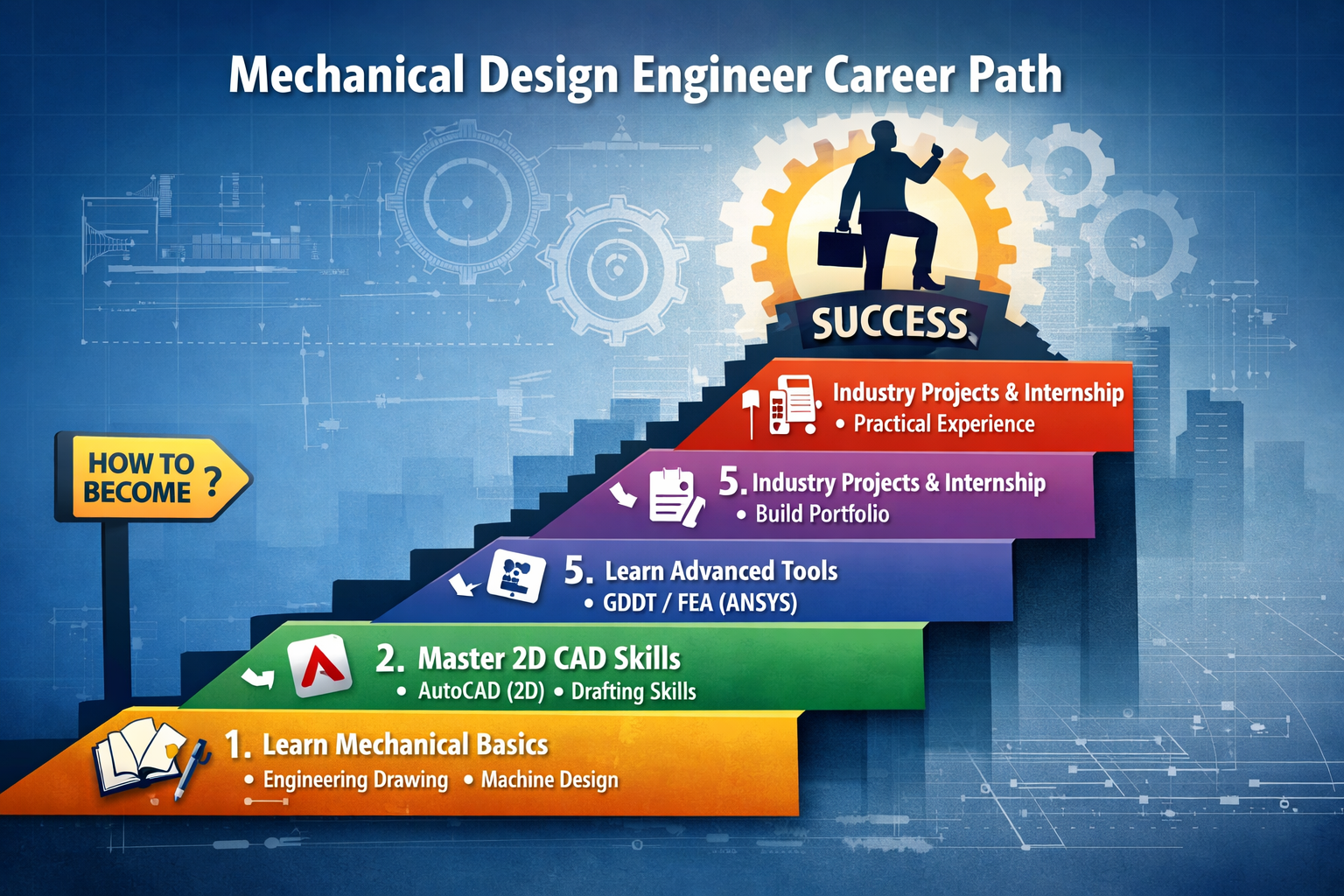
How to become a mechanical design engineer?
-
What is the proper CAD learning path?
This guide will give you a step-by-step roadmap from beginner to job-ready design engineer.
1️⃣ Step 1: Build Strong Mechanical Basics
Before learning software, you must understand core mechanical subjects:
✅ Engineering Drawing
✅ Machine Design Basics
✅ Manufacturing Processes
✅ Strength of Materials
✅ GD&T (Geometric Dimensioning & Tolerancing)
Without fundamentals, software knowledge alone is not enough.
2️⃣ Step 2: Start with 2D CAD (Beginner Level)
🔹 Software to Learn:
-
AutoCAD (2D Drafting)
What to Learn:
-
Line, circle, modify commands
-
Dimensioning
-
Layout & plotting
-
Industrial drawing standards
📌 Duration: 1–2 Months
AutoCAD builds your drafting foundation.
3️⃣ Step 3: Move to 3D CAD Software
After 2D, shift to 3D modeling tools.
🔹 Popular 3D CAD Software:
-
SolidWorks
-
CATIA
-
Creo
-
NX CAD
What to Learn:
-
Part modeling
-
Assembly design
-
Sheet metal
-
Surface modeling
-
Drawing generation
📌 Duration: 3–6 Months
This stage is very important for becoming a Mechanical Design Engineer.
4️⃣ Step 4: Learn Advanced Skills
To get higher salary packages, learn:
✅ GD&T (Advanced)
✅ Tolerance stack-up
✅ Basic FEA (ANSYS)
✅ Design calculations
✅ Product design concepts
These skills separate you from normal CAD operators.
5️⃣ Step 5: Industry Projects & Internship
Practical experience is very important.
Work on:
-
Machine design projects
-
Gearbox design
-
Fixture design
-
Automotive components
-
Sheet metal projects
Real projects increase your job chances.
How to Become a Mechanical Design Engineer (Step-by-Step)
🎓 Step 1: Complete Diploma or B.Tech in Mechanical
💻 Step 2: Learn 2D & 3D CAD Software
📐 Step 3: Understand Design Concepts
📊 Step 4: Build Portfolio Projects
🏢 Step 5: Apply for Design Engineer / CAD Engineer Jobs
Freshers usually start as:
-
CAD Engineer
-
Design Engineer Trainee
-
Junior Design Engineer
With experience, you can become:
-
Senior Design Engineer
-
Product Design Engineer
-
Design Manager
Mechanical CAD Learning Path (Simple Roadmap)
Beginner → AutoCAD (2D)
Intermediate → SolidWorks / Creo / CATIA
Advanced → Surface Design + FEA + GD&T
Expert → Product Development + Industrial Projects
Career Scope & Salary Growth
| Level | Salary Range |
|---|---|
| Fresher | ₹1.8 – ₹3.5 LPA |
| 2–5 Years | ₹4 – ₹7 LPA |
| 5+ Years | ₹7 – ₹15 LPA |
Skill-based professionals earn much higher.
Final Advice
If you want a successful career in mechanical design:
✔ Focus on skills, not just degree
✔ Practice daily modeling
✔ Work on real projects
✔ Get certified in at least one major CAD software
Following this mechanical software roadmap will make you job-ready within 6–12 months.


Comments
No comments yet. Be the first to comment.
Leave a Comment