


Are you a computer science student looking to build impressive MERN stack projects that will make your resume stand out? You've come to the right place. The MERN stack—MongoDB, Express.js, React, and Node.js—remains one of the most sought-after technology stacks in the web development industry, offering students a unified JavaScript ecosystem to build end-to-end applications that solve real-world problems.
In this comprehensive guide, we'll explore the best MERN stack projects for students, with a special focus on real-time applications and final year project ideas that demonstrate practical skills to potential employers. Whether you're a beginner looking for simple practice projects or an advanced student preparing your graduation project, this article has something for everyone. We'll cover project ideas ranging from basic to advanced, complete with technical requirements, key features, and learning outcomes that will help you master full-stack JavaScript development.
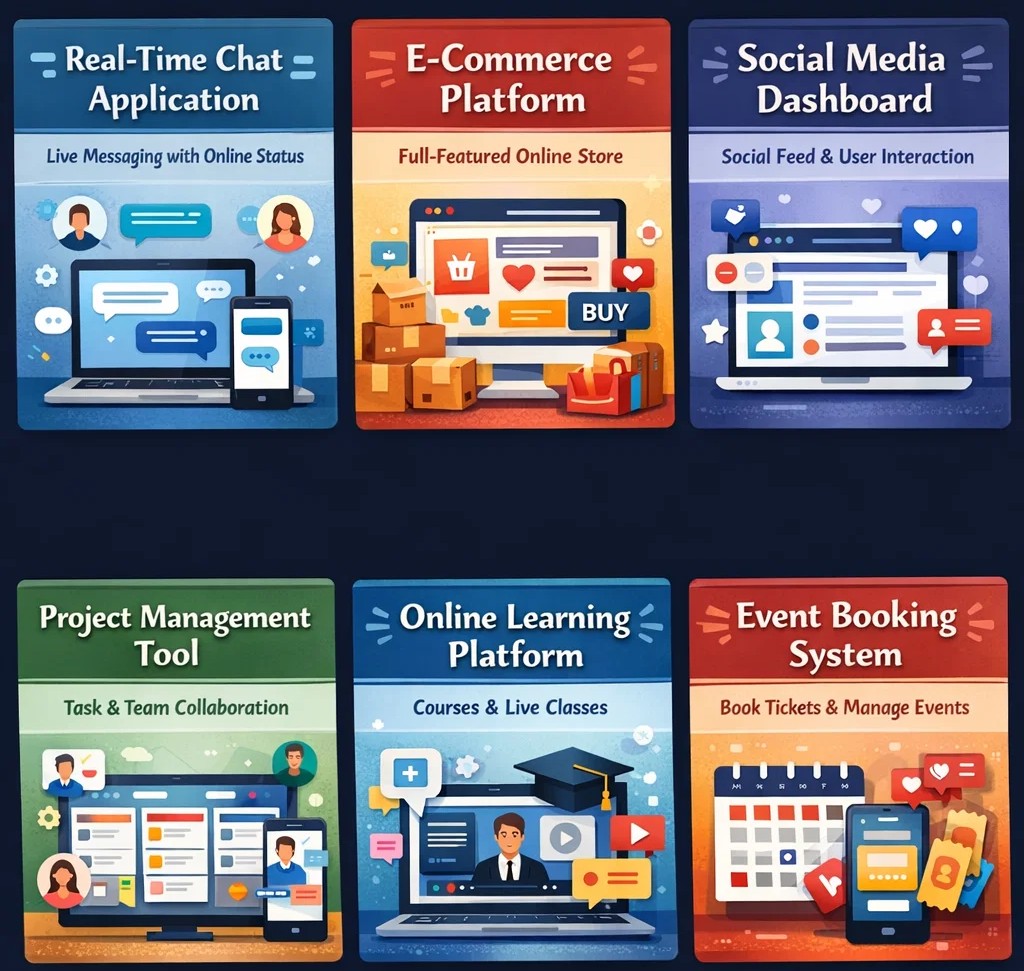
Why MERN Stack Projects Matter for Students
Before diving into specific project ideas, let's understand why building MERN stack projects is crucial for your academic and professional growth.
Real-World Skill Development
The MERN stack provides a complete full-stack JavaScript solution, allowing you to develop both frontend and backend skills simultaneously. According to industry data, the global software market is projected to reach significant milestones in the coming years, creating enormous demand for skilled full-stack developers. When you build MERN stack projects, you're not just learning theory—you're developing practical, job-ready skills that employers actively seek.
Portfolio Building
Recruiters don't just look at your grades—they want to see what you've built. Complete and advanced MERN stack project proposals will explain the main project criteria, but it will be your responsibility to determine how to achieve them. A well-executed project demonstrates problem-solving abilities, technical proficiency, and commitment to quality. Your GitHub repository becomes your digital resume, showcasing your ability to write clean code, structure applications properly, and implement complex features.
Learning Outcomes That Matter
Building MERN stack projects helps you master:
-
Frontend Development: React components, hooks, state management, and routing
-
Backend Development: RESTful API design with Express.js, middleware implementation
-
Database Design: MongoDB schema modeling, aggregation pipelines, indexing strategies
-
Real-Time Communication: WebSocket integration with Socket.IO
-
Authentication: JWT implementation, OAuth, role-based access control
-
Security Best Practices: Input validation, data sanitization, secure headers
-
Deployment: Cloud hosting, environment configuration, CI/CD pipelines
Understanding the MERN Stack Architecture
Before we dive into projects, let's establish a clear picture of how the MERN stack fits together. This understanding is crucial for building well-structured applications.
The Three-Tier Structure
Frontend Tier (React): At the user-facing layer, React handles everything your users see and interact with. It's responsible for rendering components, managing client-side state, and providing that smooth, app-like experience users have come to expect.
Backend Tier (Node.js and Express.js): This middle layer processes requests from the frontend, implements business logic, and communicates with the database. Node.js provides the runtime environment, while Express.js offers a minimalist framework for building APIs and handling HTTP requests.
Database Tier (MongoDB): At the foundation, MongoDB stores and retrieves data. Its document-based model aligns perfectly with JavaScript's object-oriented nature, eliminating the need for complex object-relational mapping.
What makes this stack particularly powerful for students is the end-to-end JavaScript implementation. You can work across the entire application without switching between different programming languages, significantly reducing the learning curve and making the codebase more maintainable.
Beginner-Friendly MERN Stack Projects
If you're new to MERN stack development, start with these foundational projects to understand the core concepts. These projects typically take 2-3 weeks to complete and provide the building blocks for more complex applications.
1. TO-DO List Application with Authentication
The classic TO-DO list is the perfect starting point for MERN beginners. This project will teach you CRUD operations, user authentication, and database integration in a manageable scope.
Technical Requirements:
-
Frontend: React.js with functional components and hooks (useState, useEffect)
-
Backend: Node.js and Express.js for RESTful API endpoints
-
Database: MongoDB with Mongoose ODM for schema modeling
-
Authentication: JWT-based authentication with bcrypt for password hashing
Key Features to Implement:
User Management:
-
User registration with email and password
-
Login functionality with JWT token generation
-
Protected routes that require authentication
-
User profile viewing and editing
Task Management:
-
Create new tasks with title, description, and due date
-
Read and display all tasks belonging to the logged-in user
-
Update task details and completion status
-
Delete tasks that are no longer needed
Advanced Enhancements:
-
Task categories or tags for organization
-
Due date reminders and notifications
-
Search and filter functionality
-
Drag-and-drop task reordering
Project Structure:
todo-app/
├── client/
│   ├── src/
│   │   ├── components/
│   │   │   ├── Auth/
│   │   │   ├── Tasks/
│   │   │   └── Layout/
│   │   ├── context/
│   │   ├── utils/
│   │   └── App.js
├── server/
│   ├── models/
│   ├── routes/
│   ├── middleware/
│   ├── controllers/
│   └── server.js
Learning Outcomes: This project covers authentication implementation, CRUD operations, database schema design with relationships, and basic React state management. You'll understand how to protect routes both on the frontend and backend, and how to structure a full-stack application.
2. Weather Application with External API Integration
A weather app that fetches real-time data from external APIs helps you understand API integration, asynchronous programming, and environment variable management.
Technical Requirements:
-
Frontend: React.js with hooks for state management and error handling
-
Backend: Node.js/Express.js as an API proxy to hide API keys
-
External API: OpenWeatherMap or WeatherAPI
-
Styling: Responsive design with CSS modules or Tailwind CSS
Key Features:
Core Functionality:
-
Search weather by city name with autocomplete suggestions
-
Display current temperature, humidity, wind speed, and conditions
-
Show 5-day weather forecast with daily summaries
-
Toggle between Celsius and Fahrenheit units
User Experience:
-
Recent search history stored in localStorage
-
Save favorite cities for quick access
-
Weather icons that change based on conditions
-
Loading states and error handling for API calls
Advanced Enhancements:
-
Geolocation to detect user's current location
-
Weather maps showing precipitation and temperature
-
Air quality index information
-
Sunrise and sunset times
Learning Outcomes: You'll learn how to work with third-party APIs, manage asynchronous operations with async/await, handle API errors gracefully, and use environment variables to secure API keys. The project also teaches responsive design principles and local storage management.
3. Personal Blog Platform with CMS
A blog platform where users can create, edit, and publish articles introduces content management concepts and rich text editing.
Technical Requirements:
-
Frontend: React.js with React Router for navigation
-
Backend: Node.js/Express.js REST API
-
Database: MongoDB for storing articles and user data
-
Rich Text Editor: React Quill or Draft.js
-
Image Handling: Multer for uploads, Cloudinary for optimization
Key Features:
Content Management:
-
Create blog posts with title, content, and featured image
-
Rich text formatting options (bold, italic, headings, lists)
-
Draft saving and publishing workflow
-
Edit and delete existing posts
User Features:
-
Author profiles with bio and avatar
-
Comments section on each post
-
Social sharing buttons
-
Related posts based on categories
Reader Experience:
-
Clean, responsive reading interface
-
Search functionality across posts
-
Category and tag filtering
-
Reading time estimation
Learning Outcomes: This project teaches content modeling in MongoDB, file upload handling, rich text editor integration, and complex querying for related content. You'll also learn about SEO considerations for blog content.
Intermediate MERN Stack Projects (4-6 Weeks)
Once you've mastered the basics, these intermediate projects will challenge you with more complex features and better architecture.
4. Personal Expense Tracker with Data Visualization
An expense tracker helps users manage their finances while teaching you data visualization, complex state management, and reporting features.
Technical Requirements:
-
Frontend: React.js with Redux Toolkit for state management
-
Backend: Node.js/Express.js REST API
-
Database: MongoDB for storing transactions
-
Visualization: Chart.js or Recharts for graphs
-
PDF Generation: jsPDF for report export
Key Features:
Transaction Management:
-
Add, edit, and delete expenses and income
-
Categorize transactions (food, transport, entertainment, salary)
-
Attach receipts as images
-
Recurring transactions setup
Analytics Dashboard:
-
Monthly spending by category pie chart
-
Income vs. expenses line chart over time
-
Budget tracking with alerts
-
Net worth calculation over time
Reporting:
-
Generate monthly reports
-
Export data to CSV or PDF
-
Filter transactions by date range
-
Search transaction history
Advanced Enhancements:
-
Multiple currency support with exchange rates
-
Bill splitting for group expenses
-
Savings goals tracking
-
Investment portfolio tracking
Learning Outcomes: You'll master Redux for complex state management, work with charting libraries, implement data aggregation for reports, and handle file generation on the client side.
5. Job Board Application
A job board where companies can post positions and job seekers can apply demonstrates user roles, search functionality, and application tracking.
Technical Requirements:
-
Frontend: React.js with Material-UI components
-
Backend: Node.js/Express.js with role-based middleware
-
Database: MongoDB with different collections for users, jobs, applications
-
Search: MongoDB text search or Elasticsearch integration
-
Email: Nodemailer for application notifications
Key Features:
Multi-Role System:
-
Job Seekers: Create profiles, upload resumes, save jobs, track applications
-
Employers: Post jobs, manage applications, search for candidates
-
Admin: Approve job postings, manage users, view analytics
Job Management:
-
Post jobs with title, description, requirements, salary range
-
Categorize by industry, experience level, job type
-
Featured job listings
-
Job expiration and reposting
Application Process:
-
One-click apply with saved profile
-
Cover letter submission
-
Application status tracking (pending, reviewed, rejected, interviewed)
-
Employer notes on candidates
Search and Discovery:
-
Advanced filtering by location, salary, job type
-
Saved search alerts via email
-
Recommended jobs based on profile
Learning Outcomes: This project teaches complex user role management, advanced search implementation, email integration, and building multi-tenant applications.
Real-Time MERN Stack Projects
Real-time applications demonstrate advanced skills and are particularly impressive for student portfolios. These projects leverage WebSockets (typically Socket.IO) to provide live updates without page refreshes.
6. Real-Time Chat Application with Rooms and Private Messaging
A messaging application with real-time capabilities is a classic MERN stack project that demonstrates multiple advanced concepts and is highly valued by employers.
Technical Stack:
-
Frontend: React.js with Socket.IO-client, Context API for state
-
Backend: Node.js/Express.js with Socket.IO for real-time communication
-
Database: MongoDB for storing messages, users, and chat history
-
Additional: Redis for caching active user sessions (optional)
Key Features:
User Management:
-
User registration and login with JWT authentication
-
Online/offline status with real-time updates
-
User profile with avatar and status message
-
Friend request system with accept/reject functionality
Chat Functionality:
-
One-on-one private messaging
-
Group chat rooms with admin controls
-
Typing indicators showing when someone is typing
-
Read receipts (sent, delivered, seen)
-
Message history with pagination
-
Emoji support and rich text formatting
Advanced Features:
-
File and image sharing with preview
-
Voice messages recording and playback
-
Message reactions and replies
-
Search through message history
-
Mute/block users
Real-Time Implementation with Socket.IO:
// Server-side Socket.IO implementation
io.on('connection', (socket) => {
  console.log('New client connected');

  socket.on('join-room', (roomId) => {
    socket.join(roomId);
  });

  socket.on('send-message', async (data) => {
    // Save message to database
    const message = new Message({
      sender: data.senderId,
      room: data.roomId,
      content: data.content,
      timestamp: new Date()
    });
    await message.save();

    // Emit to all users in the room
    io.to(data.roomId).emit('new-message', message);
  });

  socket.on('typing', (data) => {
    socket.to(data.roomId).emit('user-typing', data.user);
  });

  socket.on('disconnect', () => {
    console.log('Client disconnected');
  });
});
Learning Outcomes: You'll master WebSocket implementation for real-time features, handle concurrent connections, implement message persistence, and build features that users expect from modern messaging apps.
7. Collaborative To-Do Board with Drag-and-Drop
A real-time collaborative task board where multiple users can manage tasks simultaneously—perfect for team productivity applications.
Technical Stack:
-
Frontend: React.js with beautiful-dnd for drag-and-drop, Socket.IO-client
-
Backend: Node.js/Express.js with Socket.IO
-
Database: MongoDB for board, list, and card data
Key Features:
Board Management:
-
Create multiple boards for different projects
-
Invite team members with different permission levels (view, edit, admin)
-
Board templates for common workflows
Task Organization:
-
Lists representing workflow stages (To Do, In Progress, Done)
-
Cards with titles, descriptions, due dates, and assignees
-
Drag-and-drop between lists and reorder within lists
-
Checklist items within cards
Real-Time Collaboration:
-
Live updates when team members move cards
-
See who's viewing the board currently
-
Comments and mentions on cards
-
Activity log of all changes
Advanced Features:
-
Card attachments and file uploads
-
Custom fields for different project types
-
Calendar view of due dates
-
Export board data
Learning Outcomes: This project teaches real-time synchronization, conflict resolution, drag-and-drop implementation, and collaborative feature development. You'll understand how to handle concurrent modifications and maintain data consistency.
8. Real-Time Dashboard with Live Metrics
A dashboard that displays live system metrics and events is excellent for learning data streaming and visualization updates.
Technical Stack:
-
Frontend: React with Zustand for lightweight state management, Recharts for graphs
-
Backend: Node.js with Express and Socket.IO
-
Data Source: Simulated metrics or real API integration
Key Features:
Live Connection Status:
-
Real-time connection indicator with visual feedback
-
Auto-reconnection with exponential backoff strategy
-
Connection quality monitoring
Metrics Display:
-
Live CPU and memory usage charts
-
Network traffic monitoring
-
Active user sessions counter
-
Request per second metrics
Interactive Elements:
-
Time range selector for historical data
-
Filter by data source or metric type
-
Export data to CSV
-
Custom dashboard layouts
Events Feed:
-
Real-time events table with color-coded entries
-
Event severity levels (info, warning, error)
-
Search and filter events
-
Event details modal
Implementation Example:
// Server-side metric generation
setInterval(() => {
  const metrics = {
    timestamp: new Date(),
    cpu: Math.random() * 100,
    memory: 40 + Math.random() * 30,
    requests: Math.floor(Math.random() * 100),
    activeUsers: Math.floor(Math.random() * 50)
  };

  io.emit('metrics-update', metrics);

  // Occasionally emit events
  if (Math.random() > 0.7) {
    io.emit('new-event', {
      type: ['info', 'warning', 'error'][Math.floor(Math.random() * 3)],
      message: `System event at ${new Date().toLocaleTimeString()}`,
      timestamp: new Date()
    });
  }
}, 2000);
Learning Outcomes: You'll learn real-time data streaming, chart updates with live data, WebSocket connection management, and building responsive monitoring interfaces.
9. Doctor Appointment System with Real-Time Notifications
A comprehensive healthcare management platform that demonstrates multi-role systems and real-time updates—perfect for a substantial student project.
Technical Stack:
-
Frontend: React with TypeScript for type safety, Material-UI for components
-
Backend: Node.js/Express.js with Socket.IO
-
Database: MongoDB with complex relationships
-
Additional: Cloudinary for image uploads, Nodemailer for email notifications
Key Features:
Multi-Role System:
-
Patients: Register, search doctors, book appointments, view history
-
Doctors: Manage availability, view appointments, update patient records
-
Admin: Verify doctors, manage platform, view analytics
Appointment Management:
-
Real-time doctor availability calendar
-
Book, reschedule, or cancel appointments
-
Time slot selection with conflict prevention
-
Appointment reminders via email and in-app notification
Real-Time Features:
-
Live notifications when appointments are booked or cancelled
-
Chat between doctors and patients
-
Video consultation integration (WebRTC)
-
Real-time updates to doctor schedules
Medical Records:
-
Upload and store medical documents securely
-
Prescription management
-
Treatment history tracking
-
Lab results integration
Analytics Dashboard:
-
Patient visit statistics
-
Popular time slots and doctors
-
Revenue tracking for clinics
-
Patient satisfaction ratings
Learning Outcomes: This comprehensive project teaches complex role-based systems, real-time notification architecture, scheduling algorithms, and secure document handling. It's substantial enough for a final year project.
Advanced Final Year MERN Stack Projects (8-12 Weeks)
These projects are suitable for graduation and demonstrate comprehensive skills in architecture, scalability, and real-world problem-solving.
10. Vehicle Expiry Identification System (VEIS)
A smart web application designed to help vehicle owners and administrators manage expiry dates of essential documents—an excellent real-world problem solution.
Project Overview: VEIS helps track insurance, registration, and PUC expiration dates, sending timely alerts to avoid penalties and improve road safety. This project has practical applications for individual owners, transport companies, and regulatory authorities.
Technical Requirements:
-
Frontend: React.js with Redux Toolkit for state management
-
Backend: Node.js/Express.js with cron jobs for scheduled notifications
-
Database: MongoDB with geospatial indexing for location-based features
-
Notifications: Nodemailer for email, Twilio for SMS (optional)
-
Documents: PDF generation for reports
Key Features:
User Dashboard:
-
Register multiple vehicles under one account
-
Document upload and storage (insurance, registration, PUC)
-
Visual indicators for document status (valid, expiring soon, expired)
-
Calendar view of upcoming expiries
Alert System:
-
Email notifications 30, 15, and 7 days before expiry
-
SMS alerts for critical expiries
-
In-app notification center
-
Push notifications for mobile web
Admin Control Panel:
-
View all registered vehicles and their status
-
Generate reports on compliance rates
-
Send bulk notifications to vehicle owners
-
Manage system settings and notification templates
Advanced Features:
-
QR code generation for quick document verification
-
Integration with traffic department APIs
-
Mechanic and service center locator
-
Vehicle maintenance tracking
Real-World Applications:
-
Individual vehicle owners tracking document expiries
-
Transport companies managing multiple vehicles
-
Traffic authorities monitoring compliance
-
Fleet management and rental services
Learning Outcomes: You'll learn scheduled job implementation, document management systems, notification architecture, and building applications with regulatory compliance requirements.
11. E-Learning Management System with Video Streaming
A comprehensive platform enabling course creation, student enrollment, and progress tracking—a feature-rich final year project.
Technical Stack:
-
Frontend: React.js with Redux Toolkit, Tailwind CSS
-
Backend: Node.js/Express.js with REST API
-
Database: MongoDB with GridFS for video storage
-
Video: AWS S3 or Cloudinary for video hosting, Video.js player
-
Real-Time: Socket.IO for live classes
-
Payments: Stripe or Razorpay integration
Key Features:
Course Management:
-
Course creation wizard for instructors
-
Module and lesson organization
-
Video upload with streaming optimization
-
Supplementary materials (PDFs, quizzes, assignments)
-
Course pricing and coupon generation
Student Experience:
-
Browse and search courses by category
-
Course preview with sample videos
-
Progress tracking with percentage completion
-
Bookmarking and notes taking
-
Discussion forums per course
Assessment System:
-
Quizzes with multiple question types
-
Assignment submission and grading
-
Certificate generation upon completion
-
Gradebook for instructors
Live Learning:
-
Scheduled live classes with video conferencing
-
Chat and Q&A during live sessions
-
Recording availability after sessions
-
Whiteboard collaboration tools
Analytics:
-
Student engagement metrics
-
Course completion rates
-
Revenue analytics for instructors
-
Platform-wide statistics for admin
Learning Outcomes: This project teaches video streaming architecture, complex user role systems, payment gateway integration, and building scalable educational platforms.
12. Full-Featured E-Commerce Platform
A complete e-commerce solution with product management, shopping cart, and payment processing—a classic final year project with endless possibilities.
Technical Stack:
-
Frontend: React.js with Next.js for SSR and SEO
-
Backend: Node.js/Express.js microservices architecture
-
Database: MongoDB for products, orders, users; Redis for cart caching
-
Payments: Stripe, PayPal, or Razorpay integration
-
Search: Elasticsearch for product search
-
CDN: Cloudinary for product images
Key Features:
Product Management:
-
Product catalog with categories and subcategories
-
Inventory tracking with low stock alerts
-
Product variants (size, color, etc.)
-
Product reviews and ratings with images
-
Related products and upsells
Shopping Experience:
-
Persistent shopping cart across devices
-
Wishlist functionality
-
Compare products feature
-
Recently viewed products
-
Quick view modal
Checkout Process:
-
Guest checkout option
-
Multiple addresses management
-
Shipping method selection
-
Order summary with tax calculations
-
Payment processing with multiple gateways
User Accounts:
-
Order history and tracking
-
Returns and refunds requests
-
Product registration for warranties
-
Loyalty points and rewards
Admin Dashboard:
-
Order management dashboard
-
Inventory alerts and reports
-
Customer management
-
Discount and coupon creation
-
Sales analytics and forecasting
Advanced Features:
-
AI-powered product recommendations
-
Abandoned cart recovery emails
-
Multi-vendor marketplace support
-
International shipping calculations
-
Mobile app with React Native (extension)
Learning Outcomes: You'll master e-commerce architecture, payment security, inventory management, and building scalable, transaction-heavy applications.
13. Real-Time Collaboration Tool with Document Editing
A platform enabling real-time document editing, project management, and team communication—similar to popular productivity tools.
Technical Stack:
-
Frontend: React.js with Quill or Slate for rich text editing
-
Backend: Node.js/Express.js with Socket.IO
-
Database: MongoDB with operational transformation support
-
Additional: Redis for session management, AWS for file storage
Key Features:
Document Collaboration:
-
Real-time editing with operational transformation
-
Multiple users editing simultaneously
-
Cursor position visibility
-
Version control and revision history
-
Comment and suggestion mode
Team Features:
-
Workspace and team management
-
Role-based permissions (view, edit, comment, admin)
-
Team member invitations
-
Activity tracking and audit logs
Project Management:
-
Document organization in folders
-
Templates for common document types
-
Task assignment within documents
-
Deadline tracking
Communication:
-
In-document chat
-
@mentions with notifications
-
Email notifications for changes
-
Integration with Slack/Teams (optional)
Learning Outcomes: This advanced project teaches operational transformation algorithms, real-time conflict resolution, complex permission systems, and building enterprise-grade collaboration tools.
Essential Tools and Technologies for MERN Projects
To build professional MERN stack projects, familiarize yourself with these additional tools that will elevate your project quality.
State Management
-
Redux Toolkit: The official, opinionated approach to Redux development, eliminating boilerplate
-
Zustand: A lightweight alternative for simpler state management needs
-
Context API: Built into React, suitable for medium-scale applications
-
Recoil: Facebook's experimental state management library
Real-Time Communication
-
Socket.IO: The industry standard for WebSocket implementation with fallbacks
-
WebRTC: For peer-to-peer video and audio communication
-
Server-Sent Events: Alternative for one-way real-time updates
Authentication and Security
-
JWT: Stateless authentication for APIs
-
Passport.js: Authentication middleware with multiple strategies
-
bcryptjs: Industry-standard password hashing
-
Helmet.js: Secure Express apps with various HTTP headers
-
CORS: Configure cross-origin resource sharing
File Handling and Storage
-
Multer: Node.js middleware for handling multipart/form-data
-
Cloudinary: Cloud-based image and video management
-
AWS S3: Scalable object storage
-
Sharp: Image processing and optimization
Testing
-
Jest: JavaScript testing framework
-
React Testing Library: Testing React components
-
Supertest: HTTP assertion library
-
Cypress: End-to-end testing framework
Deployment and DevOps
-
Docker: Containerization for consistent environments
-
GitHub Actions: CI/CD automation
-
MongoDB Atlas: Cloud database hosting
-
Vercel/Netlify: Frontend deployment
-
Render/Railway: Backend deployment
Tips for Successful MERN Stack Projects
1. Start with a Clear Plan
Before writing code, outline your project scope, features, and database schema. Use tools like Figma for wireframing and draw.io for entity-relationship diagrams.
2. Use Version Control from Day One
Initialize a Git repository immediately. Make regular commits with meaningful messages. Create feature branches for different components.
3. Implement Security Best Practices
-
Use JWT token-based authentication with appropriate expiry
-
Hash passwords with bcryptjs (never store plain text passwords)
-
Implement protected API routes with middleware
-
Configure CORS properly to allow only trusted origins
-
Store sensitive data in environment variables
-
Validate and sanitize all user input
-
Implement rate limiting to prevent brute force attacks
4. Write Clean, Maintainable Code
-
Follow consistent naming conventions
-
Comment complex logic, but let code be self-documenting
-
Structure your project logically (separation of concerns)
-
Use ESLint and Prettier for code formatting consistency
-
Follow the DRY (Don't Repeat Yourself) principle
5. Test Thoroughly
-
Test API endpoints with tools like Postman or Insomnia
-
Write unit tests for critical functions
-
Test edge cases and error handling
-
Perform cross-browser testing for frontend
-
Test on different device sizes for responsiveness
6. Document Your Work
Create a comprehensive README with:
-
Project title and description
-
Live demo link (if deployed)
-
Tech stack details
-
Installation and setup instructions
-
Environment variables configuration
-
API endpoint documentation
-
Screenshots of the application
-
Features implemented and future scope
7. Deploy Early and Often
Deploy your application early in the development process to catch environment-specific issues sooner. This also gives you something to show during progress reviews.
Building Your Project Portfolio
Once you've completed your MERN stack projects, showcase them effectively to maximize their impact on your career.
Create a Project Portfolio Website
Build a React-based portfolio website showcasing your best work. Include:
-
Project descriptions and your role
-
Technologies used
-
Live demo links
-
GitHub repository links
-
Challenges faced and how you solved them
-
Screenshots and videos of the application
Write Case Studies
For each major project, write a detailed case study explaining:
-
The problem you were solving
-
Your approach and architecture decisions
-
Technologies chosen and why
-
Implementation highlights
-
Results and outcomes
-
Lessons learned
Include Live Demos
Deploy your projects and include working links. Employers want to see and interact with your work, not just read about it.
Open Source Contributions
Share your code on GitHub with proper documentation. Consider writing a blog post about your development experience to demonstrate communication skills.
LinkedIn Showcase
Post about your projects on LinkedIn with screenshots and key learnings. Tag relevant companies and technologies to increase visibility.
Common Challenges and How to Overcome Them
Challenge 1: State Management Complexity
Solution: Start with useState and Context API. Move to Redux only when you identify specific needs like complex state sharing or performance optimization.
Challenge 2: Real-Time Synchronization Issues
Solution: Implement proper error handling and reconnection logic. Use acknowledgment callbacks with Socket.IO to confirm message delivery.
Challenge 3: Performance Optimization
Solution: Use React.memo for expensive components, implement pagination for large data sets, and optimize images and assets.
Challenge 4: Security Vulnerabilities
Solution: Stay updated with security best practices, use security headers, validate input, and regularly update dependencies.
Challenge 5: Deployment Difficulties
Solution: Start with simpler platforms like Render or Railway. Use environment variables for configuration and maintain detailed deployment documentation.
Conclusion
MERN stack projects offer students an incredible opportunity to develop real-world skills, build impressive portfolios, and prepare for successful careers in web development. From beginner-friendly TO-DO lists to sophisticated final year projects like vehicle expiry identification systems and real-time collaboration platforms, the possibilities are endless.
The key to success is choosing projects that align with your interests and career goals, then executing them with attention to code quality, security, and user experience. Remember that recruiters value completed projects that demonstrate problem-solving abilities and technical proficiency over theoretical knowledge alone.
As you embark on your MERN stack journey, leverage the vibrant community, extensive documentation, and countless open-source examples available. Start with simpler projects, gradually increase complexity, and don't hesitate to add your unique twist to make your projects stand out.
Your next step? Pick one project from this list, set up your development environment, and start coding. The journey of a thousand miles begins with a single step—or in this case, a single npx create-react-app command.
Remember, the best way to learn is by building. Each project you complete adds to your skills, confidence, and marketability. Whether you're aiming for a job at a tech giant or planning to launch your own startup, the MERN stack provides the tools you need to turn your ideas into reality.


Comments
No comments yet. Be the first to comment.
Leave a Comment