


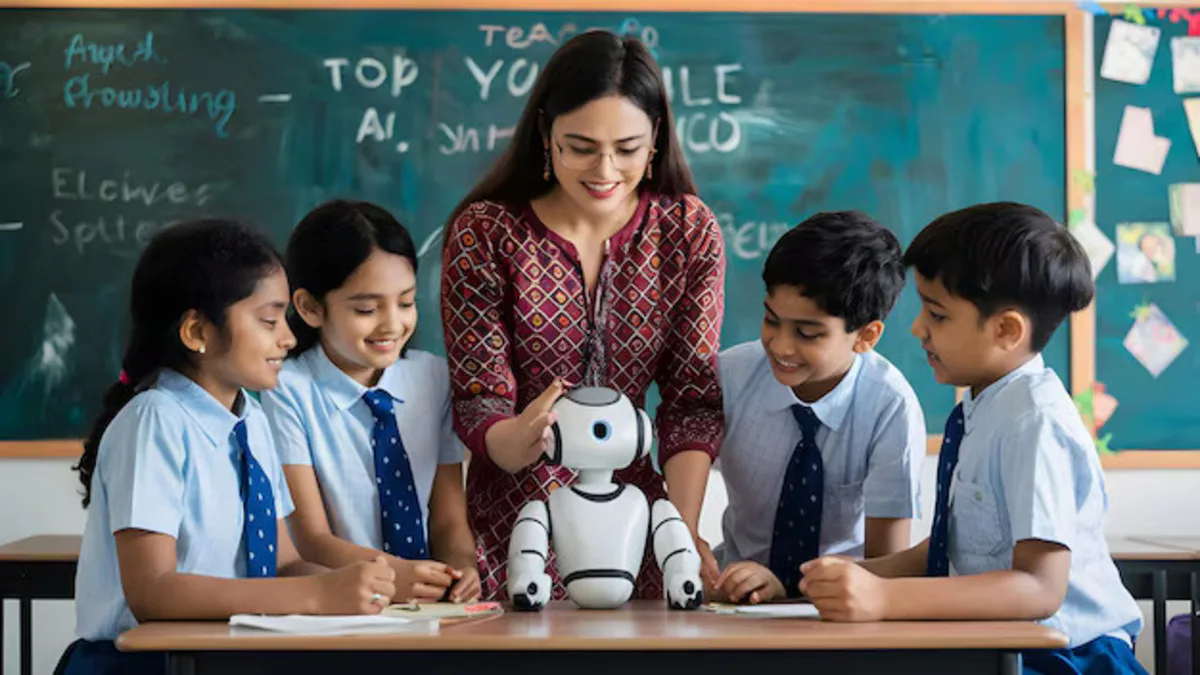
Get job-ready with TechCadd's intensive AI Practical Training in Chandigarh. Learn by doing—build real AI models, work on industry projects, master Python, ML, and Deep Learning. 100% hands-on approach with expert mentorship and placement assistance.
Welcome to AI Practical Training at TechCadd, Chandigarh
Theory can only take you so far. In the world of artificial intelligence, real mastery comes from doing—from writing code, training models, debugging errors, and deploying applications that actually work. That's exactly what TechCadd's AI Practical Training in Chandigarh delivers.
This is not a course where you passively listen to lectures. It's an intensive, hands-on program where you spend most of your time building, experimenting, and creating. From day one, you'll be writing Python code, working with datasets, and building AI models that solve real problems.
Why Practical Training Matters in AI
The AI industry doesn't care how many books you've read or how many videos you've watched. Employers want to know: What can you build? Can you take a raw dataset and extract meaningful insights? Can you train a model that accurately classifies images? Can you deploy an AI application that users can actually interact with?
TechCadd's practical training ensures that when you walk into an interview, you have answers to these questions—not just in words, but in working projects you can demonstrate.
What Makes Our Practical Training Different
✅ 70% Hands-On Practice, 30% Theory – We flip the traditional classroom model. Most of your time is spent coding and building.
✅ Real-World Projects – You work on problems that companies actually face, not academic exercises.
✅ Industry-Standard Tools – You'll use the same frameworks and platforms that professionals use daily.
✅ Mentor-Guided Learning – Experts guide you through challenges, but you do the work.
✅ Portfolio Development – Every project you build becomes part of your professional portfolio.
✅ Collaborative Environment – Learn with peers, share insights, and solve problems together.
The Practical Training Curriculum
Phase 1: Python Programming Fundamentals (Hands-On)
Before you can build AI, you need to speak its language. Python is the foundation of everything in AI, and we ensure you master it through intensive coding practice.
Hands-On Activities:
-
Write 100+ Python programs from scratch
-
Work with data structures, functions, and modules
-
Debug real code with errors you'll actually encounter
-
Build a complete Python application as your first project
Labs and Exercises:
-
File handling: Read, write, and process data files
-
API integration: Pull data from web services
-
Database connectivity: Store and retrieve information
-
Error handling: Make your programs robust and reliable
Phase 2: Data Analysis and Visualization (Practical)
AI runs on data. You'll learn to wrangle, clean, and visualize data like a pro.
Hands-On Activities:
-
Clean messy datasets: Handle missing values, outliers, and inconsistencies
-
Exploratory data analysis: Discover patterns and insights
-
Create 50+ visualizations using Matplotlib and Seaborn
-
Work with real datasets from Kaggle and public sources
Projects:
-
Analyze a real e-commerce dataset and present insights
-
Build interactive dashboards showing key trends
-
Create visual reports that tell compelling data stories
Phase 3: Machine Learning Implementation
Now you start building. You'll implement machine learning algorithms from scratch and using libraries.
Hands-On Activities:
-
Implement regression models and evaluate performance
-
Build classification systems for real problems
-
Create clustering algorithms for customer segmentation
-
Tune hyperparameters to optimize model accuracy
Projects:
-
House Price Predictor: Build a model that estimates property values
-
Customer Churn Predictor: Identify which customers are likely to leave
-
Spam Classifier: Distinguish between spam and legitimate emails
-
Movie Recommendation System: Suggest films based on user preferences
Phase 4: Deep Learning and Neural Networks
Dive into the architecture that powers modern AI. You'll build neural networks layer by layer.
Hands-On Activities:
-
Build neural networks with TensorFlow and Keras
-
Implement convolutional neural networks (CNNs) for image tasks
-
Create recurrent neural networks (RNNs) for sequence data
-
Experiment with different architectures and compare results
Projects:
-
Image Classifier: Recognize objects, animals, or handwritten digits
-
Sentiment Analyzer: Determine if text reviews are positive or negative
-
Time Series Forecaster: Predict stock prices or weather patterns
-
Face Detection System: Identify faces in images
Phase 5: Natural Language Processing (NLP)
Teach machines to understand human language. You'll build applications that process text.
Hands-On Activities:
-
Preprocess text: Tokenization, stemming, lemmatization
-
Build word embeddings and understand semantic relationships
-
Implement text classification and sentiment analysis
-
Create chatbots that can hold conversations
Projects:
-
Chatbot Development: Build an AI assistant for customer service
-
Document Summarizer: Automatically summarize long articles
-
Language Translator: Translate between languages using AI
-
News Categorizer: Automatically sort news articles by topic
Phase 6: Computer Vision
Give machines the power to see. You'll build applications that understand images and video.
Hands-On Activities:
-
Process images with OpenCV: Filtering, edge detection, transformations
-
Implement object detection algorithms
-
Build facial recognition systems
-
Work with video streams in real-time
Projects:
-
Object Detector: Identify multiple objects in images
-
Facial Recognition System: Recognize and label faces
-
Document Scanner: Detect and extract text from documents
-
Real-Time Video Analytics: Process live camera feeds
Phase 7: Generative AI and LLMs
Work with cutting-edge technology. You'll build applications powered by large language models.
Hands-On Activities:
-
Work with OpenAI API and open-source models
-
Master prompt engineering techniques
-
Build RAG (Retrieval-Augmented Generation) pipelines
-
Create AI agents that can use tools and take actions
Projects:
-
Custom Chatbot: Build an AI assistant specialized for a domain
-
Knowledge Assistant: Answer questions from your documents
-
Content Generator: Create articles, summaries, or social media posts
-
AI Agent: Automate research, reporting, or data analysis tasks
Phase 8: Model Deployment
Building models is only half the battle. You'll learn to put them to work.
Hands-On Activities:
-
Create APIs with FastAPI and Flask
-
Deploy models to cloud platforms (AWS, Google Cloud, Azure)
-
Containerize applications with Docker
-
Build web interfaces for your AI applications
Projects:
-
Deploy Your Image Classifier: Create a web app where users can upload images
-
Live Chatbot API: Serve your chatbot through a public API
-
Model Monitoring: Track performance of deployed models
-
End-to-End AI Application: Complete project from concept to deployment
Phase 9: Capstone Project
Bring everything together. You'll conceive, build, and deploy a complete AI application of your choice.
Project Options:
-
AI-Powered Business Tool: Solve a real problem for a local business
-
Creative AI Application: Build something innovative and unique
-
Social Impact Project: Use AI to address a community challenge
-
Research Implementation: Reproduce and extend a published paper
Your capstone includes:
-
Complete working code
-
Documentation
-
Deployment (if applicable)
-
Presentation to mentors and peers
-
Portfolio showcase
Practical Training Schedule
Our intensive format maximizes hands-on time:
Daily Structure:
-
2 hours: Concept introduction and demonstration
-
4 hours: Guided hands-on coding and project work
-
1 hour: Review, Q&A, and next steps
Weekly Breakdown:
-
Week 1-2: Python programming intensive
-
Week 3-4: Data analysis and visualization
-
Week 5-6: Machine learning implementation
-
Week 7-8: Deep learning projects
-
Week 9-10: NLP and computer vision
-
Week 11-12: Generative AI and deployment
-
Week 13-16: Capstone project
Tools and Technologies You'll Master
Throughout your practical training, you'll become proficient with:
Programming:
-
Python (advanced level)
-
Jupyter Notebooks, VS Code, Google Colab
Data Science:
-
NumPy, Pandas, Matplotlib, Seaborn, Scikit-learn
Deep Learning:
-
TensorFlow, Keras, PyTorch
NLP and Generative AI:
-
Transformers, LangChain, OpenAI API, Hugging Face
Computer Vision:
-
OpenCV, YOLO, image processing libraries
Deployment:
-
Flask, FastAPI, Docker, AWS, Streamlit
Version Control:
-
Git, GitHub for collaboration
Who Should Take This Practical Training?
This program is ideal for:
-
Engineering and CS students wanting industry-ready skills
-
Working professionals looking to upskill into AI
-
Career changers ready for intensive hands-on learning
-
Entrepreneurs wanting to build AI-powered products
-
Anyone who learns best by doing
Prerequisites
-
Basic computer literacy
-
Strong motivation to learn
-
No prior programming required (but helpful)
-
Willingness to practice, experiment, and build
Your Practical Training Outcomes
By completing this program, you will:
-
Have written thousands of lines of Python code
-
Built 20+ AI models and applications
-
Created a professional portfolio of work
-
Deployed working AI applications
-
Be ready for roles like AI Developer, ML Engineer, or Data Scientist
-
Have confidence in your ability to learn new AI technologies.
Phase 10: Advanced Computer Vision and Real-Time Applications
Building on your foundational computer vision skills, this advanced module takes you into production-grade vision systems that operate in real-world conditions. You'll move beyond simple image classification to build applications that can understand complex visual scenes, track movement, and make decisions in real-time.
Object Detection and Localization
While classification tells you what's in an image, object detection tells you where it is. You'll implement state-of-the-art detection systems:
-
YOLO (You Only Look Once): Train and deploy the latest versions of this real-time detection architecture. You'll understand how it processes entire images in a single pass and achieves remarkable speed without sacrificing accuracy.
-
SSD (Single Shot Detector): Implement alternative architectures and understand the tradeoffs between speed and precision.
-
Region-Based CNNs: Explore the R-CNN family for applications where accuracy matters more than speed.
Hands-On Projects:
-
Real-Time Object Detection: Build a system that can detect and label multiple objects in live video feeds
-
People Counter: Create an application that tracks foot traffic in retail spaces or public areas
-
Vehicle Detection System: Identify and count vehicles in traffic camera footage
-
Quality Inspection: Detect defects in manufactured products on a simulated assembly line
Instance Segmentation
Take detection to the next level by identifying individual object instances at the pixel level:
-
Mask R-CNN: Implement segmentation models that create precise masks around detected objects
-
Applications: Medical imaging (tumor boundary detection), autonomous driving (lane and obstacle segmentation), and augmented reality
Hands-On Project:
-
Medical Image Segmentation: Identify and outline tumors or organs in medical scans
-
Background Removal: Build a tool that automatically removes or replaces image backgrounds
Pose Estimation and Movement Tracking
Understand human movement and posture:
-
Keypoint Detection: Identify body joints and limbs in images and video
-
Pose Estimation Models: Implement systems that can track human movement in real-time
-
Applications: Fitness tracking, sports analysis, gesture control, and physical therapy
Hands-On Projects:
-
Fitness Form Analyzer: Build an application that provides feedback on exercise posture
-
Gesture Recognition: Create a system that recognizes hand gestures for controlling applications
-
Dance Move Tracker: Analyze and provide feedback on dance movements
Video Analysis and Action Recognition
Move from single images to understanding sequences:
-
Optical Flow: Understand how motion is represented and analyzed
-
3D CNNs: Process video data with temporal dimensions
-
Action Recognition Models: Identify activities and behaviors in video
Hands-On Projects:
-
Activity Recognition: Build a system that identifies activities in surveillance video
-
Sports Highlight Generator: Automatically detect and extract exciting moments from game footage
-
Video Summarization: Create concise summaries of long video content
Phase 11: Natural Language Processing Mastery
Deepen your NLP expertise with advanced techniques for understanding and generating human language.
Advanced Text Processing and Feature Engineering
Move beyond basic preprocessing to sophisticated text representation:
-
Custom Tokenization: Build tokenizers for specialized domains (medical, legal, technical)
-
Subword Tokenization: Implement BPE, WordPiece, and SentencePiece algorithms
-
Text Normalization: Handle domain-specific abbreviations, jargon, and formatting
Hands-On Exercises:
-
Build a tokenizer for legal documents
-
Create text cleaning pipelines for social media data
-
Develop domain-specific preprocessing for medical texts
Named Entity Recognition and Information Extraction
Extract structured information from unstructured text:
-
NER Models: Implement and train models to identify people, organizations, locations, dates, and custom entities
-
Relationship Extraction: Identify connections between entities
-
Event Extraction: Detect and categorize events mentioned in text
Hands-On Projects:
-
Resume Parser: Extract skills, experience, and education from resumes
-
News Event Tracker: Identify and categorize events from news articles
-
Medical Entity Extractor: Pull medication names, dosages, and conditions from clinical notes
Text Generation and Language Modeling
Build systems that can generate coherent, contextually appropriate text:
-
Language Models: Understand how models like GPT predict and generate text
-
Controlled Generation: Guide generation for specific styles, tones, and formats
-
Prompt Engineering Mastery: Advanced techniques for getting desired outputs
Hands-On Projects:
-
Story Generator: Build an application that creates short stories from prompts
-
Email Composer: Generate professional emails for different contexts
-
Product Description Generator: Create compelling product descriptions from specifications
Sentiment Analysis and Opinion Mining
Go beyond basic positive/negative classification:
-
Aspect-Based Sentiment: Understand sentiment toward specific aspects of products or services
-
Emotion Detection: Identify emotions like anger, joy, sadness, and surprise
-
Sarcasm Detection: Build models that can recognize sarcastic and ironic statements
Hands-On Projects:
-
Review Analyzer: Extract detailed sentiment from product and service reviews
-
Social Media Monitor: Track public sentiment about brands or topics
-
Customer Feedback System: Categorize and prioritize customer feedback automatically
Question Answering Systems
Build systems that can answer questions based on provided context:
-
Extractive QA: Identify answer spans within documents
-
Abstractive QA: Generate novel answers based on understanding
-
Open-Domain QA: Answer questions without being given specific context documents
Hands-On Projects:
-
Document Q&A: Build a system that answers questions about your documents
-
Customer Support Bot: Create a chatbot that answers product questions from manuals
-
Research Assistant: Develop a tool that answers questions from research papers
Phase 12: Generative AI and Creative Applications
Master the cutting edge of AI—systems that create rather than just analyze.
Advanced Prompt Engineering
Move beyond basic prompts to sophisticated techniques:
-
Chain-of-Thought Prompting: Guide models through step-by-step reasoning
-
Tree-of-Thoughts: Explore multiple reasoning paths simultaneously
-
Self-Consistency: Generate multiple answers and select the most consistent
-
Prompt Chaining: Combine multiple prompts for complex tasks
Hands-On Exercises:
-
Design prompts that consistently produce structured outputs
-
Build multi-step reasoning chains for complex problems
-
Create prompt templates for reusable AI interactions
RAG (Retrieval-Augmented Generation) Deep Dive
Build sophisticated knowledge systems that combine retrieval with generation:
-
Advanced Chunking Strategies: Semantic chunking, hierarchical chunking, and contextual retrieval
-
Hybrid Search: Combine keyword and semantic search for optimal results
-
Re-ranking: Improve retrieval quality with cross-encoders
-
Query Transformation: Generate better search queries from user questions
Hands-On Projects:
-
Enterprise Knowledge Base: Build a RAG system for company documents
-
Research Paper Assistant: Create a tool that answers questions from academic papers
-
Legal Document Analyzer: Build a system that retrieves and summarizes relevant case law
Fine-Tuning and Customization
Adapt foundation models to your specific needs:
-
Parameter-Efficient Fine-Tuning: LoRA, QLoRA, and adapters for efficient customization
-
Instruction Tuning: Teach models to follow specific instructions
-
Domain Adaptation: Specialize models for technical, medical, or legal domains
Hands-On Projects:
-
Fine-tune a model for customer service in a specific industry
-
Create a specialized model for technical documentation
-
Build a domain-specific code generation assistant
Multimodal AI Applications
Work with models that understand multiple types of content:
-
Image-to-Text: Generate descriptions, captions, and alt text for images
-
Text-to-Image: Create images from textual descriptions
-
Visual Question Answering: Answer questions about images
-
Document Understanding: Extract and process information from complex documents
Hands-On Projects:
-
Accessibility Tool: Generate image descriptions for visually impaired users
-
Content Creator Assistant: Build a tool that generates social media posts with images
-
Document Processor: Extract structured data from invoices and forms
Phase 13: Model Deployment and Production Systems
Transform your models into production-ready applications that users can actually interact with.
API Development and Serving
Build robust APIs that serve your models reliably:
-
FastAPI Mastery: Create high-performance APIs with automatic documentation
-
Model Serialization: Save and load models efficiently
-
Request Validation: Ensure input data meets model requirements
-
Error Handling: Gracefully manage failures and edge cases
-
Rate Limiting and Authentication: Protect your APIs from abuse
Hands-On Projects:
-
Deploy your image classifier as a public API
-
Create a RESTful service for your chatbot
-
Build a microservice architecture for multiple AI models
Containerization and Orchestration
Package your applications for consistent deployment:
-
Docker Deep Dive: Create optimized containers for AI applications
-
Docker Compose: Manage multi-container applications
-
Kubernetes Basics: Orchestrate containers at scale
-
Model Serving with specialized tools: TensorFlow Serving, TorchServe, Ray Serve
Hands-On Projects:
-
Containerize your complete AI application
-
Deploy a scalable model serving infrastructure
-
Set up a Kubernetes cluster for AI workloads
Cloud Deployment
Leverage cloud platforms for scalable, cost-effective deployment:
-
AWS SageMaker: End-to-end ML platform for training and deployment
-
Google Cloud Vertex AI: Unified AI platform
-
Azure Machine Learning: Microsoft's AI deployment solution
-
Serverless Deployment: AWS Lambda, Google Cloud Functions for lightweight models
Hands-On Projects:
-
Deploy a model to AWS SageMaker
-
Create a serverless AI API with Google Cloud Functions
-
Build a multi-cloud deployment strategy
Monitoring and Maintenance
Keep your deployed models healthy and accurate:
-
Performance Monitoring: Track latency, throughput, and error rates
-
Data Drift Detection: Identify when input data distributions change
-
Model Drift Detection: Spot when model performance degrades
-
A/B Testing: Compare model versions in production
-
Continuous Training: Automatically retrain models with new data
Hands-On Projects:
-
Set up monitoring dashboards for your deployed models
-
Implement automated drift detection
-
Build a continuous training pipeline
Join TechCadd for AI Practical Training in Chandigarh
Stop watching tutorials and start building. TechCadd's AI Practical Training gives you the hands-on experience employers are looking for. You'll leave not with certificates alone, but with working applications that prove what you can do.
Your future in AI starts with practice. Start building at TechCadd.
