


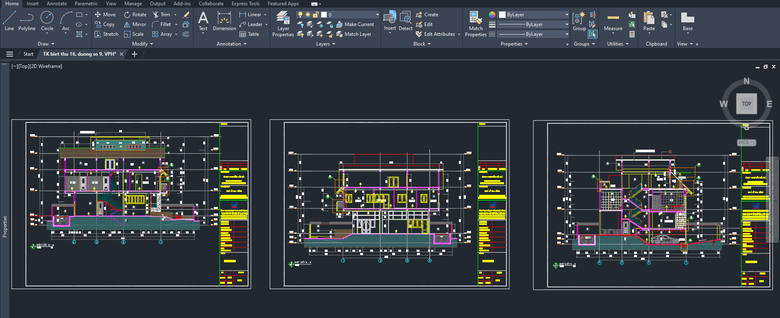
Master 2D drafting and 3D modeling with the professional AutoCAD course at TechCadd Mohali. This industry-focused training program is designed for civil, mechanical, electrical, and architectural students who want to build strong CAD skills and improve job opportunities. Learn from certified trainers with practical projects, live drawings, and placement assistance. Get hands-on experience with real industry drawings and earn a recognized certificate after course completion.
Best AutoCAD Course in Mohali – TechCadd Mohali
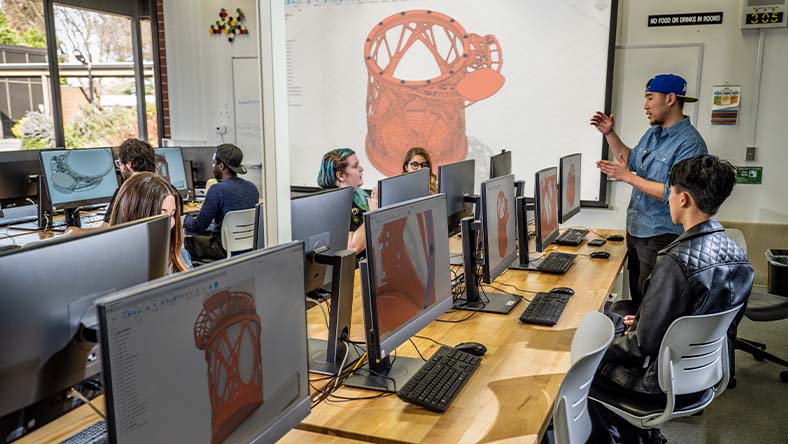

If you are planning to build a strong career in design, drafting, construction, or manufacturing industries, then enrolling in the AutoCAD Course in Mohali at TechCadd Mohali is a smart and career-focused decision. AutoCAD is one of the most powerful and widely used Computer-Aided Design (CAD) software applications across the world.
AutoCAD is developed by Autodesk and is used globally for creating accurate 2D drawings and detailed 3D models. Engineers, architects, designers, and drafters rely on this software for planning, designing, and executing projects efficiently.
At TechCadd Mohali, the AutoCAD training program is designed according to current industry standards. The course focuses on practical learning, real-time projects, and hands-on lab practice so students gain real technical confidence.
Why AutoCAD is Important in Today’s Industry
In modern construction and manufacturing industries, manual drafting has almost disappeared. Companies now require professionals who can create precise digital drawings quickly and efficiently.
AutoCAD is widely used in:
-
Civil Engineering Projects
-
Mechanical Design and Manufacturing
-
Electrical Layout Planning
-
Architecture and Structural Designing
-
Interior Design Projects
-
Industrial Equipment Design
-
Government Infrastructure Projects
Learning AutoCAD increases employability and helps students secure better job opportunities in private and government sectors.
Who Should Join This Course?
The AutoCAD course at TechCadd Mohali is suitable for:
-
B.Tech Civil, Mechanical, Electrical Students
-
Polytechnic & Diploma Students
-
ITI Students
-
Architects and Interior Designers
-
Site Engineers
-
Draftsmen
-
Working Professionals
-
12th Pass Students interested in design field
Whether you are a fresher or an experienced professional, this course helps you upgrade your technical skills.
Detailed Course Curriculum
The AutoCAD course is divided into multiple modules to ensure complete understanding from basic to advanced level.
Module 1 – Introduction to AutoCAD
-
Understanding CAD Concepts
-
AutoCAD Interface Overview
-
Navigation Tools
-
Command Line & Ribbon Panel
-
File Management
-
Drawing Setup
-
Units and Limits
-
Grid and Snap Settings
This module builds the foundation for beginners.
Module 2 – Basic Drawing Commands
Students learn how to create basic drawings using:
-
Line
-
Polyline
-
Circle
-
Arc
-
Rectangle
-
Ellipse
-
Polygon
-
Spline
Practice exercises are provided after each topic to strengthen understanding.
Module 3 – Modify Commands
Editing tools are very important in drafting. This module includes:
-
Move
-
Copy
-
Rotate
-
Scale
-
Mirror
-
Offset
-
Trim
-
Extend
-
Fillet
-
Chamfer
-
Stretch
-
Break
Students work on small design projects using these commands.
Module 4 – Layers and Properties
-
Creating Layers
-
Layer Management
-
Line Types
-
Colors and Properties
-
Object Properties Control
Proper layer management helps create professional and organized drawings.
Module 5 – Text and Dimensioning
-
Single Line Text
-
Multi-line Text
-
Dimension Styles
-
Linear & Aligned Dimensions
-
Angular Dimensions
-
Leader Commands
-
Annotation Scaling
Dimensioning is very important for technical drawings and site execution.
Module 6 – Blocks and Attributes
-
Creating Blocks
-
Inserting Blocks
-
Dynamic Blocks
-
Editing Blocks
-
Attribute Definitions
This helps in repetitive drawings and saves time.
Module 7 – Layout and Plotting
-
Paper Space & Model Space
-
Viewports
-
Page Setup
-
Plotting Settings
-
Printing to Scale
Students learn how to prepare final drawings for submission.
Module 8 – 3D Modeling

This advanced module covers:
-
Introduction to 3D Workspace
-
UCS (User Coordinate System)
-
Solid Modeling
-
Surface Modeling
-
Extrude, Revolve, Sweep
-
Loft Command
-
3D Editing Tools
-
Rendering & Visualization
Students create 3D models such as building models and mechanical parts.
Practical Project Work
At TechCadd Mohali, practical exposure is the key focus. Students work on real-life projects including:
Civil Projects:
-
Residential Building Plan
-
Column Layout
-
Beam Detail Drawing
-
Foundation Plan
-
Staircase Design
Mechanical Projects:
-
Machine Components
-
Shaft Design
-
Gear Drawing
-
Assembly Drawings
Electrical Projects:
-
Electrical Layout Plan
-
Wiring Diagrams
-
Panel Layout
Interior Design Projects:
-
Furniture Layout
-
Modular Kitchen Design
-
Lighting Plan
This real project practice builds confidence and improves technical accuracy.
Training Methodology
TechCadd Mohali follows a structured training system:
✔ Classroom Training
✔ Practical Lab Sessions
✔ Individual System Practice
✔ Live Project Assignments
✔ Doubt Clearing Sessions
✔ Revision Classes
✔ Mock Interviews
Trainers ensure every student understands each concept properly before moving ahead.
Course Duration & Batch Options
-
Regular Course – 1.5 to 2 Months
-
Fast Track Course – 1 Month
-
Weekend Batches Available
-
Morning & Evening Batches
Flexible timing makes it convenient for college students and working professionals.
Certification
After successful completion, students receive a course completion certificate from TechCadd Mohali. The certificate helps in:
-
Job Applications
-
Campus Placements
-
Freelancing
-
Government Department Applications
Placement Assistance
TechCadd Mohali provides placement support including:
-
Resume Preparation
-
Interview Preparation
-
Technical Question Practice
-
Job Referrals
-
Company Interviews
Students can apply for job roles like:
-
CAD Designer
-
Draftsman
-
Site Engineer
-
Planning Engineer
-
Design Engineer
-
Junior Architect Assistant
Career Opportunities After AutoCAD
AutoCAD professionals are in high demand across India. Major sectors include:
-
Construction Companies
-
Architecture Firms
-
Government Departments
-
Manufacturing Industries
-
Infrastructure Companies
-
Real Estate Developers
Cities with good opportunities:
-
Chandigarh
-
Mohali
-
Delhi
-
Mumbai
-
Bangalore
-
Pune
Freshers can start with entry-level CAD positions and grow into senior design roles.
Why Choose TechCadd Mohali for AutoCAD?
✔ Experienced & Certified Trainers
✔ Updated Course Content
✔ Practical-Based Learning
✔ Affordable Fees
✔ Small Batch Size
✔ Personal Attention
✔ Industry-Oriented Projects
✔ Placement Support
TechCadd Mohali focuses on skill development rather than only theoretical knowledge.
Software Version Covered
Students are trained on the latest version of AutoCAD to ensure they are familiar with modern tools and industry standards.
Benefits of Learning AutoCAD
-
Improves Technical Skills
-
Enhances Design Accuracy
-
Saves Time in Drafting
-
Improves Job Opportunities
-
Helps in Freelancing Projects
-
Useful for Government & Private Jobs
Frequently Asked Questions
Is AutoCAD easy for beginners?
Yes, the course starts from basics. Even beginners can learn comfortably with practice.
Is AutoCAD useful for Civil Engineering students?
Yes, it is essential for civil students for creating plans and structural drawings.
Do you provide practical training?
Yes, the course is completely practical-oriented with live projects.




The AutoCAD Course in Mohali at TechCadd Mohali is designed to provide complete professional training in 2D drafting and 3D modeling. AutoCAD is one of the most widely used CAD (Computer-Aided Design) software applications in the world. It is used by engineers, architects, designers, manufacturers, and construction professionals for creating accurate and detailed technical drawings.
AutoCAD is developed by Autodesk and is trusted globally for precision, flexibility, and productivity. From residential building plans to large industrial layouts, AutoCAD is the backbone of technical drafting and design.
At TechCadd Mohali, the course curriculum is designed according to current industry standards. The focus is not just on software commands but on practical implementation, drawing standards, real project execution, and professional workflow.
Introduction to Computer-Aided Design (CAD)
Computer-Aided Design has revolutionized the engineering and construction industries. Earlier, engineers used manual drafting boards, T-squares, and scales to prepare drawings. Today, AutoCAD allows professionals to create, modify, analyze, and optimize designs digitally with high accuracy.
Advantages of CAD over manual drafting:
-
Faster drafting process
-
Easy modification of drawings
-
Accurate dimensions
-
Professional output
-
Digital storage and sharing
-
Integration with other design software
Learning AutoCAD makes students technically advanced and industry-ready.
Course Objectives
The primary objectives of the AutoCAD course at TechCadd Mohali are:
-
To build strong drafting fundamentals
-
To develop practical 2D drawing skills
-
To introduce advanced 3D modeling techniques
-
To train students on industry standards
-
To prepare students for real job roles
-
To enhance technical drawing accuracy
By the end of the course, students can independently create professional drawings.
Complete Course Curriculum (Detailed)
Module 1 – AutoCAD Fundamentals
-
Understanding CAD Environment
-
User Interface & Navigation
-
Application Menu & Toolbars
-
File Formats & Saving Techniques
-
Units Setup (Architectural, Decimal, Engineering)
-
Coordinate Systems (Absolute, Relative, Polar)
-
Drawing Limits & Grids
Students practice basic exercises to understand command workflow.
Module 2 – 2D Drafting Mastery
This module builds core drafting expertise.
Drawing Commands:
-
Line
-
Polyline
-
Circle
-
Arc
-
Rectangle
-
Ellipse
-
Polygon
-
Spline
Modify Commands:
-
Move
-
Copy
-
Rotate
-
Mirror
-
Offset
-
Trim
-
Extend
-
Scale
-
Stretch
-
Fillet
-
Chamfer
-
Break
Students create floor plans and mechanical drawings during practice sessions.
Module 3 – Layer Management & Professional Drafting Standards
-
Creating and Managing Layers
-
Line Types and Line Weights
-
Color Coding
-
Object Properties
-
Drafting Standards
-
Dimensioning Rules
-
Text Styles
Understanding layers helps create organized and professional drawings suitable for company standards.
Module 4 – Advanced Drafting Tools
-
Blocks & Dynamic Blocks
-
Attributes
-
External References (Xref)
-
Grouping Objects
-
Design Center
-
Tool Palettes
-
Quick Selection
These tools increase drafting speed and efficiency.
Module 5 – Layout & Plotting
-
Model Space vs Paper Space
-
Creating Viewports
-
Page Setup Manager
-
Plotting to PDF
-
Scale Management
-
Title Blocks Creation
Students learn how to submit drawings professionally.
Module 6 – 3D Modeling & Visualization


-
Introduction to 3D Workspace
-
UCS (User Coordinate System)
-
3D Primitives
-
Extrude, Revolve, Sweep
-
Loft Command
-
Boolean Operations
-
3D Editing Tools
-
Rendering Techniques
-
Materials and Lighting
Students create 3D building models and machine components.
Specialized Industry Applications
The AutoCAD course covers practical applications in different industries:
Civil Engineering Applications
-
Building Plan Drawing
-
Column & Beam Layout
-
Structural Drafting
-
Plumbing Layout
-
Road Cross-Section Drawing
Mechanical Engineering Applications
-
Machine Component Drafting
-
Assembly Drawing
-
Fabrication Drawing
-
Sheet Metal Layout
Electrical Engineering Applications
-
Electrical Panel Layout
-
Wiring Diagrams
-
Cable Tray Layout
-
Lighting Plan
Interior & Architectural Applications
-
Furniture Layout
-
False Ceiling Plan
-
Interior Elevation
-
3D Room Modeling
Hands-On Practical Training
At TechCadd Mohali, practical training is the core strength. Every student works on:
-
Live Drawing Projects
-
Real Industry Assignments
-
Daily Practice Sheets
-
Project-Based Evaluation
Students are encouraged to complete a final project before certification.
Live Project Examples
Students may work on:
-
Residential Duplex Plan
-
Commercial Office Layout
-
Mechanical Gear Assembly
-
Electrical Wiring Diagram
-
Interior 3D Model
These projects enhance confidence and portfolio strength.
Skill Development Focus
The course not only teaches software but also develops:
-
Technical Accuracy
-
Speed in Drafting
-
Professional Drawing Standards
-
Problem-Solving Skills
-
Industry Workflow Understanding
Duration & Batch Flexibility
-
Regular Batch – 2 Months
-
Fast Track – 1 Month
-
Weekend Classes Available
-
Flexible Timings for Working Professionals
Small batch sizes ensure individual attention.
Certification & Recognition
After completion, students receive a certification from TechCadd Mohali which validates their drafting skills.
The training is based on industry standards followed in companies using AutoCAD, increasing employability.
Placement Assistance & Career Growth
TechCadd Mohali provides career support including:
-
Resume Preparation
-
Technical Interview Preparation
-
Mock Interviews
-
Job References
-
Internship Support
Job Roles After Course:
-
CAD Draftsman
-
Design Engineer
-
Site Engineer
-
Planning Engineer
-
Junior Architect
-
Project Coordinator
With experience, professionals can grow into:
-
Senior CAD Designer
-
Project Engineer
-
Design Manager
Salary Expectations
Freshers can expect starting salaries depending on skill level and company type. With 2–3 years of experience, salary growth is significant in design and construction industries.
Benefits of Learning AutoCAD
-
High Industry Demand
-
Global Career Scope
-
Freelancing Opportunities
-
Government & Private Sector Jobs
-
Strong Technical Foundation
-
Essential for Higher Design Software
AutoCAD is also a base software for learning advanced tools like 3D modeling and BIM applications.
Why TechCadd Mohali?
✔ Experienced Trainers
✔ Practical-Oriented Training
✔ Updated Software Version
✔ Live Projects
✔ Small Batch Size
✔ Affordable Fees
✔ Placement Support
✔ Professional Learning Environment
Students receive complete guidance from basics to advanced level.
Frequently Asked Questions
Is AutoCAD mandatory for engineers?
Yes, for civil, mechanical, and architectural fields, AutoCAD knowledge is highly important.
Can beginners learn AutoCAD?
Yes, the course starts from basic level and gradually moves to advanced topics.
Is practical training provided?
Yes, the course includes daily lab practice and live projects.
Final Words
If you want to build a successful career in drafting, designing, construction, or manufacturing, the AutoCAD course at TechCadd Mohali is the right choice. With industry-oriented training, practical exposure, and placement assistance, students become job-ready professionals.
Enroll today in the AutoCAD Course in Mohali and take the first step towards a successful technical career.
