


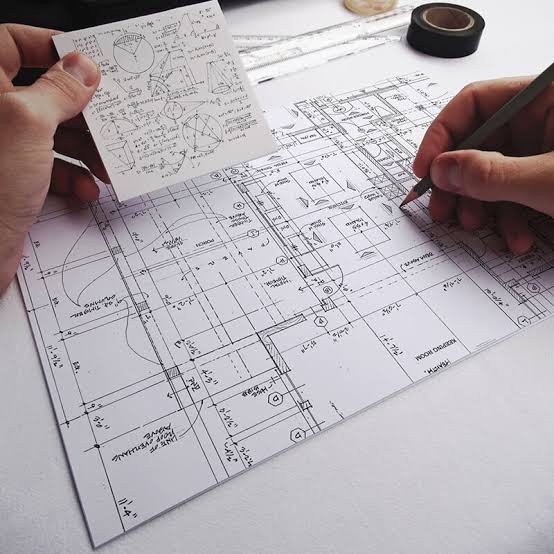
CAD CAM Course in Chandigarh — Mechanical Design 2026–27
The demand for skilled CAD and CAM professionals is continuously increasing in the engineering and manufacturing industries. Mechanical design, product development, automotive engineering, machine design, fabrication, and manufacturing companies depend on computer-aided technologies to create accurate designs and convert those designs into manufacturable products. A CAD CAM Course in Chandigarh can help students, engineering graduates, diploma holders, and working professionals develop practical skills in mechanical design and digital manufacturing.
For students planning their career in mechanical engineering and design, the 2026–27 CAD CAM training program can be a useful opportunity to learn industry-relevant software and design techniques. CAD focuses on creating and modifying engineering drawings and 3D models, while CAM connects digital designs with manufacturing processes such as CNC machining.
A well-structured Mechanical Design Course in Chandigarh can cover 2D drafting, 3D modeling, assemblies, engineering drawings, design documentation, basic manufacturing concepts, and different CAD/CAM software platforms.
What is CAD CAM?
CAD stands for Computer-Aided Design, while CAM stands for Computer-Aided Manufacturing.
CAD software is used by engineers and designers to create accurate 2D drawings and 3D models. Instead of preparing every drawing manually, designers can use CAD tools to develop components, modify dimensions, create assemblies, and prepare detailed engineering documentation.
CAM is used to convert digital design information into manufacturing-related processes. Depending on the software and application, CAM can be used for operations such as toolpath generation, machining strategies, drilling, milling, and CNC manufacturing preparation.
Together, CAD and CAM create an important digital workflow:
Concept → CAD Design → 3D Model → Engineering Drawing → CAM Process → CNC Manufacturing
Understanding this complete workflow can be valuable for students who want to build a career in mechanical design and manufacturing.
CAD CAM Course in Chandigarh
A CAD CAM Course in Chandigarh can provide practical exposure to the tools and techniques used in mechanical engineering design. Chandigarh and the surrounding Tricity region, including Mohali and Panchkula, have a growing ecosystem of engineering, manufacturing, automotive, industrial, architecture, and technology-related businesses.
Students can choose CAD CAM training based on their educational background and career goals. Beginners can start with fundamental drafting and modeling concepts, while engineering students and professionals can move toward advanced mechanical design, assemblies, surface modeling, manufacturing, and CNC-related workflows.
The main objective of CAD CAM training is not only to learn software commands. Students should understand how to create a proper engineering design, how components fit together, how dimensions and tolerances are represented, and how a digital model can be prepared for manufacturing.
Mechanical Design Training
Mechanical design is one of the major areas where CAD software is widely used. A mechanical designer may work on individual components, machines, mechanisms, fixtures, tools, products, or complete assemblies.
A practical Mechanical Design Course can introduce students to:
-
Engineering drawing fundamentals
-
2D drafting
-
Geometric construction
-
Dimensioning
-
Section views
-
Orthographic projections
-
Isometric drawings
-
3D part modeling
-
Assembly modeling
-
Exploded views
-
Engineering drawings
-
Basic GD&T concepts
-
Design modifications
-
Manufacturing considerations
-
Design documentation
Students can gradually move from simple components to complex mechanical assemblies. This approach helps them understand how individual parts combine to create a functional product.
AutoCAD for Mechanical Design
AutoCAD is one of the commonly used CAD platforms for 2D drafting and engineering documentation. Learning AutoCAD mechanical drawing can help beginners develop a strong foundation in CAD.
Students can practice commands and concepts such as:
-
Line and Polyline
-
Circle and Arc
-
Trim and Extend
-
Offset
-
Fillet and Chamfer
-
Mirror
-
Array
-
Move and Copy
-
Layers
-
Blocks
-
Dimensions
-
Hatching
-
Layouts
-
Viewports
-
Plotting
-
2D mechanical drawings
After learning the basic commands, students should practice complete mechanical components rather than learning commands individually. Examples can include brackets, shafts, flanges, couplings, bearing housings, plates, supports, and machine components.
3D CAD and Mechanical Modeling
Modern mechanical design requires more than 2D drawings. Many industries use 3D CAD models for product development, visualization, assembly checking, documentation, and manufacturing preparation.
A CAD CAM training program can introduce students to 3D mechanical modeling, where they learn how to convert design ideas into digital components.
Typical 3D modeling concepts include:
-
Sketching
-
Constraints
-
Extrude
-
Revolve
-
Sweep
-
Loft
-
Hole features
-
Pattern features
-
Fillet
-
Chamfer
-
Shell
-
Boolean operations
-
Part modeling
-
Assembly modeling
-
Drawing generation
Students can practice creating real-world mechanical components and then combine them into assemblies.
SolidWorks, CATIA and NX CAD
Different industries use different CAD platforms depending on their requirements. Therefore, students interested in mechanical design can benefit from exposure to professional 3D CAD software.
SolidWorks is widely associated with mechanical part modeling, assemblies, product design, and engineering drawings.
CATIA is a powerful platform used for advanced product design, mechanical engineering, surface modeling, and applications in industries such as automotive and aerospace.
Siemens NX CAD provides capabilities for advanced mechanical design, modeling, assemblies, drafting, and integration with manufacturing workflows.
The objective of CAD training should be to understand design methodology rather than simply memorizing software commands. Once students understand sketches, features, constraints, assemblies, and engineering drawings, they can adapt more easily to different CAD platforms.
CAM and Manufacturing Concepts
CAD and CAM are closely connected with modern manufacturing. After a component is designed, manufacturing engineers need to determine how it can be produced.
CAM software can assist with manufacturing operations and CNC programming workflows. Depending on the training level, students may learn concepts such as:
-
CNC machining basics
-
Milling operations
-
Drilling operations
-
Tool selection
-
Work coordinate systems
-
Toolpaths
-
Cutting parameters
-
Simulation
-
Post-processing
-
CNC program fundamentals
A student learning CAD CAM should understand the relationship between design and manufacturing. A good design is not only visually correct; it should also consider material, machining, dimensions, tolerances, assembly, and production requirements.
Who Can Join a CAD CAM Course?
A CAD CAM course can be suitable for different types of learners.
Mechanical Engineering Students
Mechanical engineering students can use CAD CAM training to supplement their academic education with practical software skills. Learning CAD during college can also help students prepare design projects and improve their technical portfolios.
Diploma Students
Mechanical diploma students can develop drafting and 3D modeling skills that complement their technical education. Practical CAD projects can provide additional exposure to engineering documentation and mechanical components.
Engineering Graduates
Graduates who want to enter mechanical design, product design, manufacturing, or CAD-related roles can use specialized CAD CAM training to improve their practical skills.
Working Professionals
Professionals already working in engineering or manufacturing can learn additional CAD software or upgrade their existing design skills.
Beginners
Students from a basic technical background can start with 2D drafting and gradually move toward 3D mechanical design and CAM concepts.
Career Opportunities After CAD CAM Training
CAD CAM skills can support career opportunities in several engineering and manufacturing areas. Depending on qualifications, software knowledge, portfolio quality, and practical experience, students may explore roles such as:
-
CAD Designer
-
Mechanical CAD Designer
-
Design Engineer
-
Junior Design Engineer
-
Mechanical Draftsman
-
CAD Draftsman
-
3D Modeler
-
Product Design Assistant
-
CAD/CAM Engineer
-
CNC Programmer
-
Manufacturing Design Assistant
-
Mechanical Design Intern
The exact job role and salary depend on the candidate's educational qualification, technical knowledge, software proficiency, experience, and the requirements of the employer.
Importance of Practical Projects
One of the most important parts of CAD CAM learning is project practice.
Students should not stop after learning individual commands. They should create complete projects that demonstrate their ability to apply CAD concepts.
A mechanical CAD portfolio can include projects such as:
-
Shaft and bearing assembly
-
Coupling assembly
-
Gearbox components
-
Machine brackets
-
Flange design
-
V-block
-
Mechanical clamps
-
Bearing housing
-
Pump components
-
Industrial machine assembly
Each project can include a 3D model, assembly, detailed drawing, dimensions, and other relevant design information.
A portfolio gives students something practical to demonstrate during interviews. Instead of simply saying that they know AutoCAD, SolidWorks, CATIA, or NX CAD, they can show completed mechanical design projects.
CAD CAM Course 2026–27: What Students Should Learn
For the 2026–27 academic and training session, students should focus on building a combination of software knowledge and engineering fundamentals.
A structured learning path can look like this:
Stage 1 — CAD Fundamentals
Learn drafting concepts, coordinates, layers, dimensions, annotations, and basic 2D engineering drawings.
Stage 2 — AutoCAD
Practice mechanical drafting, layouts, dimensions, blocks, plotting, and detailed engineering drawings.
Stage 3 — 3D Mechanical Design
Learn sketching, constraints, features, part modeling, assemblies, and engineering drawings.
Stage 4 — Professional CAD Software
Develop skills in platforms such as SolidWorks, CATIA, or Siemens NX according to the learner's career objective.
Stage 5 — CAM Fundamentals
Understand CNC machining, toolpaths, machining operations, simulation, and manufacturing workflows.
Stage 6 — Projects
Create practical mechanical design projects and prepare a professional CAD portfolio.
Why Learn CAD CAM in Chandigarh?
Chandigarh is an important educational and professional hub in the North India region. Students from Chandigarh, Mohali, Panchkula, and nearby areas can access technical training programs alongside their academic studies.
A local CAD CAM training program can also make it easier for learners to attend practical sessions, interact with trainers, work on assignments, and develop project-based skills.
For students who want to pursue mechanical design, CAD engineering, product development, manufacturing, or CNC-related careers, learning CAD CAM can be a valuable addition to their technical education.
CAD CAM Certification
After completing a suitable training program, students may receive a course completion or training certificate according to the institute's certification policy.
However, a certificate should be considered a supporting document rather than a replacement for practical knowledge. Employers often evaluate candidates based on their technical understanding, drawings, modeling ability, problem-solving skills, portfolio, and interview performance.
Therefore, students should focus on developing real CAD skills along with certification.
Final Thoughts
The CAD CAM Course in Chandigarh — Mechanical Design 2026–27 can be a useful learning path for students and professionals who want to develop practical skills in computer-aided design and manufacturing.
CAD provides the foundation for creating accurate 2D drawings and 3D mechanical models, while CAM introduces the manufacturing side of the digital engineering workflow. Learning software such as AutoCAD, SolidWorks, CATIA, and NX CAD can help students understand different approaches to mechanical design.
The best way to learn CAD CAM is through consistent practice and real engineering projects. Students should focus on understanding design principles, creating accurate models, preparing professional drawings, working with assemblies, and learning how designs are connected to manufacturing.
For anyone planning a career in mechanical design, CAD engineering, product development, manufacturing, CNC, or engineering drafting, developing strong CAD CAM skills during 2026–27 can provide a useful technical foundation and help build a stronger professional portfolio.


Comments (0)
No comments yet. Be the first to share your thoughts!