


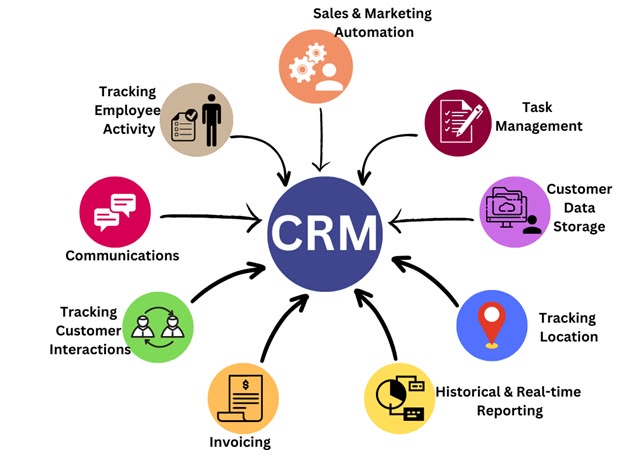
WordPress is one of the most popular and widely used Content Management Systems in the world. A Content Management System, or CMS, is a platform that helps users create, manage, edit, and publish website content. WordPress itself is a CMS, so the correct comparison is WordPress versus other CMS platforms.
Many businesses, bloggers, students, freelancers, and organizations choose WordPress because it is easy to use, flexible, customizable, and suitable for different types of websites. From a simple personal blog to a large business website or online store, WordPress can support many different requirements.
Easy to Use for Beginners
One of the biggest reasons WordPress is better than many other CMS platforms is its simplicity. Beginners can learn the basic features without having advanced programming knowledge.
The WordPress dashboard allows users to manage:
- Posts
- Pages
- Images and media
- Comments
- Themes
- Plugins
- Menus
- Users
A user can create a new page or publish a blog without writing complex code. This makes WordPress a good choice for students, bloggers, business owners, and digital marketers.
Flexible for Different Types of Websites
WordPress is not limited to only one type of website. It can be used to create many different online platforms.
For example, WordPress can be used for:
- Personal blogs
- Business websites
- Portfolio websites
- Educational websites
- News websites
- E-commerce stores
- Landing pages
- Service websites
- Membership websites
This flexibility makes WordPress useful for both small and growing businesses.
Large Collection of Themes
Website design is important because it creates the first impression for visitors. WordPress provides a large collection of themes that help users create attractive and professional websites.
A theme controls the overall design and layout of a website. Users can choose a theme according to their business or industry.
For example, a beauty salon, clothing store, education institute, or digital marketing agency can use different website designs according to their requirements.
Themes can also be customized by changing colors, fonts, menus, layouts, headers, and other design elements.
Powerful Plugin Support
Plugins are another major advantage of WordPress. A plugin is a tool that adds additional functionality to a website.
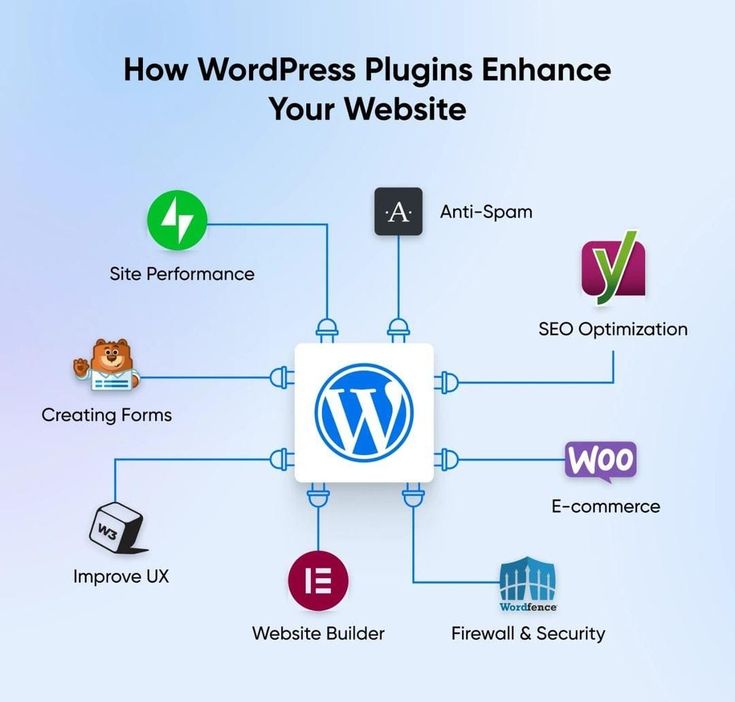
WordPress users can find plugins for many purposes, including:
- SEO
- Contact forms
- Security
- Website backups
- Social media
- Analytics
- Speed optimization
- Image optimization
- E-commerce
- Email marketing
Instead of developing every feature manually, users can install suitable plugins to add the required functionality.
However, it is important to use reliable and regularly updated plugins. Too many unnecessary plugins can affect website performance.
Better for Content Management
WordPress is especially useful for managing website content. Users can easily create, edit, schedule, and publish blog posts and pages.
Content can also be organized using categories and tags.
For example, a digital marketing website can create different categories such as:
- SEO
- Social Media Marketing
- Content Marketing
- Email Marketing
- PPC Advertising
This makes it easier for website owners and visitors to organize and find relevant content.
SEO-Friendly Features
Search Engine Optimization, or SEO, is important for improving a website's visibility in search engines.
WordPress provides useful features for creating and organizing SEO-friendly content. Users can create clean URLs, add headings, optimize images, create internal links, and manage website content efficiently.
SEO plugins can also help with:
- Meta titles
- Meta descriptions
- XML sitemaps
- Keyword optimization
- Redirects
- Technical SEO tasks
WordPress does not automatically guarantee high search rankings, but it provides useful tools and flexibility for implementing an effective SEO strategy.
Excellent for Blogging
WordPress originally became popular as a blogging platform. Even today, it is one of the best choices for publishing and managing blog content.
Businesses can use blogs to share:
- Articles
- Tutorials
- Guides
- Industry news
- Educational content
- Case studies
Regular blogging can help attract visitors, build trust, and support content marketing strategies.
The simple post editor and content management features make WordPress easier to use for bloggers compared with many more complex platforms.
Supports Digital Marketing
WordPress is useful for digital marketing because a website is often the main center of online marketing activities.
Digital marketers can use WordPress to create:

- Blog posts
- Landing pages
- Service pages
- Product pages
- Contact forms
- Lead generation pages
Visitors can come to a WordPress website through search engines, social media, email campaigns, or online advertisements.
A properly designed website can provide useful information and encourage visitors to contact a business, register for a service, or purchase a product.
Cost-Effective Solution
WordPress can be a cost-effective choice for students, freelancers, startups, and small businesses.
Users can start with a simple website and add more features as their requirements grow. There are both free and paid themes and plugins available.
A business does not always need to build an entire website from scratch. WordPress provides a strong foundation that can be customized according to the available budget and business requirements.
Easy Website Customization
Every business has different branding and design requirements. WordPress allows users to customize their websites according to their needs.

Users can change:
- Website colors
- Fonts
- Menus
- Layouts
- Headers
- Footers
- Images
- Buttons
Advanced users and developers can also create more customized solutions using code.
This combination of simple customization and advanced flexibility makes WordPress suitable for beginners as well as professionals.
Large Community and Learning Resources
WordPress has a large global community of users, developers, designers, and website owners.
Because of this large community, beginners can find many tutorials, guides, documentation, and learning resources.
Users can learn how to:
- Install WordPress
- Create pages
- Publish blog posts
- Install themes
- Use plugins
- Improve SEO
- Manage website content
This support makes WordPress easier to learn and maintain.
Supports E-Commerce Websites
WordPress can also be used to create online stores with suitable e-commerce tools.
An online business can create product pages, categories, shopping features, and other store functionality.
For example, a clothing business can organize products into categories such as men's clothing, women's clothing, shoes, and accessories.
Digital marketing strategies such as SEO, social media marketing, email marketing, and online advertising can then be used to bring visitors to the online store.
Mobile-Friendly Website Design
Today, many people access websites using smartphones and tablets. Therefore, a website should work properly on different screen sizes.
Many modern WordPress themes are responsive, meaning they can adjust their layout for mobile devices, tablets, and desktop computers.
A mobile-friendly website can improve the user experience and make it easier for visitors to access information.
Helps Websites Grow
WordPress is suitable for websites that may grow in the future.

A small business can start with basic pages such as:
- Home
- About Us
- Services
- Contact Us
Later, the business can add:
- A blog
- More services
- Landing pages
- Contact forms
- Online products
- Email subscriptions
- Analytics tools
This ability to expand makes WordPress useful for long-term website development.
Suitable for Beginners and Professionals
One of the strongest advantages of WordPress is that it can be used by different types of people.
Beginners can learn basic website management without advanced coding. Digital marketers can use WordPress for SEO, blogging, content marketing, and lead generation.
Developers can build custom themes, plugins, and advanced functionality.
Therefore, WordPress can continue to be useful as a person's skills and website requirements grow.
Challenges of WordPress
Although WordPress has many advantages, users must manage their websites properly.
Regular maintenance may include:
- Updating WordPress
- Updating themes
- Updating plugins
- Creating backups
- Improving security
- Monitoring website speed
Using outdated or poorly managed themes and plugins can create security or performance issues.
Therefore, WordPress is powerful, but proper website maintenance is important.
Conclusion
WordPress is considered better than many other CMS platforms because it provides an excellent balance between simplicity, flexibility, customization, and powerful features.
Its easy-to-use dashboard helps beginners manage website content, while themes and plugins provide many options for design and functionality. WordPress is also useful for blogging, SEO, digital marketing, e-commerce, and business websites.
Another major advantage is that users can start with a simple website and expand it as their needs grow. This makes WordPress suitable for students, freelancers, small businesses, and larger organizations.
It is important to remember that WordPress itself is a CMS. Therefore, the correct statement is “Why WordPress Is Better Than Other CMS Platforms.”
Overall, WordPress is a strong choice for anyone who wants an easy-to-manage, flexible, and customizable website. With proper maintenance, useful content, and a good marketing strategy, WordPress can help individuals and businesses build a successful online presence.Additionally, WordPress offers regular updates, strong community support, and easy integration with various digital tools. Its flexibility helps users create professional, secure, and scalable websites that can grow according to changing business needs.


Comments (0)
No comments yet. Be the first to share your thoughts!