


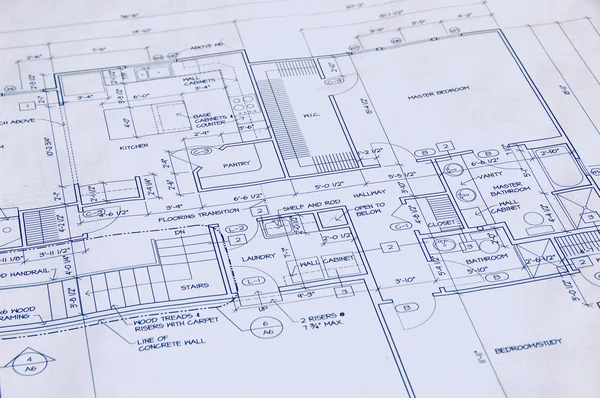
AutoCAD Course in Mohali at TechCadd – Complete Practical Training Guide

Introduction to AutoCAD
AutoCAD is one of the most widely used computer-aided design (CAD) software applications in the world. Developed by Autodesk, AutoCAD is used by engineers, architects, interior designers, mechanical designers, civil engineers, and construction professionals to create precise 2D drawings and 3D models.
If you are searching for the best AutoCAD course in Mohali, then TechCadd Computer Education Mohali offers industry-oriented training designed to help students, diploma holders, engineering graduates, and working professionals build strong drafting and designing skills.
Why Choose AutoCAD as a Career?
AutoCAD skills are in high demand across multiple industries:
-
Civil Engineering
-
Mechanical Engineering
-
Electrical Engineering
-
Architecture
-
Interior Designing
-
Construction & Infrastructure
-
Manufacturing Industries
Career Opportunities After AutoCAD Course
After completing AutoCAD training, students can work as:
-
CAD Draftsman
-
Civil CAD Designer
-
Mechanical Design Engineer
-
Architectural Draftsman
-
Interior Design Draftsman
-
Site Engineer (with CAD skills)
With practical experience, salary packages increase significantly.
Why Choose TechCadd Mohali for AutoCAD Training?

Choosing the right institute is very important. Here’s why TechCadd Mohali is a preferred choice:
1. Industry Expert Trainers
Experienced trainers with real industrial knowledge provide practical training.
2. 100% Practical Training
Focus on real drawing projects instead of only theory.
3. Updated Syllabus
Course designed as per latest industry requirements.
4. Flexible Batches
Morning, afternoon, and evening batches available.
5. Certification
After successful completion, students receive a recognized certificate.
6. Placement Assistance
Interview preparation and job guidance support.
AutoCAD Course Details
Course Duration
-
2 to 3 months (depending on batch and learning speed)
Course Mode
-
Regular classroom training
-
Fast-track training available
Eligibility
-
10+2 students
-
ITI / Diploma students
-
B.Tech / Engineering students
-
Working professionals
No prior experience required.
AutoCAD Course Syllabus (Detailed)
Module 1: Introduction to AutoCAD
-
Introduction to CAD
-
AutoCAD interface
-
Drawing setup
-
Units and limits
-
Coordinate system
Module 2: Basic Drawing Commands
-
Line
-
Circle
-
Arc
-
Rectangle
-
Polygon
-
Ellipse
Module 3: Modify Commands
-
Move
-
Copy
-
Rotate
-
Mirror
-
Trim
-
Extend
-
Offset
-
Scale
Module 4: Layers & Properties
-
Layer creation
-
Line types
-
Line weights
-
Color management
Module 5: Dimensioning
-
Linear dimension
-
Angular dimension
-
Radius & Diameter
-
Dimension styles
Module 6: Blocks & Attributes
-
Creating blocks
-
Inserting blocks
-
Editing blocks
Module 7: Layout & Printing
-
Paper space
-
Viewports
-
Plotting
-
Print setup
Module 8: 3D Basics
-
3D modeling introduction
-
Extrude
-
Revolve
-
Union & Subtract
-
3D viewing tools
Practical Projects Covered
Students work on live practical drawings such as:
-
Residential house plans
-
Electrical wiring layout
-
Mechanical part drawings
-
3D models of components
-
Interior layouts
This ensures students gain real industry experience.
Benefits of Learning AutoCAD
-
Improves technical drawing skills
-
Increases job opportunities
-
Required skill for government & private jobs
-
Useful for freelancers
-
Helps in overseas job opportunities
Many government departments and private companies require CAD knowledge for technical roles.
AutoCAD for Civil, Mechanical & Electrical Students
Civil Students
-
Building plans
-
Elevation drawings
-
Section drawings
-
Structural layout
Mechanical Students
-
Machine part drawings
-
Assembly drawings
-
3D modeling
Electrical Students
-
Electrical panel layout
-
Wiring diagrams
-
Schematic drawings
Placement Support at TechCadd Mohali
TechCadd Mohali provides:
-
Resume preparation
-
Interview preparation
-
Job references
-
Industry connections
Students are guided to apply in:
-
Construction companies
-
Architecture firms
-
Manufacturing industries
-
Design consultancies
Who Should Join This Course?
-
Engineering students
-
Diploma students
-
ITI students
-
Job seekers
-
Working professionals
-
Anyone interested in design & drafting
Certification
After successful completion of the course at TechCadd Mohali, students receive a professional certificate that adds value to their resume.
AutoCAD Course Fees in Mohali
Fees are affordable and vary depending on:
-
Course duration
-
Batch timing
-
Fast-track option
For exact fee details, students can contact TechCadd Mohali directly.
Frequently Asked Questions (FAQ)
1. Is AutoCAD difficult to learn?
No. With proper training and practice, AutoCAD is easy to learn.
2. Can I learn AutoCAD without engineering background?
Yes, anyone can learn AutoCAD.
3. Is AutoCAD useful for government jobs?
Yes, many technical government jobs require CAD knowledge.
4. Will I get practical training?
Yes, the course is 100% practical.
5. Do you provide certification?
Yes, certification is provided after course completion.
Why Choose TechCadd Mohali for AutoCAD Training?
Selecting the right institute is crucial for skill development. TechCadd Mohali offers:
1. Industry-Oriented Curriculum
The syllabus is designed according to real company requirements.
2. Step-by-Step Learning Method
Beginners start from basics and gradually move toward advanced tools.
3. Real-Time Practical Projects
Students practice on real civil, mechanical, and electrical drawings.
4. Professional Training Environment
Fully equipped computer labs with updated software.
5. Doubt Sessions & Revision Classes
Extra support for students who need additional guidance.
6. Placement & Career Support
Guidance for interviews, resume preparation, and job opportunities.
Detailed Course Modules – In Depth
Module 1: CAD Fundamentals
-
Introduction to CAD technology
-
Understanding drafting standards
-
Interface overview
-
Navigation tools
-
Setting drawing units and limits
Students understand how professional drafting works in industries.
Module 2: Drawing & Editing Tools (2D Drafting)
Students learn essential tools:
-
Line
-
Circle
-
Arc
-
Rectangle
-
Polygon
-
Polyline
-
Spline
Editing tools:
-
Move
-
Copy
-
Rotate
-
Mirror
-
Offset
-
Trim
-
Extend
-
Fillet
-
Chamfer
-
Scale
By mastering these tools, students can create professional 2D layouts.
Module 3: Advanced Drafting Techniques
-
Hatching & gradients
-
Layers management
-
Object properties
-
Annotation scaling
-
Multiline styles
-
External references (XREF)
These features are essential in large industrial projects.
Module 4: Dimensioning & Annotation
-
Linear dimension
-
Aligned dimension
-
Angular dimension
-
Radius & diameter
-
Tolerance
-
Text formatting
-
Table creation
Professional drawings must include accurate measurements and labeling.
Module 5: Blocks & Dynamic Blocks
-
Creating reusable blocks
-
Editing blocks
-
Attribute blocks
-
Dynamic blocks
Blocks increase drawing efficiency and save time.
Module 6: Layout, Plotting & Documentation
-
Model space vs paper space
-
Creating viewports
-
Plotting settings
-
Scale management
-
PDF output
Students learn how to submit project drawings professionally.
Module 7: Introduction to 3D Modeling
-
3D coordinate system
-
Extrude command
-
Revolve command
-
Sweep
-
Loft
-
Boolean operations (Union, Subtract, Intersect)
-
3D visualization
3D skills provide an extra advantage in job interviews.
Specialization Based Learning
For Civil Engineering Students
Civil students work on:
-
Residential building plans
-
Column & beam layout
-
Staircase detailing
-
Elevation & section drawings
-
Structural drafting basics
AutoCAD is mandatory for civil site engineers and planning engineers.
For Mechanical Engineering Students
Mechanical students practice:
-
Machine component drawings
-
Assembly drawings
-
Exploded views
-
3D mechanical parts
-
Production drawings
Manufacturing companies require CAD draftsmen for production support.
For Electrical Engineering Students
Electrical learners practice:
-
Wiring diagrams
-
Lighting layout plans
-
Panel design layout
-
Cable routing diagrams
Electrical CAD designers are in demand in infrastructure and industrial projects.
Live Projects & Industrial Exposure
At TechCadd Mohali, students get exposure to:
-
Real construction layout drawings
-
Industrial mechanical parts
-
Electrical system planning
-
Interior designing projects
Practical experience builds confidence and improves technical thinking.
Soft Skills & Career Development
Apart from technical training, students also receive guidance in:
-
Resume building
-
Interview preparation
-
Communication skills
-
Professional ethics
These skills help students succeed in interviews.
Career Opportunities After Course Completion
After completing the AutoCAD course, students can apply for roles such as:
-
CAD Draftsman
-
Civil Designer
-
Mechanical CAD Engineer
-
Electrical CAD Designer
-
Architectural Draftsman
-
Interior Designer Assistant
-
Planning Engineer
Entry-level salaries increase with experience and project exposure.
Salary Scope After AutoCAD Course
Salary depends on:
-
Qualification
-
Skill level
-
Project experience
-
Company type
Freshers can start with decent salary packages, and growth is fast with experience.
Government & Overseas Opportunities
AutoCAD knowledge is useful for:
-
Government departments
-
Public works projects
-
Infrastructure development companies
-
Gulf countries construction companies
-
International design firms
Many overseas employers prefer candidates with CAD certification.
Advantages of Learning AutoCAD at TechCadd Mohali
-
Affordable fees
-
Flexible timings
-
Small batch size
-
Practical assignments
-
Updated software
-
Certification support
Students receive proper mentorship throughout the course.
Who Can Join?
This course is suitable for:
-
12th pass students
-
Polytechnic students
-
Diploma holders
-
B.Tech students
-
ITI students
-
Working professionals
-
Job seekers
No prior software knowledge is required.
Certification & Recognition
After successful completion, students receive a professional certificate from TechCadd Mohali. This certificate adds value to resumes and LinkedIn profiles.
Course Duration & Batch Options
-
Regular Batch: 2–3 Months
-
Fast Track: 1–1.5 Months
-
Weekend Batches Available
Flexible timing options help working professionals.
Frequently Asked Questions
Is AutoCAD hard to learn?
No. With proper training and daily practice, it becomes easy.
Do I need a laptop?
Institute labs are available, but personal practice at home is recommended.
Is this course job-oriented?
Yes, it is completely practical and job-focused.
Can I get freelance work after learning?
Yes, many designers work as freelancers after gaining experience.
The Evolution of Drafting – From Manual to Digital
Before CAD software, engineers created drawings manually on drawing boards. This method required:
-
Large sheets
-
Measuring tools
-
Long working hours
-
Manual corrections
Mistakes were difficult to correct and time-consuming.
With AutoCAD:
-
Drawings can be edited instantly
-
Measurements are accurate
-
Layers organize complex drawings
-
Revisions are easy
-
Designs can be shared digitally
This digital transformation has made AutoCAD an essential skill in technical industries.
How This Course Improves Your Employability
Learning AutoCAD improves:
-
Technical confidence
-
Drawing accuracy
-
Software handling skills
-
Professional documentation ability
-
Speed in project preparation
Recruiters prefer candidates who already know drafting software.
Placement & Career Support at TechCadd Mohali
TechCadd Mohali focuses not only on training but also on career development.
Students receive:
-
Resume writing support
-
Portfolio preparation guidance
-
Interview question practice
-
Technical test preparation
-
Industry references
This increases chances of job placement.
Freelancing Opportunities After AutoCAD
After gaining experience, students can work as freelancers in:
-
House planning
-
Interior layouts
-
Mechanical drafting
-
Electrical diagram preparation
Freelancing allows additional income opportunities.
Growth Path After AutoCAD
AutoCAD can be a stepping stone to advanced software such as:
-
Revit
-
SolidWorks
-
3ds Max
-
STAAD Pro
-
CATIA
Students who master AutoCAD can easily transition to advanced design software.
Why Mohali is a Growing Hub for Technical Jobs
Mohali and nearby areas have growing demand for:
-
Construction planning
-
Real estate projects
-
Industrial units
-
Infrastructure development
Having AutoCAD skills gives local job advantages.
Who Should Enroll?
This course is ideal for:
-
12th pass students
-
Polytechnic students
-
ITI trainees
-
Diploma holders
-
Engineering students
-
Working professionals
-
Entrepreneurs in construction
Even beginners with no background can learn easily.
Key Advantages of the Course
-
Step-by-step training
-
100% practical sessions
-
Small batch sizes
-
Affordable fees
-
Flexible timing
-
Industry-relevant projects
-
Certification support
Long-Term Career Benefits
AutoCAD skills can help you:
-
Secure stable technical jobs
-
Work in private or government sector
-
Apply for overseas opportunities
-
Start your own design consultancy
-
Grow toward senior engineering roles
With experience, you can become:
-
Senior CAD Designer
-
Project Coordinator
-
Design Engineer
-
Planning Engineer
Conclusion
AutoCAD is one of the most important technical skills in today’s engineering and design industry. If you are looking for the best AutoCAD course in Mohali, joining TechCadd Mohali can help you build strong drafting and designing skills with practical training and certification support.
Whether you are a student, diploma holder, or working professional, this course can open doors to multiple career opportunities in civil, mechanical, electrical, architecture, and construction industries.
Start your career in CAD designing today with professional AutoCAD training at TechCadd Mohali and move towards a bright technical future.


Comments
No comments yet. Be the first to comment.
Leave a Comment