


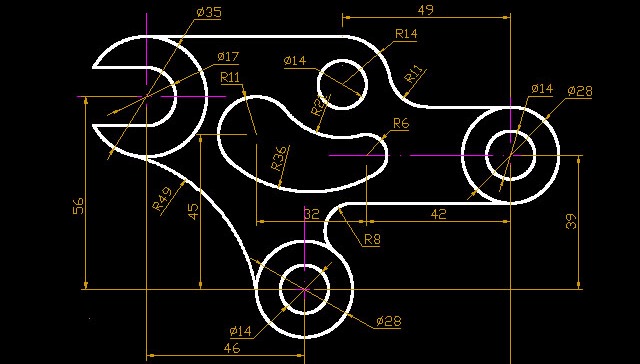
AutoCAD is one of the most widely used design software in the engineering industry. However, many students and professionals often get confused between AutoCAD and AutoCAD Mechanical. Although both tools are developed by Autodesk, they serve different purposes. In this blog, we will clearly explain AutoCAD Mechanical vs AutoCAD, the uses of Mechanical AutoCAD, and why AutoCAD for mechanical engineers is essential for career growth.
What is AutoCAD?
AutoCAD is a general-purpose computer-aided design (CAD) software used for creating 2D drawings and basic 3D models. It is commonly used by professionals from various fields such as:
-
Civil Engineering
-
Architecture
-
Electrical Design
-
Interior Design
-
Mechanical Drafting
AutoCAD provides tools for drafting, dimensioning, annotation, and layout creation. It is flexible and can be customized for different industries, but it does not include mechanical-specific features by default.
What is AutoCAD Mechanical?
AutoCAD Mechanical is an industry-specific version of AutoCAD specially developed for mechanical engineers and designers. It includes all the standard AutoCAD features plus additional mechanical design tools, libraries, and automation options.
AutoCAD Mechanical is mainly used for:
-
Mechanical component design
-
Manufacturing drawings
-
Assembly detailing
-
Standard-compliant documentation
AutoCAD Mechanical vs AutoCAD (Key Differences)
| Feature | AutoCAD | AutoCAD Mechanical |
|---|---|---|
| Purpose | General drafting | Mechanical design & drafting |
| Symbol Libraries | Limited | 700,000+ mechanical parts |
| Standards Support | Manual | ISO, ANSI, DIN, JIS |
| Productivity Tools | Basic | Advanced automation |
| Mechanical Layers | Manual | Automatic layer management |
| BOM Generation | Not available | Automatic BOM creation |
AutoCAD Mechanical significantly reduces design time and improves accuracy for mechanical projects.
Uses of AutoCAD Mechanical
AutoCAD Mechanical is widely used in mechanical and manufacturing industries. Some important uses include:
1. Mechanical Drafting
Engineers can easily create detailed drawings of shafts, gears, bearings, and fasteners using built-in libraries.
2. Standard Parts Library
It offers access to standard mechanical components, eliminating the need to draw parts from scratch.
3. Automated Dimensions & Annotations
AutoCAD Mechanical automatically applies correct dimensions and symbols based on industry standards.
4. Bill of Materials (BOM)
It helps generate accurate BOMs directly from drawings, which is very useful for manufacturing and procurement.
5. Assembly Drawings
Engineers can design and document complex mechanical assemblies efficiently.
Why AutoCAD for Mechanical Engineers is Important
AutoCAD (especially AutoCAD Mechanical) is a must-have skill for mechanical engineers because:
-
It improves design accuracy
-
Saves time through automation
-
Reduces human errors
-
Helps meet international drafting standards
-
Increases job opportunities
Most mechanical design roles require strong knowledge of AutoCAD or AutoCAD Mechanical.
Career Opportunities After Learning AutoCAD Mechanical
After mastering AutoCAD Mechanical, you can apply for roles such as:
-
Mechanical Design Engineer
-
CAD Engineer
-
Draftsman
-
Production Engineer
-
Quality Control Engineer
Industries like automotive, manufacturing, HVAC, aerospace, and industrial equipment heavily rely on AutoCAD Mechanical professionals.
Which One Should You Learn?
-
If you want basic drafting knowledge, AutoCAD is enough.
-
If you are a mechanical engineer or diploma holder, AutoCAD Mechanical is highly recommended.
Learning AutoCAD Mechanical gives you an edge over regular AutoCAD users in mechanical job roles.
Conclusion
AutoCAD Mechanical is a powerful and specialized tool that enhances productivity for mechanical engineers. While AutoCAD is suitable for general drafting, AutoCAD Mechanical provides advanced features tailored for mechanical design. If you aim to build a strong career in mechanical engineering, learning AutoCAD Mechanical is a smart and future-proof decision.


Comments
No comments yet. Be the first to comment.
Leave a Comment