


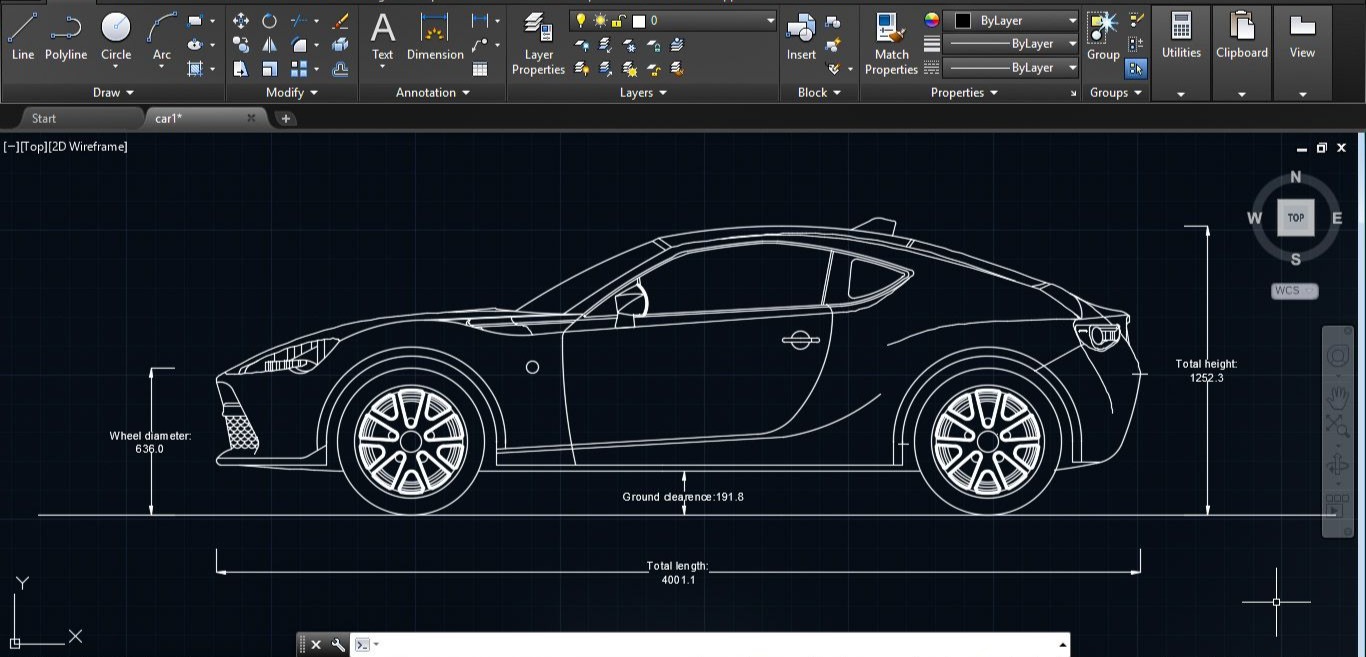
In today’s competitive technical world, having strong software skills is no longer optional—it is essential. Whether you are a Mechanical engineer, Civil engineer, Electrical engineer, Architect, ITI student, or Diploma holder, knowledge of design software can significantly increase your job opportunities. Among all design software available in the market, AutoCAD remains one of the most powerful and widely used tools.
If you are planning to learn AutoCAD in Mohali, then TechCADD Mohali can be a great platform to build your technical foundation and enhance your career growth.
What is AutoCAD?
AutoCAD is a computer-aided design (CAD) software developed by Autodesk. It is used for 2D drafting and 3D modeling across multiple industries. Engineers and designers use AutoCAD to create accurate drawings, layouts, plans, sections, elevations, machine parts, electrical circuits, piping layouts, and structural designs.
AutoCAD replaces manual drafting and increases accuracy, productivity, and efficiency in the design process.
Why is AutoCAD Important for Students?
Many students think AutoCAD is just an additional skill. But in reality, it is a basic requirement in most core companies. Here’s why AutoCAD is important:
1. Industry Requirement
Most Mechanical, Civil, and Electrical companies require basic or advanced AutoCAD knowledge.
2. Better Job Opportunities
AutoCAD knowledge increases your chances of selection during interviews.
3. Strong Technical Foundation
It helps you understand technical drawings and engineering concepts clearly.
4. Freelancing & Side Income
You can work as a freelance drafter or designer.
Who Should Learn AutoCAD?
AutoCAD is suitable for:
-
B.Tech Mechanical students
-
B.Tech Civil students
-
Diploma holders
-
ITI students
-
Architecture students
-
Electrical engineers
-
Working professionals
-
Job seekers
If you are a technical student in Mohali or nearby areas like Chandigarh, Panchkula, or Kharar, learning AutoCAD can be a smart career move.
AutoCAD Course Details at TechCADD Mohali
TechCADD Mohali offers professional AutoCAD training designed according to industry standards. The course generally includes:
Module 1: Introduction to AutoCAD
-
Interface overview
-
File management
-
Units and limits
Module 2: Basic Drawing Commands
-
Line
-
Circle
-
Rectangle
-
Polygon
-
Arc
Module 3: Modify Commands
-
Trim
-
Extend
-
Offset
-
Mirror
-
Move
-
Copy
-
Rotate
-
Scale
Module 4: Layers & Properties
-
Layer creation
-
Line types
-
Colors
-
Line weights
Module 5: Dimensioning
-
Linear dimension
-
Aligned dimension
-
Angular dimension
-
Radius & Diameter
Module 6: Blocks & Attributes
-
Creating blocks
-
Dynamic blocks
-
Inserting and editing blocks
Module 7: Layout & Plotting
-
Paper space
-
Model space
-
Viewports
-
Printing setup
Module 8: Introduction to 3D
-
3D modeling basics
-
Extrude
-
Revolve
-
3D views
Practical Training Approach
At TechCADD Mohali, the focus is not just on theory. Students get hands-on practice on:
-
Mechanical part drawings
-
Building plans
-
Electrical layouts
-
Piping drawings
-
Industrial components
This practical approach ensures students gain real industry exposure.
Why Choose TechCADD Mohali?
TechCADD is a well-known technical training institute that provides CAD, CAM, CAE, and other design-related courses.
Here are some reasons why students prefer TechCADD Mohali:
1. Experienced Trainers
Trainers with industry experience guide students step by step.
2. Practical Learning
More focus on practice instead of only theory.
3. Flexible Batch Timings
Suitable for college students and working professionals.
4. Certification
Recognized course completion certificate.
5. Interview Preparation
Basic interview guidance and resume support.
Career Opportunities After Learning AutoCAD
After completing AutoCAD training, students can apply for positions like:
-
CAD Designer
-
Draftsman
-
Mechanical Design Engineer (Fresher Level)
-
Civil Draftsman
-
Electrical CAD Engineer
-
Site Engineer
-
Planning Engineer
AutoCAD is also a base software for learning advanced tools like:
-
SolidWorks
-
CATIA
-
Revit
-
STAAD Pro
-
3ds Max
Learning AutoCAD first makes it easier to understand these advanced tools.
AutoCAD for Mechanical Students
Mechanical students use AutoCAD for:
-
Machine part drafting
-
Assembly drawings
-
Production drawings
-
GD&T basics
-
Fabrication drawings
It helps students understand manufacturing and production processes.
AutoCAD for Civil Students
Civil students use AutoCAD for:
-
Building plans
-
Elevations and sections
-
Column and beam layout
-
Plumbing layouts
-
Site plans
Civil companies require AutoCAD knowledge even at the fresher level.
AutoCAD for Electrical Students
Electrical students use AutoCAD for:
-
Wiring diagrams
-
Panel layouts
-
Electrical schematics
-
Cable routing plans
AutoCAD helps electrical engineers present technical drawings clearly.
Course Duration & Learning Pattern
Typically, AutoCAD course duration ranges from:
-
1 month (Regular)
-
2–3 months (Weekend batch)
Daily practice is very important. If a student practices at least 1–2 hours daily, they can master basic AutoCAD within one month.
Tips to Master AutoCAD Faster
-
Practice daily.
-
Focus on shortcut keys.
-
Try to draw real objects.
-
Watch tutorial videos for extra learning.
-
Revise commands regularly.
Consistency is the key to success in AutoCAD.
Why AutoCAD is a Must for 2025 and Beyond
With rapid industrial growth and infrastructure development, CAD software demand is increasing. Smart cities, industrial plants, manufacturing units, and construction projects require technical drawings.
Companies prefer candidates who are ready to work from Day 1. AutoCAD training makes you job-ready.
Whether you are a Mechanical engineer, Civil engineer, Electrical engineer, Architect, ITI student, Diploma holder, or a working professional looking to upgrade your skills, learning AutoCAD can significantly improve your career opportunities.
If you are searching for professional AutoCAD training in Mohali, TechCADD Mohali provides structured, industry-oriented training with practical exposure and expert guidance.
This detailed guide will help you understand everything about AutoCAD, its importance, course structure, career scope, and why TechCADD Mohali can be the right choice for you.
What is AutoCAD?
AutoCAD is a Computer-Aided Design (CAD) software developed by Autodesk. It is widely used for 2D drafting and 3D modeling in industries like mechanical manufacturing, construction, architecture, electrical systems, interior design, and infrastructure development.
AutoCAD helps engineers and designers create accurate technical drawings digitally instead of manually drafting on paper. It improves precision, reduces errors, saves time, and increases productivity.
AutoCAD drawings are used for:
-
Machine components
-
Building layouts
-
Structural drawings
-
Electrical wiring diagrams
-
Plumbing systems
-
Industrial layouts
-
Piping designs
Because of its flexibility and reliability, AutoCAD has become a basic requirement in most technical industries.
Why AutoCAD is Important in 2025 and Beyond
With rapid industrialization, infrastructure growth, and smart city projects, the demand for skilled CAD professionals is increasing every year. Companies require professionals who can create accurate technical drawings efficiently.
Here are the major reasons why AutoCAD remains relevant:
1. Foundation Software for All Engineers
AutoCAD is considered the base software before learning advanced design tools.
2. Required for Core Jobs
Most core mechanical, civil, and electrical companies require at least basic AutoCAD knowledge.
3. Improves Technical Understanding
When students draw parts or plans in AutoCAD, they understand dimensions, tolerances, and design logic better.
4. Global Recognition
AutoCAD is used worldwide. Having AutoCAD knowledge increases global career opportunities.
5. Essential for Freelancing
Many freelancers work on drafting and layout projects using AutoCAD.
Who Should Learn AutoCAD?
AutoCAD training is beneficial for:
-
B.Tech Mechanical students
-
B.Tech Civil students
-
B.Tech Electrical students
-
Diploma holders
-
ITI students
-
Architecture students
-
Interior designers
-
Working professionals
-
Job seekers
-
Site engineers
If you are located in Mohali, Chandigarh, Panchkula, or nearby areas, learning AutoCAD can give you a competitive advantage in job interviews.
About TechCADD Mohali
TechCADD is a well-known technical training institute that offers CAD, CAM, CAE, and project-based training programs across India. The Mohali branch focuses on practical and industry-oriented learning for engineering students and professionals.
TechCADD Mohali aims to bridge the gap between academic knowledge and industry requirements.
AutoCAD Course Modules at TechCADD Mohali
The AutoCAD course at TechCADD Mohali is designed to take students from beginner to advanced level step by step.
Module 1: Introduction to CAD & AutoCAD
-
What is CAD?
-
Installation process
-
Understanding interface
-
Units and limits
-
Workspace setup
Module 2: Basic Drawing Commands
-
Line
-
Circle
-
Rectangle
-
Arc
-
Polygon
-
Ellipse
-
Polyline
Students practice creating basic geometrical drawings to understand command flow.
Module 3: Modify Commands
-
Trim
-
Extend
-
Offset
-
Move
-
Copy
-
Mirror
-
Rotate
-
Scale
-
Stretch
-
Fillet
-
Chamfer
These commands help edit and modify existing drawings efficiently.
Module 4: Layers & Object Properties
-
Creating layers
-
Assigning colors
-
Line types
-
Line weights
-
Object properties management
Layer management is essential for organized and professional drawings.
Module 5: Text & Dimensioning
-
Single line text
-
Multiline text
-
Linear dimension
-
Angular dimension
-
Radial dimension
-
Dimension styles
Dimensioning is critical because drawings must communicate accurate measurements.
Module 6: Blocks & Attributes
-
Creating blocks
-
Dynamic blocks
-
Editing blocks
-
Attribute definition
Blocks help save time and maintain consistency in repeated components.
Module 7: Layout & Plotting
-
Model space
-
Paper space
-
Viewports
-
Plot styles
-
Printing setup
Students learn how to prepare drawings for printing and submission.
Module 8: Introduction to 3D Modeling
-
3D workspace
-
Extrude
-
Revolve
-
Sweep
-
Loft
-
3D navigation tools
-
Rendering basics
3D modeling gives students an additional advantage in the job market.
Practical Training Approach at TechCADD Mohali
One of the biggest advantages of TechCADD Mohali is its practical learning methodology. Students work on real industry-based drawings such as:
-
Mechanical part drawings
-
Assembly drawings
-
Building floor plans
-
Structural column layouts
-
Electrical panel layouts
-
Plumbing layouts
-
Industrial piping drawings
Practical exposure builds confidence and industry readiness.
AutoCAD for Mechanical Engineers
Mechanical students use AutoCAD for:
-
2D part drafting
-
Machine component design
-
Fabrication drawings
-
Assembly layouts
-
Production drawings
Understanding AutoCAD helps mechanical students visualize machine parts and manufacturing processes clearly.
It also helps students prepare for advanced software like SolidWorks and CATIA.
AutoCAD for Civil Engineers
Civil engineering students and professionals use AutoCAD for:
-
Residential building plans
-
Commercial building layouts
-
Elevations and sections
-
Foundation plans
-
Site plans
-
Structural detailing
AutoCAD is almost compulsory for civil field jobs.
Course Duration & Learning Structure
The AutoCAD course typically runs:
-
1 Month (Regular batch)
-
2–3 Months (Weekend batch)
Classes include theory explanation followed by practical implementation.
Students are encouraged to practice daily for at least 1–2 hours.
Benefits of Learning AutoCAD at TechCADD Mohali
1. Experienced Trainers
Trainers provide individual attention and solve doubts clearly.
2. Hands-on Practice
More emphasis on practical training than only theoretical knowledge.
3. Flexible Batch Options
Morning, afternoon, and evening batches available.
4. Certification
Recognized course completion certificate.
5. Interview Preparation
Basic interview questions and resume support.
Tips to Master AutoCAD Quickly
-
Practice daily.
-
Learn shortcut keys.
-
Try real-world drawing examples.
-
Revise commands regularly.
-
Focus on accuracy and neatness.
Consistency and practice are key to mastering AutoCAD.
Why Choose AutoCAD as Your First Design Software?
AutoCAD builds the foundation for understanding:
-
Engineering drawing standards
-
Dimensioning principles
-
Layer management
-
Drafting techniques
-
Design visualization
Once you master AutoCAD, learning advanced software becomes much easier.
Growing Demand of CAD Professionals
With increasing infrastructure projects, manufacturing industries, and industrial automation, CAD professionals are in high demand. Many companies prefer candidates who already know drafting software rather than training them from scratch.
AutoCAD certification from a reputed institute like TechCADD Mohali adds value to your resume.
-
-
Final Thoughts
If you are a student or job seeker in Mohali and want to build a strong technical career, learning AutoCAD is a smart decision. It improves your technical knowledge, increases job opportunities, and strengthens your resume.
TechCADD Mohali provides structured training, practical exposure, and certification that can help you move confidently toward your career goals.
Invest in your skills today, and secure your future tomorrow.


Comments
No comments yet. Be the first to comment.
Leave a Comment