


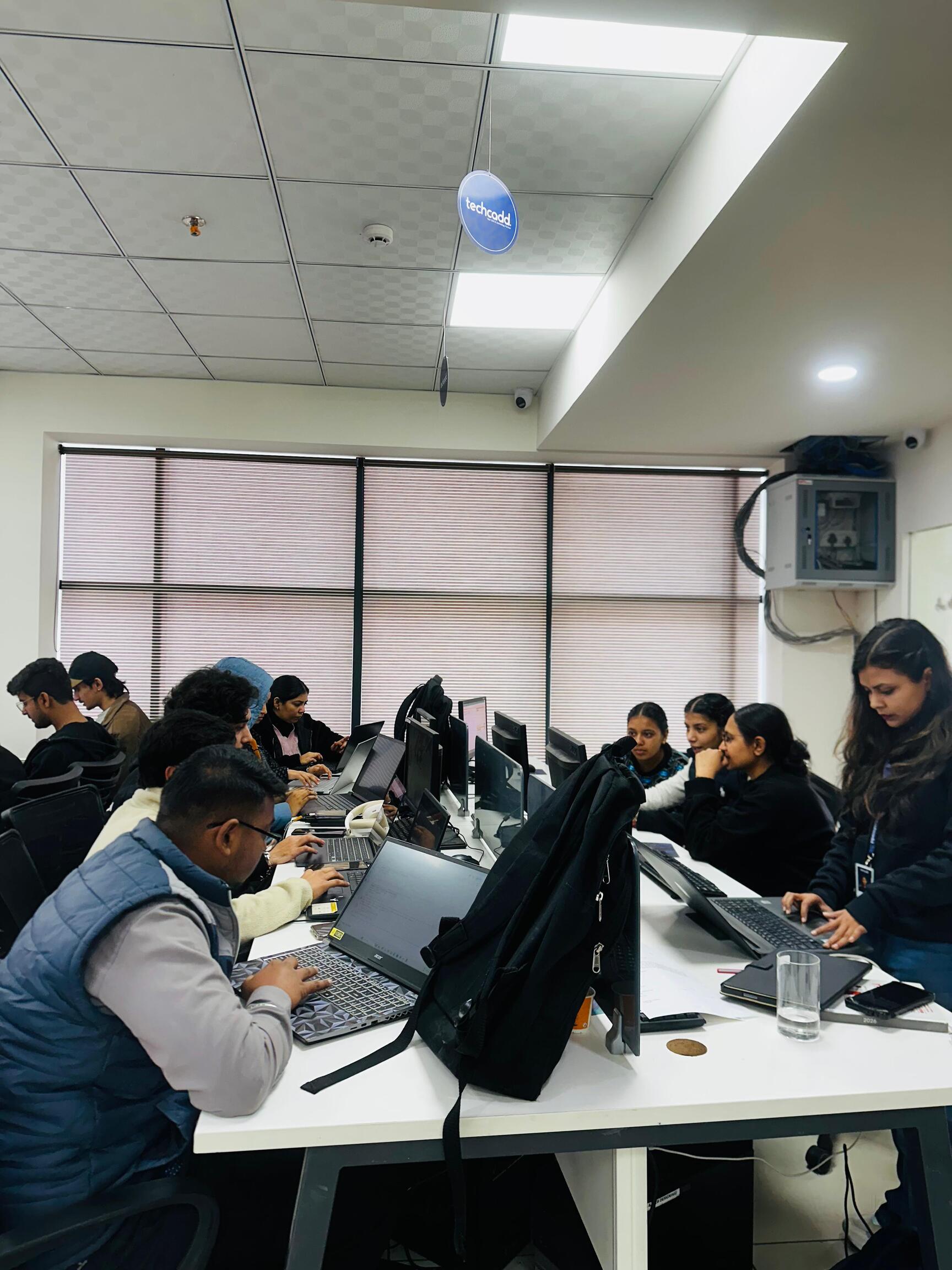
Best UX UI Designing Course in Mohali – Complete Guide 2026
Introduction
In today’s digital world, user experience plays a crucial role in the success of websites, mobile applications, and software products. Businesses are investing heavily in digital platforms, and they need skilled designers who can create intuitive, visually appealing, and user-friendly interfaces.
This is where UX/UI design becomes extremely important. A well-designed interface can improve user satisfaction, increase engagement, and drive business growth.
For students and professionals looking to build a career in this field, enrolling in a professional training program like the UX/UI Designing course at TechCadd Mohali can be a great starting point.
This article explains everything about UX/UI designing, course structure, tools, career opportunities, and why Mohali is becoming a popular location for learning design skills.
What is UX/UI Designing?
UX/UI designing focuses on creating digital products that are easy to use, visually appealing, and efficient.
UX (User Experience)
User Experience focuses on how users interact with a product and how easy it is for them to complete tasks.
UX design includes:
-
User research
-
Understanding user behavior
-
Identifying problems
-
Creating user journeys
-
Wireframing
-
Testing usability
The goal of UX is to improve the overall experience of users.
UI (User Interface)
User Interface focuses on the visual elements of a digital product.
UI design includes:
-
Layout design
-
Color selection
-
Typography
-
Icons and buttons
-
Visual hierarchy
-
Responsive design
UI designers ensure that the product looks attractive and professional.
Why UX/UI Design is in High Demand
As digital platforms grow, companies are competing to provide the best user experience. Businesses understand that a well-designed product attracts more users and increases customer satisfaction.
Some reasons why UX/UI designers are in demand include:
-
Growth of mobile applications
-
Expansion of e-commerce platforms
-
Rise of SaaS products
-
Increasing digital transformation
-
Focus on customer experience
Companies want designers who can understand users and create meaningful digital experiences.
Why Learn UX/UI Designing in Mohali?
Mohali has emerged as an important IT hub in North India. Many startups and software companies operate in this region, creating demand for skilled designers.
Benefits of learning UX/UI in Mohali include:
-
Access to growing IT industry
-
Affordable training compared to big cities
-
Opportunities for internships
-
Networking with local professionals
Institutes like TechCadd Mohali provide structured learning and practical exposure to help students start their careers.
About TechCadd Mohali
TechCadd is a well-known IT training institute that offers professional courses designed according to industry requirements.
Courses offered include:
-
UX/UI Designing
-
Web Development
-
Data Science
-
Digital Marketing
-
Python Programming
The UX/UI course focuses on practical training, real-world projects, and portfolio building.
UX/UI Designing Course Syllabus
The UX/UI course covers all essential concepts needed to become a professional designer.
Introduction to UX/UI
Students learn:
-
Fundamentals of UX and UI
-
Design thinking process
-
User-centered design
-
Digital product lifecycle
This foundation helps students understand how digital products are built.
User Research
Research helps designers understand user needs.
Topics include:
-
User interviews
-
Surveys and questionnaires
-
Persona creation
-
Empathy mapping
-
Competitor analysis
Research ensures that design decisions are based on real data.
Information Architecture
Information architecture organizes content logically.
Students learn:
-
Sitemap creation
-
Navigation design
-
User flow diagrams
Clear structure improves usability.
Wireframing
Wireframes are the basic layout of a digital product.
Students practice:
-
Low-fidelity wireframes
-
Mid-fidelity wireframes
-
Layout planning
Wireframing helps visualize the structure before designing.
UI Design Principles
Students learn visual design concepts such as:
-
Typography
-
Color psychology
-
Spacing and alignment
-
Visual hierarchy
These principles create professional-looking interfaces.
Figma Training
Figma is the most popular UX/UI design tool used by professionals.
Students learn:
-
Creating frames and layouts
-
Auto layout features
-
Components and variants
-
Prototyping and animations
-
Responsive design
Figma allows designers to create interactive prototypes quickly.
Prototyping
Prototyping helps visualize how users interact with a product.
Students create:
-
Clickable prototypes
-
Interactive flows
-
Animated transitions
This step simulates the real user experience.
Mobile App Design
Students design mobile interfaces by learning:
-
Mobile layout structure
-
Navigation systems
-
Touch-friendly UI elements
Mobile design is an essential skill for UX/UI designers.
Web and Dashboard Design
Students also learn how to design:
-
Landing pages
-
E-commerce websites
-
SaaS dashboards
-
Admin panels
These projects reflect real industry requirements.
Portfolio Development
A strong portfolio is essential for getting hired.
Students are guided on:
-
Creating case studies
-
Presenting design process
-
Showcasing prototypes
-
Building online portfolios
A well-structured portfolio demonstrates professional capability.
Career Opportunities After UX/UI Course
After completing the course, students can pursue roles such as:
-
UI Designer
-
UX Designer
-
Product Designer
-
Interaction Designer
-
Mobile App Designer
-
Web Designer
These roles exist in startups, IT companies, and digital agencies.
UX/UI Designer Salary in India
Salary depends on experience and skills.
Approximate salary ranges:
Freshers:
₹3–6 LPA
Mid-Level Designers:
₹6–12 LPA
Senior Designers:
₹15–25 LPA
Freelancers can also earn project-based income.
Freelancing Opportunities
UX/UI designers can work independently by offering services such as:
-
Website UI design
-
Mobile app interface design
-
UX audits
-
Landing page optimization
Freelancing platforms include:
-
Upwork
-
Fiverr
-
Freelancer
Freelancing allows designers to work with international clients.
Skills Required for UX/UI Designers
Successful designers develop multiple skills including:
-
Creativity
-
Problem-solving
-
Research skills
-
Communication
-
Attention to detail
-
Analytical thinking
Continuous practice improves these skills.
Future of UX/UI Designing
UX/UI design will continue to grow because businesses rely heavily on digital platforms.
Future trends include:
-
AI-assisted design
-
Voice interfaces
-
Immersive experiences
-
Advanced prototyping
Designers who continuously upgrade their skills will remain in high demand.
Conclusion
UX/UI designing is one of the most promising careers in the digital industry. With the increasing demand for user-friendly digital products, skilled designers are becoming essential for companies.
Training programs like the UX/UI Designing course at TechCadd Mohali help students learn the complete design process, gain practical experience, and build strong portfolios.
For students and professionals who want to enter the design industry, UX/UI designing offers excellent opportunities for career growth, freelancing, and global work possibilities.
Advanced UX/UI Design Concepts
While learning the fundamentals of UX/UI design is important, professional designers must also understand advanced concepts that improve the usability and effectiveness of digital products. At TechCadd Mohali, students are introduced to advanced UX strategies that help them design products used in real industry environments.
Advanced UX/UI design focuses not only on visuals but also on user psychology, interaction patterns, and product performance. These concepts help designers build solutions that improve user engagement and business outcomes.
Design Thinking Methodology
Design thinking is one of the most important approaches used by modern product teams. It focuses on solving real problems through empathy, experimentation, and iteration.
The design thinking process includes five stages:
Empathize
Designers try to understand users deeply by studying their needs, behaviors, and challenges. Research methods such as interviews and surveys are used in this stage.
Define
In this stage, designers clearly define the user problem based on research insights. The goal is to identify the main challenge that needs to be solved.
Ideate
Designers brainstorm multiple ideas and potential solutions. Creativity and collaboration play an important role in this stage.
Prototype
The best ideas are converted into interactive prototypes. Prototyping allows designers to visualize solutions before development begins.
Test
The prototype is tested with real users to collect feedback and identify improvements.
Students learning UX/UI design must understand this framework because most technology companies follow the design thinking process when developing digital products.
Understanding User Behavior
Successful UX design depends on understanding how users behave when interacting with digital platforms. Designers must observe how users navigate, where they hesitate, and what actions they take while completing tasks.
Several tools and methods are used to study user behavior, including:
-
User session recordings
-
Heatmaps
-
Click tracking
-
Scroll depth analysis
-
Feedback surveys
By analyzing this data, designers can identify friction points in the user journey and improve the interface.
For example, if many users abandon a checkout page, it may indicate that the payment process is confusing or too long. Designers can then simplify the process to improve conversions.
Importance of Information Architecture
Information architecture is the structure that organizes content within a website or application. It ensures that users can easily find the information they are looking for.
A well-structured product includes:
-
Clear navigation menus
-
Logical content hierarchy
-
Simple categorization
-
Easy-to-follow user flows
Designers often create sitemaps and user flow diagrams to visualize the structure of a product before designing the interface.
Strong information architecture improves usability and reduces confusion for users.
Interaction Design
Interaction design focuses on how users interact with digital interfaces. It defines how buttons behave, how transitions work, and how users move from one screen to another.
Examples of interaction design elements include:
-
Button hover effects
-
Animated transitions
-
Loading indicators
-
Swipe gestures
-
Drag-and-drop functionality
These interactions make digital products feel responsive and intuitive.
When interaction design is done properly, users feel that the product is smooth and easy to use.
Importance of Prototyping in UX/UI
Prototyping allows designers to simulate how a product will function before it is developed.
Using tools like Figma, designers can create clickable prototypes that demonstrate user flows and interactions.
Prototypes help teams:
-
Test design ideas
-
Gather feedback early
-
Reduce development errors
-
Improve collaboration between designers and developers
Prototyping is an essential step in modern product design workflows.
UX Writing and Microcopy
UX writing is an often overlooked but important part of design. It focuses on the text elements that guide users through an interface.
Examples of UX writing include:
-
Button labels
-
Form instructions
-
Error messages
-
Confirmation messages
-
Onboarding text
Clear and concise microcopy helps users understand what actions they need to take.
For example, instead of a generic error message like “Something went wrong,” a better message would explain what the problem is and how the user can fix it.
Mobile-First Design Approach
With the increasing use of smartphones, many companies follow a mobile-first design approach. This means designers start designing the mobile interface first and then adapt it for larger screens.
Mobile-first design ensures that digital products work efficiently on small screens where most users interact with them.
Important principles of mobile UX include:
-
Thumb-friendly navigation
-
Large tap targets
-
Simple layouts
-
Fast loading times
-
Minimal content clutter
Designing for mobile devices improves accessibility and usability.
Responsive Web Design
Responsive design ensures that websites work seamlessly on different screen sizes, including desktops, tablets, and smartphones.
Responsive layouts adjust automatically depending on the screen resolution. Designers achieve this by using flexible grids, scalable images, and adaptive components.
Responsive design is important because users access websites from multiple devices.
A responsive website improves user experience and search engine rankings.
Accessibility in UX/UI Design
Accessibility ensures that digital products can be used by people with different abilities, including those with visual, auditory, or physical impairments.
Accessibility considerations include:
-
High color contrast for readability
-
Large and clear text
-
Screen reader compatibility
-
Keyboard navigation
-
Alternative text for images
Designing with accessibility in mind makes products inclusive and usable for a wider audience.
UX/UI Tools Used by Designers
Modern UX/UI designers use a variety of tools for research, design, and collaboration.
One of the most widely used tools is Figma, which allows designers to create interfaces, build design systems, and develop interactive prototypes.
Other tools used in the design process include:
-
Wireframing tools
-
Collaboration platforms
-
User testing software
-
Analytics tools
Learning these tools helps designers work efficiently in professional environments.
Building a Strong UX/UI Portfolio
A portfolio is the most important asset for any UX/UI designer. It demonstrates a designer’s ability to solve problems and create meaningful user experiences.
A strong UX/UI portfolio should include:
-
Detailed case studies
-
Research insights
-
Wireframes and design iterations
-
Final UI screens
-
Interactive prototypes
-
Key design decisions
Employers often review portfolios before conducting interviews, so it is important for designers to present their work clearly and professionally.
Freelancing Opportunities for UX/UI Designers
UX/UI designers have many opportunities to work independently as freelancers.
Freelancers provide services such as:
-
Website UI design
-
Mobile app design
-
UX audits
-
Landing page optimization
-
Design system creation
Freelancing allows designers to work with clients from different countries and gain experience on diverse projects.
Popular freelancing platforms include:
-
Upwork
-
Fiverr
-
Freelancer
Freelancing can also help designers build their portfolios and expand their professional networks.
Importance of Continuous Learning
The design industry evolves rapidly. New tools, technologies, and trends emerge regularly.
Successful UX/UI designers continue learning by:
-
Studying new design trends
-
Analyzing popular applications
-
Practicing redesign challenges
-
Reading design blogs
-
Attending workshops and webinars
Continuous learning helps designers stay competitive in the job market.
UX/UI Career Growth Path
UX/UI designers can grow into several advanced roles over time.
Common career progression includes:
Junior Designer
↓
UX/UI Designer
↓
Senior Designer
↓
Product Designer
↓
Design Lead
↓
Head of Design
With experience, designers take on more strategic responsibilities and lead design teams.
Role of UX/UI Designers in Product Development
UX/UI designers collaborate with multiple teams during product development.
They work with:
-
Product managers
-
Developers
-
Marketing teams
-
Business stakeholders
Designers ensure that the final product meets user needs while also supporting business goals.
Strong communication and teamwork skills are essential for designers working in professional environments.
Importance of Soft Skills for Designers
Technical design skills alone are not enough for career success.
UX/UI designers must also develop soft skills such as:
-
Communication skills
-
Critical thinking
-
Presentation skills
-
Collaboration
-
Problem-solving
These skills help designers explain their ideas and work effectively with teams.
Global Opportunities for UX/UI Designers
UX/UI design is a globally recognized skill. Designers can work with companies from different countries without relocating.
Many organizations offer remote design jobs, allowing professionals to work from anywhere.
Global companies often hire designers who can create user-friendly digital products for international audiences.
This makes UX/UI design a career with strong international opportunities.
Future Trends in UX/UI Design
The future of UX/UI design is influenced by emerging technologies and evolving user expectations.
Key trends shaping the future include:
Artificial Intelligence Integration
Designers are using AI-powered tools to speed up design workflows and generate design ideas.
Voice User Interfaces
Voice-based interactions are becoming more common in smart devices.
Augmented and Virtual Reality
AR and VR experiences require specialized UX design approaches.
Personalized User Experiences
Products are increasingly tailored to individual user preferences.
These trends indicate that UX/UI design will remain a critical part of the digital industry.
Final Thoughts
UX/UI design is more than just creating attractive screens. It is about understanding users, solving real problems, and designing meaningful digital experiences.
With the increasing importance of digital products, the demand for skilled designers continues to grow worldwide.
Training programs like the UX/UI Designing course at TechCadd Mohali help students develop practical skills, build professional portfolios, and prepare for successful careers in the design industry.
By learning the right tools, understanding user behavior, and continuously improving their skills, aspiring designers can build rewarding careers in UX/UI design


Comments
No comments yet. Be the first to comment.
Leave a Comment