


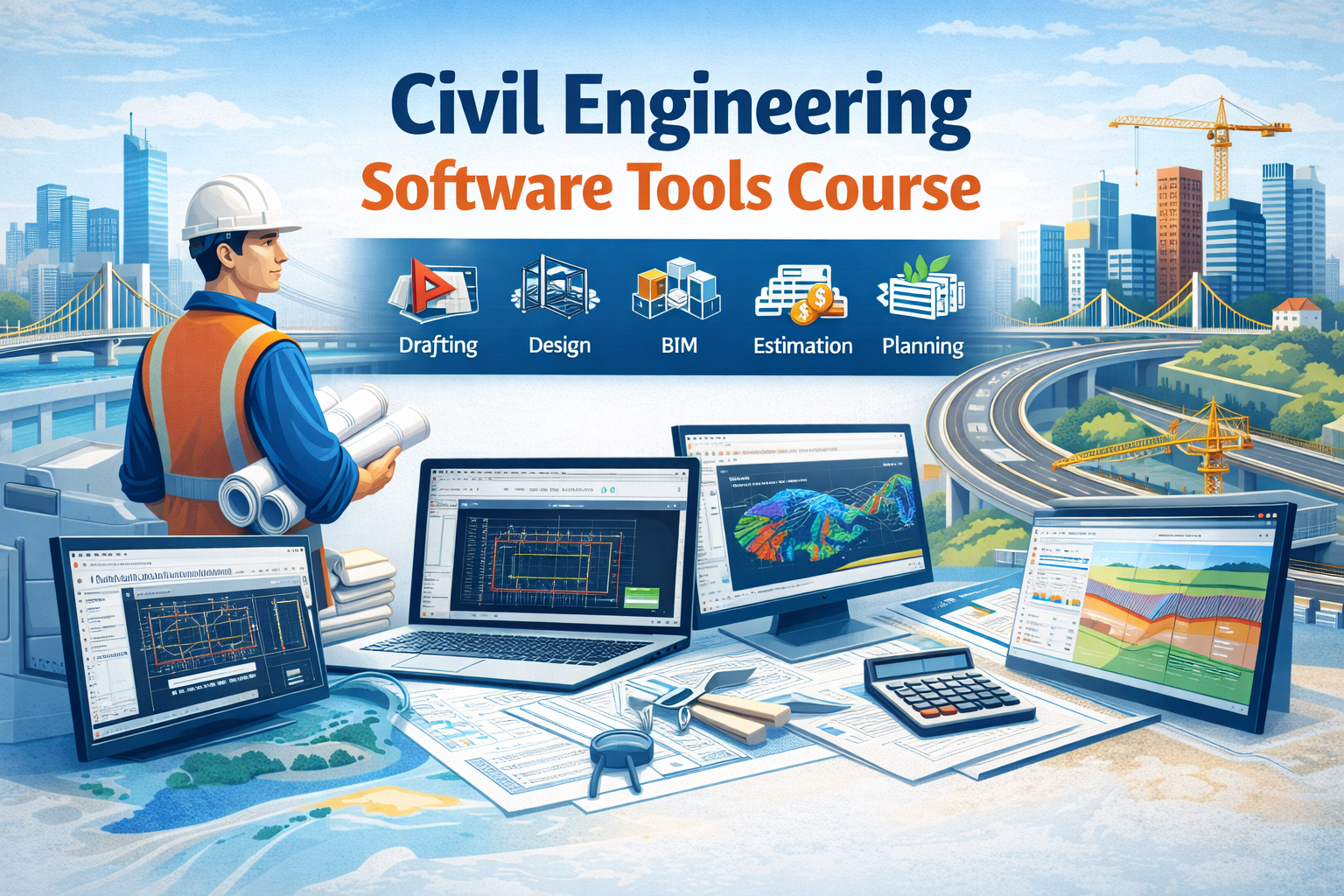
Civil Engineering Software Tools List
(Software Used by Civil Engineers)
Civil engineering has evolved from manual drafting and hand calculations to highly advanced computer-based systems. Today, civil engineers depend on specialized software to design, analyze, visualize, estimate, and manage construction projects. These software tools improve accuracy, reduce human error, save time, and ensure safety and compliance with engineering standards. Below is a detailed explanation of the major categories of software used in civil engineering.
1️⃣ Structural Design & Analysis Software
Structural design software is used to analyze loads, forces, and stresses acting on buildings and infrastructure. These tools help engineers ensure that structures can safely withstand earthquakes, wind, traffic loads, and gravity forces.
Using these programs, engineers can model beams, columns, slabs, foundations, and complete building frames in 3D. The software applies engineering codes (IS, ACI, Eurocode, etc.) automatically and generates safe designs. It also produces reinforcement drawings and calculation reports.
Importance:
-
Helps prevent structural failure
-
Reduces calculation errors
-
Ensures code-compliant designs
-
Saves time compared to manual design
Used For:
-
High-rise buildings
-
Industrial structures
-
Bridges
-
Towers
-
Residential buildings
2️⃣ BIM & 3D Modeling Software
BIM (Building Information Modeling) software allows engineers to create intelligent 3D models that contain not just geometry but also data like materials, quantities, and schedules. Instead of separate drawings, BIM creates a single digital model that updates automatically when changes are made.
This software improves coordination between civil engineers, architects, MEP engineers, and contractors. It detects clashes between structural elements and pipelines before construction begins, saving cost and time.
Importance:
-
Improves coordination between teams
-
Reduces rework on site
-
Enables 4D (time) and 5D (cost) simulation
-
Provides better visualization
Used For:
-
Building modeling
-
Quantity takeoff
-
Clash detection
-
Construction planning
3️⃣ Drafting & Drawing Software
Drafting software is used to prepare 2D and 3D technical drawings. These drawings include plans, elevations, sections, and construction details. Civil engineers use these tools to communicate design intent clearly to contractors and site engineers.
These tools replace hand drafting and allow fast editing, easy scaling, and digital storage of drawings. They are essential for documentation and approval processes.
Importance:
-
Produces professional construction drawings
-
Easy modification and revision
-
Accurate dimensions
-
Saves drafting time
Used For:
-
Layout plans
-
Structural drawings
-
Road alignments
-
Site plans
4️⃣ Road & Transportation Design Software
Road and transportation software is used for the design of highways, flyovers, and transportation networks. It helps in alignment design, cross-section generation, pavement thickness design, and earthwork calculations.
Engineers can simulate traffic movement, study gradients, and calculate cut and fill quantities. These tools also help in visualizing road projects in 3D terrain models.
Importance:
-
Ensures safe road geometry
-
Reduces earthwork errors
-
Improves design efficiency
-
Supports large infrastructure projects
Used For:
-
Highway design
-
Railway projects
-
Urban road planning
-
Flyovers and interchanges
5️⃣ Water Resources & Environmental Software
These tools are used for hydraulic and hydrological analysis. Engineers simulate river flow, flood levels, stormwater drainage, sewer systems, and water supply networks.
Such software is crucial for flood management, dam design, drainage planning, and wastewater treatment projects. Engineers can predict flood zones and optimize drainage systems using computer models.
Importance:
-
Predicts flood risks
-
Improves water management
-
Ensures proper drainage design
-
Helps in environmental protection
Used For:
-
River modeling
-
Sewer design
-
Stormwater systems
-
Water supply networks
6️⃣ Project Planning & Management Software
Project management software helps civil engineers plan, schedule, and monitor construction activities. It divides projects into tasks, assigns resources, and tracks progress.
These tools help avoid delays and cost overruns. Engineers can identify critical activities and adjust schedules easily.
Importance:
-
Improves time management
-
Controls project cost
-
Enhances productivity
-
Supports large projects
Used For:
-
Construction scheduling
-
Resource allocation
-
Project monitoring
-
Delay analysis
7️⃣ Quantity Estimation & Costing Software
Estimation software is used to calculate material quantities and project costs. It reduces manual measurement errors and produces accurate bills of quantities (BOQs).
These tools link drawings with quantities and generate cost reports automatically. They are essential for tendering and budget planning.
Importance:
-
Accurate cost control
-
Saves time in estimation
-
Reduces financial risk
-
Supports tendering
Used For:
-
BOQ preparation
-
Material estimation
-
Cost analysis
-
Project budgeting
8️⃣ Geotechnical & Foundation Software
Geotechnical software analyzes soil behavior and foundation performance. Engineers use it to study settlement, bearing capacity, slope stability, and excavation safety.
These tools simulate soil-structure interaction and help in designing safe foundations and retaining structures.
Importance:
-
Prevents foundation failure
-
Improves soil analysis accuracy
-
Ensures stability
-
Reduces risk
Used For:
-
Pile foundation design
-
Retaining walls
-
Soil settlement analysis
-
Slope stability
9️⃣ Surveying & GIS Software
Surveying and GIS software is used to analyze land data and prepare maps. It processes GPS and total station data to generate contours and terrain models.
These tools are essential for site planning and route alignment.
Importance:
-
Accurate land mapping
-
Faster survey processing
-
Better site planning
-
Data visualization
Used For:
-
Topographic mapping
-
Route surveys
-
Land development
-
Infrastructure planning
Software Comparison Table (Civil Engineering Tools)
| Category | Software | Main Use | Best For | Skill Level |
|---|---|---|---|---|
| Structural Design | ETABS | Building analysis & design | High-rise buildings | Intermediate–Advanced |
| Structural Design | STAAD Pro | Structural modeling | Steel & RCC structures | Intermediate |
| BIM | Revit Structure | 3D BIM modeling | Building projects | Beginner–Intermediate |
| Drafting | AutoCAD | 2D & 3D drawings | Plans, sections, layouts | Beginner |
| Road Design | Civil 3D | Road & site design | Highways, drainage | Intermediate |
| Planning | Primavera P6 | Project scheduling | Large construction projects | Intermediate–Advanced |
| Estimation | PlanSwift | Quantity takeoff | Costing & BOQ | Beginner–Intermediate |
| Geotechnical | PLAXIS | Soil & foundation analysis | Foundations & slopes | Advanced |
| Water Resources | HEC-RAS | River & flood analysis | Hydraulic projects | Intermediate |
| Surveying | ArcGIS | Mapping & GIS | Land & route planning | Beginner–Intermediate |
👉 This table helps students and professionals choose software based on career goals.
Student-Friendly Version
(Simple Language)
Civil engineering software are computer programs that help engineers do their work faster and more accurately. Instead of drawing by hand or calculating with a calculator, engineers use software to design buildings, roads, bridges, and water systems.
Some software help in:
-
Drawing plans
-
Designing buildings
-
Making 3D models
-
Calculating material quantity
-
Planning construction time
-
Studying soil and water
For example:
-
Drawing software helps make neat drawings
-
Structural software checks if a building is safe
-
BIM software shows the building in 3D
-
Planning software helps finish projects on time
-
Estimation software helps calculate cost
Learning civil engineering software gives students:
-
Better job opportunities
-
Higher salary
-
Confidence in projects
-
Practical industry skills
Today, companies prefer engineers who know software. That’s why learning civil engineering tools is very important for students.
Civil Engineering Software Tools Course
Course Overview
The Civil Engineering Software Tools Course is designed to train students and professionals in the most widely used civil engineering software. This course focuses on practical skills required in the construction and infrastructure industry.
Students will learn drafting, structural analysis, BIM modeling, estimation, and project planning using industry-standard software. The training is job-oriented and suitable for freshers, diploma holders, and working professionals.
Course Objectives
-
Understand modern civil engineering software
-
Learn professional drawing and modeling
-
Perform structural design using codes
-
Prepare BOQs and estimates
-
Plan and manage construction projects
-
Improve employability
Software Covered
-
AutoCAD – for drafting
-
ETABS / STAAD Pro – for structural design
-
Revit – for BIM & 3D modeling
-
Civil 3D – for road and site design
-
Primavera – for project planning
-
PlanSwift – for quantity estimation
-
PLAXIS – for soil analysis
Who Can Join
-
Civil engineering students
-
Diploma holders
-
Site engineers
-
Draftsmen
-
Working professionals
-
Fresh graduates
Career Opportunities
After completing this course, students can work as:
-
Design Engineer
-
BIM Engineer
-
Site Engineer
-
Planning Engineer
-
Quantity Surveyor
-
Structural Engineer
Course Title
Civil Engineering Software Tools Course
Course Duration
3 to 6 Months (Flexible)
-
Basic Track: 3 Months
-
Advanced Track: 6 Months
Course Objective
To provide practical training in modern civil engineering software used for drafting, design, BIM, estimation, planning, and analysis. This course prepares students for industry-ready job roles.
MODULE 1 – Fundamentals of Civil Engineering Software
(Introduction Module)
-
Role of software in civil engineering
-
Types of civil engineering software
-
Software vs manual methods
-
Overview of design, BIM, planning & estimation
-
Computer basics for engineering
-
File formats & data handling
-
Engineering workflow using software
MODULE 2 – Drafting & Drawing Software (AutoCAD)
-
Interface & tools
-
Drawing commands
-
Layers, blocks & annotations
-
Units, scale & dimensions
-
2D plans, elevations & sections
-
Plotting & printing drawings
-
Site layout drawing
-
Structural drawing basics
-
Working with Xrefs
-
Practical drawing exercises
MODULE 3 – Structural Design & Analysis Software (ETABS / STAAD)
-
Structural modeling concepts
-
Grid & story creation
-
Load types (dead, live, wind, seismic)
-
Load combinations
-
Material & section properties
-
Analysis methods
-
Design of beams, columns & slabs
-
Foundation modeling
-
Report generation
-
Earthquake-resistant design
-
Practical building project
MODULE 4 – BIM & 3D Modeling Software (Revit)
-
Introduction to BIM
-
BIM vs CAD
-
Creating 3D models
-
Levels & grids
-
Structural elements modeling
-
Families & components
-
Quantity takeoff
-
Clash detection concept
-
4D & 5D BIM overview
-
Sheet creation & documentation
-
Real project modeling
MODULE 5 – Road & Site Design Software (Civil 3D)
-
Survey data import
-
Surface creation
-
Alignment design
-
Profile creation
-
Cross-sections
-
Corridor modeling
-
Earthwork calculation
-
Drainage design
-
Plotting drawings
-
Practical road project
MODULE 6 – Project Planning & Management (Primavera / MS Project)
-
Project lifecycle
-
Work Breakdown Structure (WBS)
-
Activity creation
-
Scheduling techniques
-
Network diagram
-
Critical path method
-
Resource allocation
-
Cost loading
-
Baseline & tracking
-
Delay analysis
-
Reporting
MODULE 7 – Quantity Estimation & Costing (PlanSwift / Excel)
-
Quantity takeoff
-
BOQ preparation
-
Rate analysis
-
Cost estimation
-
Material calculation
-
Labor calculation
-
Project budgeting
-
Tender preparation
-
Billing & valuation
-
Practical estimation project
MODULE 8 – Geotechnical Engineering Software (PLAXIS / GEO5)
-
Soil parameters
-
Bearing capacity analysis
-
Settlement analysis
-
Pile foundation design
-
Retaining wall analysis
-
Slope stability
-
Excavation support
-
Soil-structure interaction
-
Safety factors
-
Case studies
MODULE 9 – Water Resources & Environmental Software
-
Drainage system modeling
-
Sewer network design
-
Stormwater analysis
-
Flood modeling
-
River cross-sections
-
Flow simulation
-
Hydraulic structures
-
Water supply design
-
Environmental impact basics
-
Practical mini project
MODULE 10 – Surveying & GIS Software
-
GPS & total station data
-
Topographic mapping
-
Contour generation
-
Route alignment
-
Land development planning
-
GIS concepts
-
Spatial data analysis
-
Map creation
-
Project applications
MODULE 11 – Integrated Project Work
-
Real-life project selection
-
Drawing preparation
-
Structural analysis
-
BIM modeling
-
Quantity estimation
-
Planning & scheduling
-
Final report
-
Presentation
-
Industry-style workflow
MODULE 12 – Career & Placement Support
-
Resume preparation
-
Interview questions (software-based)
-
Live project exposure
-
Portfolio creation
-
Industry case studies
-
Mock interviews
-
Job profile guidance
Learning Outcomes
After completing this course, students will be able to:
-
Prepare professional drawings
-
Design safe structures
-
Create 3D BIM models
-
Estimate project cost
-
Plan and schedule construction
-
Analyze soil and water systems
-
Work confidently on real projects
Career Opportunities
-
Draftsman
-
Site Engineer
-
Design Engineer
-
BIM Engineer
-
Planning Engineer
-
Quantity Surveyor
-
Structural Engineer
Conclusion
Civil engineering software tools play a vital role in modern construction and infrastructure development. From structural design and drafting to project management and environmental analysis, each software category supports a specific phase of a project lifecycle. These tools improve efficiency, reduce errors, ensure safety, and help complete projects within time and budget.
In today’s competitive job market, civil engineers who possess software skills are more employable and earn higher salaries. Learning civil engineering software is no longer optional—it is essential for professional growth. Mastery of these tools allows engineers to handle complex projects confidently and meet industry demands.


Comments
No comments yet. Be the first to comment.
Leave a Comment