


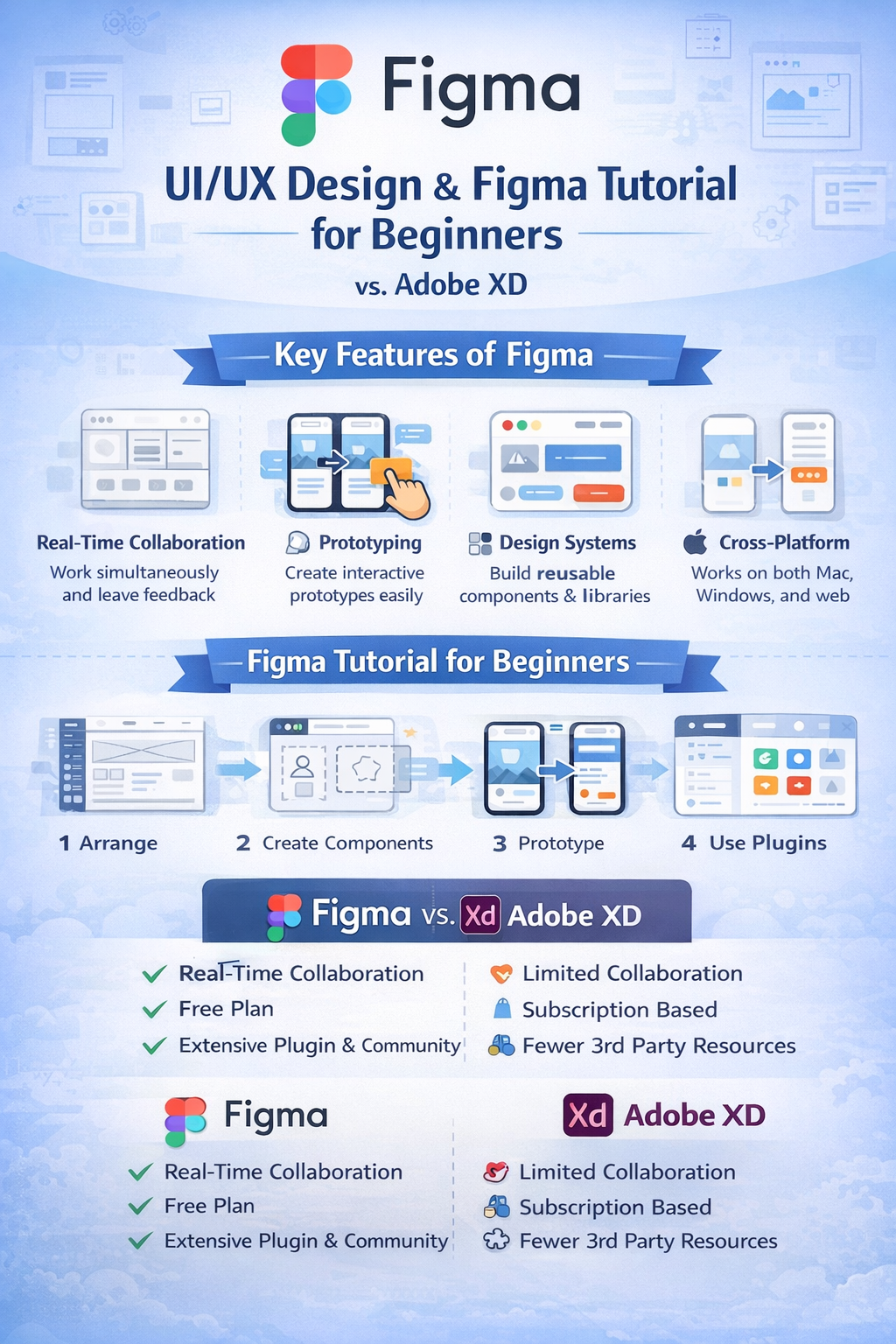
Figma has emerged as one of the most widely used tools for UI/UX design, transforming the way designers collaborate and build digital products. As a cloud-based platform, Figma allows designers, developers, and stakeholders to work together in real time, making the design process faster, more transparent, and highly efficient. It is commonly used for designing user interfaces, creating prototypes, building design systems, and conducting usability testing.
In UI/UX design, Figma supports the entire design workflow from ideation to final handoff. Designers use frames to create layouts for mobile, web, and tablet screens, ensuring proper alignment and responsiveness. Features such as grids, constraints, and auto layout help in creating flexible designs that adapt to different screen sizes. Figma also enables the creation of reusable components and variants, which ensure visual consistency and reduce repetitive work. Additionally, its prototyping features allow designers to simulate user interactions, test navigation flows, and validate user experience before development begins.
A Figma tutorial for beginners usually starts with understanding the workspace and essential tools. Beginners first learn how to create frames, add shapes and text, and organize layers effectively. The next important concept is auto layout, which helps in building responsive UI elements such as buttons, cards, and lists. Beginners are also introduced to components, allowing them to reuse design elements and update them globally. Figma’s prototyping tools enable new designers to connect screens, add transitions, and preview interactions without writing any code. Since Figma runs directly in the browser, beginners can start designing immediately without worrying about system compatibility or complex installations. The availability of community templates, UI kits, and plugins further accelerates the learning process.
When comparing Figma vs Adobe XD, both tools are powerful and widely used for UI/UX design, but they differ in several key aspects. Figma’s biggest advantage is real-time collaboration, where multiple users can edit the same design simultaneously. Adobe XD, while offering collaboration features, is primarily file-based and does not match Figma’s live collaborative experience. Figma is also platform-independent and works seamlessly across operating systems, whereas Adobe XD requires installation and is closely tied to the Adobe Creative Cloud ecosystem.
Another major difference lies in ecosystem and accessibility. Figma offers a free plan with robust features, making it highly attractive for students and beginners. It also has a large plugin and community ecosystem that provides design assets, automation tools, and templates. Adobe XD integrates well with other Adobe tools such as Photoshop and Illustrator, which can be beneficial for designers already using Adobe products. However, Adobe XD’s development pace has slowed compared to Figma, making Figma the preferred choice for many modern design teams.

Comments
No comments yet. Be the first to comment.
Leave a Comment