


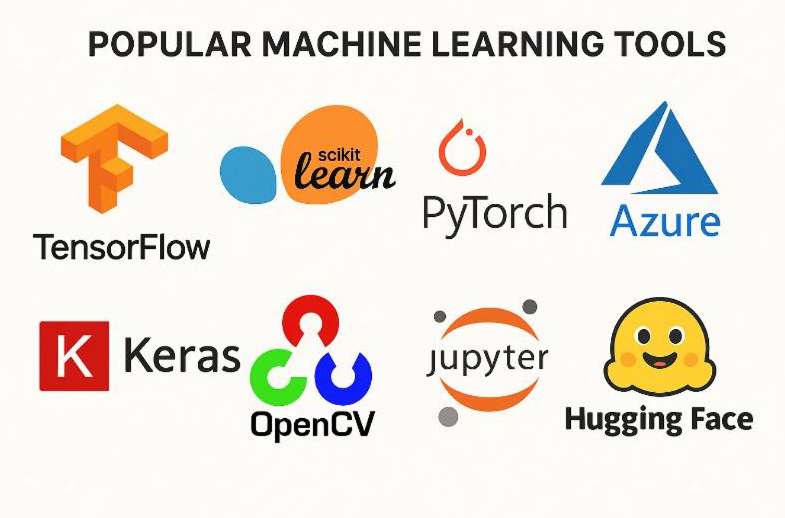
The field of machine learning has experienced explosive growth over the past decade, transforming industries from healthcare to finance, retail to autonomous systems. At the heart of this revolution lies a powerful ecosystem of Python-based tools and frameworks that democratize access to sophisticated algorithms and neural network architectures. This comprehensive guide explores three fundamental machine learning tools that every practitioner must understand: Scikit-learn (sklearn), TensorFlow, and Keras. These libraries form the backbone of modern machine learning workflows, enabling everything from simple linear regression to complex deep learning models .
Understanding these tools is not merely an academic exercise; it is a practical necessity for anyone seeking to build intelligent systems. Whether you are a beginner taking your first steps into machine learning or an experienced practitioner looking to deepen your knowledge, mastering these frameworks will provide you with the capabilities to tackle a wide range of real-world problems. This guide will take you from the foundational concepts of each library through practical implementation examples, helping you understand not just how to use these tools, but why they are designed the way they are and when to choose one over another .
The Python ecosystem for machine learning is remarkably rich and interconnected. Scikit-learn builds upon NumPy and SciPy to provide efficient implementations of classical machine learning algorithms. TensorFlow, developed by Google, offers a flexible platform for numerical computation and large-scale machine learning. Keras, now integrated directly with TensorFlow, provides a high-level API that makes building and training neural networks intuitive and accessible . Together, these tools represent a complete toolkit for modern machine learning, from data preprocessing and classical modeling to deep learning and production deployment.
Chapter 1: Scikit-Learn (Sklearn) - The Foundation of Machine Learning in Python
1.1 What is Scikit-learn?
Scikit-learn, often abbreviated as sklearn, is a free and open-source machine learning library for Python that provides simple and efficient tools for data analysis and modeling . Built on top of NumPy, SciPy, and matplotlib, scikit-learn has become the go-to library for data scientists and machine learning practitioners worldwide. Whether you are a beginner just starting your machine learning journey or an experienced practitioner looking for reliable implementations, scikit-learn offers a consistent interface that makes experimenting with different algorithms straightforward and accessible.
The library was initially developed by David Cournapeau as part of a Google Summer of Code project in 2007. Since then, it has grown into a robust ecosystem maintained by a diverse community of contributors from around the world. The name "scikit-learn" derives from its origin as a "SciKit" (SciPy Toolkit), an add-on package for SciPy that focuses specifically on machine learning algorithms . This heritage is important because it explains why scikit-learn integrates so seamlessly with the broader scientific Python ecosystem.
1.2 Core Functionality and Algorithm Coverage
Scikit-learn provides a remarkably comprehensive set of tools for machine learning tasks. The functionality encompasses regression, classification, clustering, model selection, preprocessing, and dimensionality reduction . For regression tasks, scikit-learn offers algorithms ranging from simple linear regression to more sophisticated methods like Ridge regression, Lasso, and Elastic Net. Classification algorithms include logistic regression, k-nearest neighbors, support vector machines, decision trees, random forests, and gradient boosting machines.
In the realm of unsupervised learning, scikit-learn provides clustering algorithms such as K-means, hierarchical clustering, and DBSCAN. Dimensionality reduction techniques including Principal Component Analysis (PCA), t-distributed Stochastic Neighbor Embedding (t-SNE), and Non-negative Matrix Factorization (NMF) are also available . This comprehensive coverage means that practitioners can address the vast majority of classical machine learning problems without ever leaving the scikit-learn ecosystem.
1.3 The Consistent API: A Key Design Principle
One of scikit-learn's most powerful features is its consistent Application Programming Interface (API). The library follows a uniform design pattern where most estimators adhere to the same basic structure . This consistency dramatically reduces the learning curve and makes it easy to experiment with different algorithms. The pattern is straightforward:
Initialize: Create an instance of the algorithm with desired parameters
model = AlgorithmName(params)
Train: Fit the model to training data
model.fit(X_train, y_train)
Predict: Generate predictions on new data
y_pred = model.predict(X_test)
Evaluate: Assess model performance
score = model.score(X_test, y_test)
This consistent interface means that once you understand how to use one algorithm in scikit-learn, you essentially know how to use them all. Switching from a decision tree to a random forest or from logistic regression to a support vector machine requires minimal code changes, facilitating rapid experimentation and model comparison .
1.4 Step-by-Step: Building Your First Scikit-learn Model
To understand scikit-learn in practice, let's walk through the complete workflow for building a machine learning model using one of the library's built-in datasets. The Iris dataset, a classic in machine learning, contains measurements of iris flowers from three different species .
Step 1: Load a Dataset
Scikit-learn includes several small standard datasets that are perfect for learning and experimentation. The Iris dataset is loaded as follows:
from sklearn.datasets import load_iris

# Load the dataset
iris = load_iris()

# Store the feature matrix (X) and response vector (y)
X = iris.data  # Features: sepal length, sepal width, petal length, petal width
y = iris.target  # Target: species of iris

# Print feature and target names to understand the data
print("Feature names:", iris.feature_names)
print("Target names:", iris.target_names)

# Examine the first few rows of the data
print("\nFirst 5 rows of X:\n", X[:5])
The output reveals that we have four features measuring sepal and petal dimensions, and three target classes representing iris species . This structured data format is exactly what scikit-learn expects for supervised learning tasks.
Step 2: Split the Dataset
Before training a model, we must divide our data into training and testing sets. The training set is used to teach the model, while the test set provides an unbiased evaluation of its performance on unseen data .
from sklearn.model_selection import train_test_split

# Split data into 70% training and 30% testing
X_train, X_test, y_train, y_test = train_test_split(
    X, y, test_size=0.3, random_state=42
)

# Check the shapes to confirm the split
print("X_train shape:", X_train.shape)
print("X_test shape:", X_test.shape)
print("y_train shape:", y_train.shape)
print("y_test shape:", y_test.shape)
The train_test_split function randomly partitions the data, and setting a random_state ensures reproducibility . With 150 total samples, we get 105 for training and 45 for testing.
Step 3: Train the Model
Now we can train a classifier. The k-nearest neighbors algorithm is intuitive and effective for this type of problem .
from sklearn.neighbors import KNeighborsClassifier

# Create a K-Nearest Neighbors classifier with k=3
knn = KNeighborsClassifier(n_neighbors=3)

# Train the model using the training sets
knn.fit(X_train, y_train)
The fit method is where the learning happens. For k-nearest neighbors, this involves storing the training data in a way that enables efficient neighbor queries during prediction .
Step 4: Make Predictions
With our trained model, we can generate predictions for the test data:
# Predict the response for test dataset
y_pred = knn.predict(X_test)

# Display the first few predictions
print("First 5 predictions:", y_pred[:5])
print("First 5 actual values:", y_test[:5])
Step 5: Evaluate the Model
Scikit-learn provides various metrics to assess model performance. Accuracy, which measures the proportion of correct predictions, is a natural starting point for classification problems .
from sklearn import metrics

# Check accuracy
accuracy = metrics.accuracy_score(y_test, y_pred)
print(f"Accuracy: {accuracy * 100:.2f}%")

# Generate a classification report
print("\nClassification Report:")
print(metrics.classification_report(y_test, y_pred, target_names=iris.target_names))

# Create a confusion matrix
print("\nConfusion Matrix:")
print(metrics.confusion_matrix(y_test, y_pred))
The classification report provides precision, recall, and f1-score for each class, while the confusion matrix shows detailed classification breakdowns . These metrics offer a more nuanced view of model performance than accuracy alone.
Step 6: Make New Predictions
Finally, we can use our trained model to classify new, unseen flower measurements:
# Sample data for prediction
new_samples = [
    [5.1, 3.5, 1.4, 0.2],  # Similar to setosa
    [6.3, 3.3, 6.0, 2.5],  # Similar to virginica
    [5.9, 3.0, 4.2, 1.5]   # Similar to versicolor
]

# Make predictions
new_predictions = knn.predict(new_samples)

# Display results
for i, pred in enumerate(new_predictions):
    print(f"Sample {i+1}: Predicted as {iris.target_names[pred]}")
This complete workflow—loading data, splitting, training, predicting, and evaluating—represents the fundamental pattern of machine learning with scikit-learn .
1.5 Key Features That Make Scikit-learn Powerful
Beyond its consistent API and comprehensive algorithm coverage, scikit-learn offers several features that make it indispensable for machine learning practitioners .
Preprocessing Capabilities: Real-world data rarely comes in a format ready for machine learning. Scikit-learn provides extensive preprocessing tools for feature scaling, encoding categorical variables, handling missing values, and feature selection. The StandardScaler and MinMaxScaler normalize numerical features, while OneHotEncoder converts categorical variables into a format suitable for machine learning algorithms.
Pipeline Integration: The Pipeline class allows you to chain multiple preprocessing steps and a final estimator into a single object. This not only makes code more organized but also prevents common pitfalls like data leakage, where information from the test set inadvertently influences the training process .
from sklearn.pipeline import Pipeline
from sklearn.preprocessing import StandardScaler
from sklearn.ensemble import RandomForestClassifier

pipeline = Pipeline([
    ('scaler', StandardScaler()),  # Normalize features
    ('classifier', RandomForestClassifier(n_estimators=100))  # Train random forest
])

# Use the pipeline like any other estimator
pipeline.fit(X_train, y_train)
predictions = pipeline.predict(X_test)
Model Persistence: After investing time in training a model, you'll want to save it for future use. Scikit-learn integrates with joblib to provide easy model serialization .
from sklearn.externals import joblib

# Save the model
joblib.dump(model, 'model.pkl')

# Load the model later
loaded_model = joblib.load('model.pkl')
1.6 When to Use Scikit-learn
Scikit-learn excels in several scenarios. For small to medium-sized datasets, it provides efficient implementations that run quickly and produce reliable results . Its extensive preprocessing tools make it ideal for data cleaning and feature engineering before applying more complex models. The library's simplicity and excellent documentation make it perfect for learning machine learning concepts and prototyping solutions rapidly .
However, scikit-learn has limitations. It does not natively support GPU acceleration, making it less suitable for very large datasets or deep learning applications . For these scenarios, we turn to TensorFlow and Keras.
Chapter 2: TensorFlow - Google's Powerhouse for Deep Learning
2.1 Understanding TensorFlow
TensorFlow is an open-source framework for machine learning developed by Google that has become one of the most widely adopted platforms for deep learning . Released initially in 2015, TensorFlow provides an end-to-end machine learning solution with a rich set of APIs that support everything from research experimentation to production deployment . The framework has been successfully used in a vast array of applications, including handwritten digit classification, image recognition, object detection, natural language processing, and time series prediction .
The name "TensorFlow" derives from its core operational principle: neural networks manipulate multidimensional data arrays called tensors, which flow through a computational graph . This conceptual foundation makes TensorFlow exceptionally powerful for representing and executing complex mathematical computations.
2.2 Tensors: The Fundamental Data Structure
At the heart of TensorFlow lies the tensor, an n-dimensional array that serves as the fundamental data structure for all computations . Understanding tensors is essential to working effectively with TensorFlow.
A tensor can be thought of as a generalization of scalars (0-dimensional tensors), vectors (1-dimensional tensors), and matrices (2-dimensional tensors) to higher dimensions. In TensorFlow, tensors have three key properties: a data type (such as float32, int32, or string), a shape that defines the size of each dimension, and the actual numerical values .
Creating tensors in TensorFlow is straightforward:
import tensorflow as tf

# Create a scalar (0-dimensional) tensor
scalar = tf.constant(5)
print(scalar)
# Output: tf.Tensor(5, shape=(), dtype=int32)

# Create a vector (1-dimensional) tensor
vector = tf.constant([1, 2, 3, 4])
print(vector)
# Output: tf.Tensor([1 2 3 4], shape=(4,), dtype=int32)

# Create a matrix (2-dimensional) tensor
matrix = tf.constant([[1, 2], [3, 4]])
print(matrix)
# Output: tf.Tensor(
# [[1 2]
#  [3 4]], shape=(2, 2), dtype=int32)

# Create a 3-dimensional tensor
tensor_3d = tf.constant([[[1, 2], [3, 4]], [[5, 6], [7, 8]]])
print(tensor_3d)
# Output: tf.Tensor(
# [[[1 2]
#   [3 4]]
#
#  [[5 6]
#   [7 8]]], shape=(2, 2, 2), dtype=int32)
TensorFlow provides convenient functions for creating tensors with common patterns, such as tf.ones(), tf.zeros(), and tf.random.normal() :
# Create a tensor of ones with shape (2, 3)
ones_tensor = tf.ones(shape=(2, 3))
print(ones_tensor)

# Create a tensor of zeros with shape (3, 2)
zeros_tensor = tf.zeros(shape=(3, 2))
print(zeros_tensor)

# Create a random tensor with normal distribution
random_tensor = tf.random.normal(shape=(2, 2), mean=0.0, stddev=1.0)
print(random_tensor)
2.3 Variables: Mutable State for Model Parameters
While tensors are immutable, neural networks require mutable state to store and update weights during training. TensorFlow provides Variables for this purpose . Variables are special tensors that maintain their state across multiple executions and can be modified during training.
# Create a variable with initial value
initial_value = tf.random.normal(shape=(2, 2))
weights = tf.Variable(initial_value)
print("Initial weights:", weights)

# Variables can be updated using assign methods
new_value = tf.random.normal(shape=(2, 2))
weights.assign(new_value)
print("Updated weights:", weights)

# Increment or decrement variables
weights.assign_add(tf.ones(shape=(2, 2)))
print("After adding ones:", weights)

weights.assign_sub(tf.ones(shape=(2, 2)) * 2)
print("After subtracting twos:", weights)
Variables are automatically tracked by TensorFlow, making them ideal for representing model parameters that need to be optimized during training .
2.4 Automatic Differentiation: The Magic Behind Training
One of TensorFlow's most powerful features is automatic differentiation, which enables the framework to automatically compute gradients of any differentiable expression . This capability is fundamental to training neural networks through backpropagation.
TensorFlow accomplishes this through the GradientTape context manager, which records operations for automatic differentiation :
# Create some variables to differentiate
x = tf.Variable(3.0)
y = tf.Variable(2.0)

# Use GradientTape to record operations
with tf.GradientTape() as tape:
    # Compute a differentiable expression
    z = x**2 + y**3 + x * y

# Compute gradients of z with respect to x and y
dz_dx, dz_dy = tape.gradient(z, [x, y])

print(f"z = {z.numpy()}")
print(f"dz/dx = {dz_dx.numpy()}")  # Should be 2*x + y = 2*3 + 2 = 8
print(f"dz/dy = {dz_dy.numpy()}")  # Should be 3*y**2 + x = 3*4 + 3 = 15
For neural network training, this capability allows us to compute gradients of the loss function with respect to all model weights in a single pass :
# Simplified training loop concept
with tf.GradientTape() as tape:
    # Forward pass: compute predictions
    predictions = model(inputs)
    # Compute loss
    loss = loss_function(labels, predictions)

# Compute gradients of loss with respect to all trainable variables
gradients = tape.gradient(loss, model.trainable_variables)

# Update weights using an optimizer
optimizer.apply_gradients(zip(gradients, model.trainable_variables))
2.5 Eager Execution and Graph Execution
TensorFlow 2.0 introduced eager execution as the default mode, where operations are executed immediately as they are called, rather than building a computational graph for later execution . This makes TensorFlow more intuitive and easier to debug, especially for beginners.
# Eager execution (default in TF 2.0)
x = tf.constant([[1, 2], [3, 4]])
y = tf.constant([[5, 6], [7, 8]])
z = tf.matmul(x, y)  # Computes immediately
print(z)  # Result is available right away
For performance-critical applications, TensorFlow can still compile functions into graphs using the @tf.function decorator, which optimizes execution and enables deployment to mobile and embedded devices .
@tf.function
def train_step(inputs, labels):
    with tf.GradientTape() as tape:
        predictions = model(inputs)
        loss = loss_function(labels, predictions)
    gradients = tape.gradient(loss, model.trainable_variables)
    optimizer.apply_gradients(zip(gradients, model.trainable_variables))
    return loss

# This function will be compiled to a graph for faster execution
2.6 TensorFlow Architecture and Ecosystem
TensorFlow's architecture is designed as a hierarchy of APIs, providing different levels of abstraction to suit various use cases . At the top, high-level constructs like Keras make it easy to deploy models and load datasets. TensorFlow Estimators provide a way to encapsulate training, evaluation, and prediction using pre-built or pre-trained models.
The middle layer includes functions like tf.layers, tf.losses, and tf.metrics, which are essential for researchers who want to define and build custom models. Most practitioners and researchers operate at this level to create novel architectures .
At the bottom lie TensorFlow's low-level C++ APIs and the hardware layer. This is where TensorFlow interfaces with CPUs, GPUs, and Google's proprietary Tensor Processing Units (TPUs). Remarkably, the same TensorFlow model can run on any of these hardware platforms with minimal code changes, thanks to this abstraction .
This hardware flexibility is crucial for scaling deep learning workloads. TensorFlow can distribute training across multiple GPUs, multiple machines, or TPU pods, enabling the training of massive models on enormous datasets .

Chapter 3: Keras - The High-Level API for Deep Learning
3.1 Introduction to Keras
Keras is an artificial neural network library that serves as the high-level API for TensorFlow . Originally developed as an independent library that could run on multiple backends (including TensorFlow, Theano, and CNTK), Keras was officially integrated into TensorFlow as tf.keras with the release of TensorFlow 2.0. Since version 2.4, Keras supports only TensorFlow as its backend, solidifying its position as TensorFlow's official high-level API .
The primary goal of Keras is to simplify neural network creation and make deep learning accessible to a wider audience . It achieves this by providing intuitive building blocks that abstract away much of the complexity of TensorFlow's lower-level operations. As one source puts it, "Keras is what makes TensorFlow simple and productive" .
3.2 Key Features of Keras
Keras offers several features that make it particularly appealing for deep learning practitioners :
Beginner-Friendly Design: Keras is exceptionally user-friendly for developers new to deep learning. The API is clean, consistent, and follows common-sense design patterns that make code readable and intuitive.
Pre-labeled Datasets: Keras includes several commonly used datasets for learning and experimentation, including MNIST (handwritten digits), CIFAR-10 (small images), IMDB (movie reviews), and Boston housing prices. These datasets are pre-cleaned, labeled, and ready for use.
Predefined Layers and Models: Keras provides a comprehensive collection of neural network layers (Dense, Conv2D, LSTM, etc.), activation functions, loss functions, and optimizers. Additionally, it offers pre-trained models like VGG16, ResNet50, and Inception that can be used for transfer learning.
Built-in Data Parallelism: Keras has built-in support for training on multiple GPUs, making it easier to scale deep learning workloads.
3.3 The Three Ways to Build Keras Models
Keras provides three distinct methods for building neural networks, each suited to different use cases .
The Sequential API
The Sequential API is the simplest way to build models in Keras. It allows you to create models layer-by-layer in a linear stack, making it ideal for most standard architectures where each layer has exactly one input and one output .
from tensorflow import keras
from tensorflow.keras import layers

# Create a Sequential model
model = keras.Sequential([
    # First hidden layer with 64 units and ReLU activation
    layers.Dense(64, activation='relu', input_shape=(784,)),
    # Dropout for regularization
    layers.Dropout(0.2),
    # Second hidden layer with 64 units
    layers.Dense(64, activation='relu'),
    # Output layer with 10 units for 10 classes and softmax activation
    layers.Dense(10, activation='softmax')
])

# Display model architecture
model.summary()
The Sequential API is perfect for beginners and for most standard feedforward networks, convolutional networks, and simple recurrent networks.
The Functional API
For more complex architectures, Keras provides the Functional API, which allows you to build models with non-linear topology, shared layers, or multiple inputs and outputs .
from tensorflow import keras
from tensorflow.keras import layers

# Define inputs
inputs = keras.Input(shape=(784,))

# Define layers and connect them
x = layers.Dense(64, activation='relu')(inputs)
x = layers.Dense(64, activation='relu')(x)
# Add a branch that goes directly from input to output
skip = layers.Dense(10, activation='softmax')(inputs)
# Main branch continues
outputs = layers.Dense(10, activation='softmax')(x)

# Create model with multiple outputs
model = keras.Model(inputs=inputs, outputs=[outputs, skip])
The Functional API is essential for building models with branching structures, multi-input/multi-output models, and models with residual connections.
Model Subclassing
For maximum flexibility, Keras allows you to define models by subclassing the Model class and implementing your own forward pass .
from tensorflow import keras
from tensorflow.keras import layers

class CustomModel(keras.Model):
    def __init__(self):
        super().__init__()
        self.dense1 = layers.Dense(64, activation='relu')
        self.dense2 = layers.Dense(64, activation='relu')
        self.dense3 = layers.Dense(10, activation='softmax')

    def call(self, inputs):
        x = self.dense1(inputs)
        x = self.dense2(x)
        return self.dense3(x)

model = CustomModel()
Model subclassing provides the greatest flexibility and is preferred for research implementations where you need fine-grained control over the forward pass.
3.4 Building and Training a Model with Keras
Let's walk through a complete example of building, training, and evaluating a neural network with Keras using the MNIST handwritten digit dataset.
import tensorflow as tf
from tensorflow import keras
from tensorflow.keras import layers
import numpy as np

# Load and preprocess the MNIST dataset
(x_train, y_train), (x_test, y_test) = keras.datasets.mnist.load_data()

# Normalize pixel values to [0, 1]
x_train = x_train.astype('float32') / 255.0
x_test = x_test.astype('float32') / 255.0

# Flatten the 28x28 images to 784-dimensional vectors
x_train = x_train.reshape(-1, 784)
x_test = x_test.reshape(-1, 784)

# Convert labels to one-hot encoding
y_train = keras.utils.to_categorical(y_train, num_classes=10)
y_test = keras.utils.to_categorical(y_test, num_classes=10)

# Build the model
model = keras.Sequential([
    layers.Dense(128, activation='relu', input_shape=(784,)),
    layers.Dropout(0.2),
    layers.Dense(64, activation='relu'),
    layers.Dropout(0.2),
    layers.Dense(10, activation='softmax')
])

# Compile the model
model.compile(
    optimizer='adam',
    loss='categorical_crossentropy',
    metrics=['accuracy']
)

# Display model architecture
model.summary()

# Train the model
history = model.fit(
    x_train, y_train,
    batch_size=32,
    epochs=10,
    validation_split=0.2,
    verbose=1
)

# Evaluate on test data
test_loss, test_accuracy = model.evaluate(x_test, y_test, verbose=0)
print(f"Test accuracy: {test_accuracy:.4f}")

# Make predictions on new data
predictions = model.predict(x_test[:5])
predicted_classes = np.argmax(predictions, axis=1)
print(f"Predicted classes: {predicted_classes}")
This example demonstrates the complete Keras workflow: data preparation, model building, compilation, training, evaluation, and prediction .
3.5 Keras Layers: Building Blocks of Neural Networks
Keras provides a comprehensive set of pre-built layers that serve as the building blocks for neural networks :
Dense Layer: The most common layer type, where every input neuron connects to every output neuron. Used in feedforward networks.
layers.Dense(units=64, activation='relu')
Convolutional Layers: Essential for processing grid-like data such as images. Conv2D applies convolution operations to extract spatial features.
layers.Conv2D(filters=32, kernel_size=(3, 3), activation='relu', input_shape=(28, 28, 1))
Pooling Layers: Reduce spatial dimensions and provide translation invariance.
layers.MaxPooling2D(pool_size=(2, 2))
Recurrent Layers: Designed for sequential data like time series or text.
layers.LSTM(units=128, return_sequences=True)
Dropout: A regularization technique that randomly drops units during training to prevent overfitting.
layers.Dropout(rate=0.5)
Batch Normalization: Normalizes layer inputs to stabilize and accelerate training.
layers.BatchNormalization()
3.6 Compilation and Training
After building a model, you must compile it by specifying three essential components :
Optimizer: The algorithm that updates model weights based on gradients. Common choices include 'adam', 'sgd', and 'rmsprop'.
Loss Function: The metric the model minimizes during training. For classification, use 'categorical_crossentropy'; for regression, 'mean_squared_error'.
Metrics: Additional metrics to track during training, such as 'accuracy'.
model.compile(
    optimizer=keras.optimizers.Adam(learning_rate=0.001),
    loss=keras.losses.CategoricalCrossentropy(),
    metrics=[keras.metrics.CategoricalAccuracy()]
)
Training is performed using the fit method, which accepts the training data, batch size, number of epochs, and validation data :
history = model.fit(
    x_train, y_train,
    batch_size=32,
    epochs=10,
    validation_data=(x_val, y_val),
    callbacks=[
        keras.callbacks.EarlyStopping(patience=3),
        keras.callbacks.ModelCheckpoint('best_model.h5')
    ]
)
The history object returned by fit contains training and validation metrics for each epoch, which can be used for visualization and analysis.

Chapter 4: Comparative Analysis and Tool Selection
4.1 Understanding the Ecosystem: How the Tools Relate
To effectively use these tools, it's crucial to understand how they relate to each other within the Python machine learning ecosystem. Scikit-learn, TensorFlow, and Keras serve different but complementary roles .
Scikit-learn is the workhorse for classical machine learning. It excels at handling structured, tabular data and provides implementations of algorithms that are often more interpretable than neural networks. When you need to quickly build a predictive model on a moderate-sized dataset, scikit-learn is typically the best starting point .
TensorFlow is a comprehensive deep learning platform. It provides the infrastructure for building, training, and deploying neural networks at scale. While it can be used directly, most practitioners interact with it through Keras .
Keras sits on top of TensorFlow, providing a user-friendly interface for neural network development. It abstracts away much of TensorFlow's complexity while retaining access to lower-level functionality when needed .
4.2 Performance Considerations
Different tools excel in different scenarios based on dataset size, problem complexity, and computational resources .
For small to medium-sized datasets (up to tens of thousands of samples), scikit-learn often provides the best combination of performance and ease of use. Its algorithms are optimized for CPU execution and typically train quickly on datasets of this size. The library's extensive preprocessing tools also make it ideal for feature engineering before applying more complex models .
For large-scale deep learning, TensorFlow with Keras is the clear choice. These frameworks leverage GPU acceleration to achieve massive speedups compared to CPU training. On modern GPUs, training times can be reduced by factors of 10 to 50 compared to CPU-only execution .
When working with truly massive datasets or extremely large models, TensorFlow's distributed training capabilities become essential. The framework can scale from single GPUs to multi-GPU workstations to clusters of machines with dozens of GPUs .
4.3 Ease of Use and Learning Curve
For beginners, scikit-learn offers the gentlest learning curve. Its consistent API and excellent documentation make it easy to get started with basic machine learning concepts. The Codecademy tutorial and academic lab sessions demonstrate how quickly newcomers can build working models with just a few lines of code .
Keras provides a similarly gentle introduction to deep learning. The high-level API abstracts away most of the mathematical complexity, allowing beginners to build neural networks without deep understanding of automatic differentiation or backpropagation .
TensorFlow's lower-level API requires more understanding of the underlying concepts. However, for most practical applications, you can work primarily with Keras and only drop down to lower-level TensorFlow when you need specialized functionality .
4.4 Integration and Workflow
A common workflow in machine learning projects involves using all three tools together . You might start with scikit-learn for initial data exploration and baseline modeling:
from sklearn.ensemble import RandomForestClassifier
from sklearn.metrics import accuracy_score

# Quick baseline with scikit-learn
baseline_model = RandomForestClassifier(n_estimators=100)
baseline_model.fit(X_train, y_train)
baseline_predictions = baseline_model.predict(X_test)
print(f"Baseline accuracy: {accuracy_score(y_test, baseline_predictions)}")
If deep learning might improve performance, you can use scikit-learn's preprocessing tools to prepare data for a Keras model:
from sklearn.preprocessing import StandardScaler
from sklearn.model_selection import train_test_split

# Preprocess with scikit-learn
scaler = StandardScaler()
X_scaled = scaler.fit_transform(X)
X_train, X_test, y_train, y_test = train_test_split(X_scaled, y, test_size=0.2)

# Build and train Keras model
model = keras.Sequential([
    layers.Dense(64, activation='relu', input_shape=(X.shape[1],)),
    layers.Dense(32, activation='relu'),
    layers.Dense(1, activation='sigmoid')
])
This integration demonstrates the complementary nature of these tools and why mastering all three makes you a more effective practitioner.

Chapter 5: Practical Applications and Case Studies
5.1 Image Classification with Convolutional Neural Networks
One of the most common applications of deep learning is image classification. Using Keras and TensorFlow, we can build convolutional neural networks (CNNs) that achieve human-level performance on many tasks .
import tensorflow as tf
from tensorflow import keras
from tensorflow.keras import layers

# Load CIFAR-10 dataset
(x_train, y_train), (x_test, y_test) = keras.datasets.cifar10.load_data()

# Normalize pixel values
x_train = x_train.astype('float32') / 255.0
x_test = x_test.astype('float32') / 255.0

# Convert labels to one-hot encoding
y_train = keras.utils.to_categorical(y_train, 10)
y_test = keras.utils.to_categorical(y_test, 10)

# Build CNN model
model = keras.Sequential([
    # First convolutional block
    layers.Conv2D(32, (3, 3), activation='relu', padding='same', input_shape=(32, 32, 3)),
    layers.Conv2D(32, (3, 3), activation='relu', padding='same'),
    layers.MaxPooling2D((2, 2)),
    layers.Dropout(0.25),

    # Second convolutional block
    layers.Conv2D(64, (3, 3), activation='relu', padding='same'),
    layers.Conv2D(64, (3, 3), activation='relu', padding='same'),
    layers.MaxPooling2D((2, 2)),
    layers.Dropout(0.25),

    # Third convolutional block
    layers.Conv2D(128, (3, 3), activation='relu', padding='same'),
    layers.Conv2D(128, (3, 3), activation='relu', padding='same'),
    layers.MaxPooling2D((2, 2)),
    layers.Dropout(0.25),

    # Dense layers for classification
    layers.Flatten(),
    layers.Dense(256, activation='relu'),
    layers.Dropout(0.5),
    layers.Dense(10, activation='softmax')
])

# Compile model
model.compile(
    optimizer='adam',
    loss='categorical_crossentropy',
    metrics=['accuracy']
)

# Train model
history = model.fit(
    x_train, y_train,
    batch_size=64,
    epochs=50,
    validation_data=(x_test, y_test),
    callbacks=[
        keras.callbacks.EarlyStopping(patience=5, restore_best_weights=True),
        keras.callbacks.ReduceLROnPlateau(factor=0.5, patience=3)
    ]
)
This architecture demonstrates how Keras layers compose to create powerful deep learning models. The convolutional layers extract hierarchical features, pooling layers reduce dimensionality, and dropout prevents overfitting .
5.2 Natural Language Processing with Recurrent Networks
For text data, recurrent neural networks (RNNs) and their variants like LSTMs are particularly effective. Here's a sentiment analysis example using Keras :
from tensorflow.keras.preprocessing.text import Tokenizer
from tensorflow.keras.preprocessing.sequence import pad_sequences
from tensorflow.keras import layers, Sequential

# Sample text data
texts = [
    "This movie was fantastic! I loved it.",
    "Terrible film, waste of time.",
    "Great acting and beautiful cinematography.",
    "Boring and predictable plot.",
    "Amazing performance by the lead actor."
]
labels = [1, 0, 1, 0, 1]  # 1 for positive, 0 for negative

# Tokenize text
tokenizer = Tokenizer(num_words=10000)
tokenizer.fit_on_texts(texts)
sequences = tokenizer.texts_to_sequences(texts)

# Pad sequences to equal length
max_length = 20
X = pad_sequences(sequences, maxlen=max_length, padding='post')

# Build model
model = Sequential([
    layers.Embedding(10000, 100, input_length=max_length),
    layers.LSTM(64, dropout=0.2, recurrent_dropout=0.2),
    layers.Dense(1, activation='sigmoid')
])

model.compile(optimizer='adam', loss='binary_crossentropy', metrics=['accuracy'])
model.summary()
This example shows how Keras handles the complexities of text processing through its embedding and recurrent layers .
5.3 Classical Machine Learning with Scikit-learn
For many business applications, classical machine learning with scikit-learn provides excellent results with less complexity than deep learning :
import pandas as pd
from sklearn.model_selection import train_test_split, cross_val_score
from sklearn.ensemble import GradientBoostingClassifier
from sklearn.metrics import classification_report, roc_auc_score
from sklearn.preprocessing import StandardScaler, LabelEncoder

# Load and prepare data (example with customer churn dataset)
data = pd.read_csv('customer_data.csv')

# Encode categorical variables
le = LabelEncoder()
data['gender'] = le.fit_transform(data['gender'])
data['payment_method'] = le.fit_transform(data['payment_method'])

# Separate features and target
X = data.drop('churn', axis=1)
y = data['churn']

# Split and scale
X_train, X_test, y_train, y_test = train_test_split(X, y, test_size=0.2, random_state=42)
scaler = StandardScaler()
X_train_scaled = scaler.fit_transform(X_train)
X_test_scaled = scaler.transform(X_test)

# Train gradient boosting model
model = GradientBoostingClassifier(
    n_estimators=100,
    max_depth=3,
    learning_rate=0.1,
    random_state=42
)

model.fit(X_train_scaled, y_train)

# Evaluate
predictions = model.predict(X_test_scaled)
probabilities = model.predict_proba(X_test_scaled)[:, 1]

print(classification_report(y_test, predictions))
print(f"ROC-AUC: {roc_auc_score(y_test, probabilities):.3f}")

# Feature importance
feature_importance = pd.DataFrame({
    'feature': X.columns,
    'importance': model.feature_importances_
}).sort_values('importance', ascending=False)
print(feature_importance)
This workflow demonstrates scikit-learn's strength in handling structured data, preprocessing, and providing interpretable results .
Chapter 6: Best Practices and Advanced Topics
6.1 Data Preparation and Preprocessing
Regardless of which tool you use, proper data preparation is essential for successful machine learning . Scikit-learn provides comprehensive preprocessing tools that work well across all frameworks.
Handling Missing Values:
from sklearn.impute import SimpleImputer

imputer = SimpleImputer(strategy='median')
X_imputed = imputer.fit_transform(X)
Feature Scaling:
from sklearn.preprocessing import StandardScaler, MinMaxScaler

standard_scaler = StandardScaler()  # Zero mean, unit variance
minmax_scaler = MinMaxScaler()      # Scale to [0, 1] range

X_standard = standard_scaler.fit_transform(X)
X_normalized = minmax_scaler.fit_transform(X)
Encoding Categorical Variables:
from sklearn.preprocessing import OneHotEncoder

encoder = OneHotEncoder(sparse=False)
X_encoded = encoder.fit_transform(X_categorical)
6.2 Model Evaluation and Validation
Proper evaluation is crucial for developing reliable models. Scikit-learn provides extensive tools for cross-validation and performance metrics :
from sklearn.model_selection import cross_val_score, GridSearchCV
from sklearn.metrics import make_scorer, f1_score

# Cross-validation
scores = cross_val_score(model, X, y, cv=5, scoring='accuracy')
print(f"CV Accuracy: {scores.mean():.3f} (+/- {scores.std() * 2:.3f})")

# Hyperparameter tuning
param_grid = {
    'n_estimators': [50, 100, 200],
    'max_depth': [3, 5, 7],
    'learning_rate': [0.01, 0.1, 0.3]
}

grid_search = GridSearchCV(
    GradientBoostingClassifier(),
    param_grid,
    cv=5,
    scoring='roc_auc',
    n_jobs=-1
)

grid_search.fit(X_train, y_train)
print(f"Best parameters: {grid_search.best_params_}")
print(f"Best CV score: {grid_search.best_score_:.3f}")
6.3 Model Persistence and Deployment
Once you have a trained model, you need to save it for future use. Each framework provides methods for model persistence :
Scikit-learn:
import joblib

# Save model
joblib.dump(model, 'model.pkl')

# Load model
loaded_model = joblib.load('model.pkl')
TensorFlow/Keras:
# Save entire model
model.save('my_model.h5')

# Save weights only
model.save_weights('model_weights.h5')

# Load model
loaded_model = keras.models.load_model('my_model.h5')

# Load weights
model.load_weights('model_weights.h5')
TensorFlow also provides TensorFlow Serving for production deployment, TensorFlow Lite for mobile and embedded devices, and TensorFlow.js for web deployment .
6.4 Hardware Acceleration and Distributed Training
For large-scale deep learning, leveraging hardware acceleration is essential. TensorFlow seamlessly supports GPUs and TPUs :
# Check available GPUs
print("GPUs available:", tf.config.list_physical_devices('GPU'))

# Use multiple GPUs
strategy = tf.distribute.MirroredStrategy()
with strategy.scope():
    model = create_model()  # Your model creation code
    model.compile(optimizer='adam', loss='categorical_crossentropy')
For distributed training across multiple machines, TensorFlow provides distribution strategies that handle the complexities of gradient synchronization .
6.5 Transfer Learning and Pre-trained Models
One of the most powerful techniques in modern deep learning is transfer learning, where you start with a model pre-trained on a large dataset and fine-tune it for your specific task :
from tensorflow.keras.applications import VGG16
from tensorflow.keras import layers, Model

# Load pre-trained VGG16 without top layers
base_model = VGG16(weights='imagenet', include_top=False, input_shape=(224, 224, 3))

# Freeze base model layers
base_model.trainable = False

# Add custom classification layers
x = base_model.output
x = layers.GlobalAveragePooling2D()(x)
x = layers.Dense(256, activation='relu')(x)
predictions = layers.Dense(10, activation='softmax')(x)

# Create new model
model = Model(inputs=base_model.input, outputs=predictions)

# Compile and train only the new layers
model.compile(optimizer='adam', loss='categorical_crossentropy')
model.fit(x_train, y_train, epochs=10)

# Optionally, fine-tune some base layers
base_model.trainable = True
model.compile(optimizer=keras.optimizers.Adam(1e-5), loss='categorical_crossentropy')
model.fit(x_train, y_train, epochs=5)
This approach dramatically reduces the amount of data and training time required to achieve state-of-the-art results.
Chapter 7: Future Trends and Conclusion
7.1 The Evolving Landscape
The machine learning tooling ecosystem continues to evolve rapidly . Recent trends include the rise of low-code platforms that make machine learning accessible to non-programmers, greater integration with large language models (LLMs) and generative AI workflows, and increased focus on model observability, reproducibility, and ethical considerations .
For practitioners, this means that while the fundamental concepts covered in this guide will remain relevant, the specific tools and techniques will continue to evolve. The key is to develop a deep understanding of the underlying principles so you can adapt to new tools as they emerge.
7.2 Choosing the Right Tool for the Job
Throughout this guide, we've explored the strengths and use cases of scikit-learn, TensorFlow, and Keras. To summarize:
Choose Scikit-learn when :
-
You're working with structured, tabular data
-
Your dataset is small to medium-sized
-
You need interpretable models
-
You're doing exploratory analysis or building baselines
-
You need extensive preprocessing and feature engineering
Choose TensorFlow with Keras when :
-
You're working with unstructured data like images, text, or audio
-
Your dataset is large and you need GPU acceleration
-
You're building deep neural networks
-
You need to scale to distributed training
-
You plan to deploy models to mobile, web, or edge devices
Most real-world projects benefit from using both: scikit-learn for data preparation and baseline modeling, Keras for deep learning when appropriate, and TensorFlow's lower-level APIs when you need fine-grained control .
7.3 Conclusion
Mastering machine learning tools is an ongoing journey, not a destination. The landscape of Python machine learning tools—represented here by scikit-learn, TensorFlow, and Keras—provides a comprehensive foundation for tackling a vast range of problems .
Scikit-learn offers the gateway to classical machine learning with its consistent API and extensive algorithm collection . TensorFlow provides the industrial-strength infrastructure for building and deploying deep learning at scale . Keras makes deep learning accessible and productive, serving as the user-friendly interface to TensorFlow's power .
Understanding these tools is about more than just learning APIs—it's about developing a mental model for how machine learning systems work, how they're built, and how they can be applied to solve real problems. The examples and explanations in this guide provide a foundation, but true mastery comes through practice, experimentation, and application to real-world challenges .
As you continue your machine learning journey, remember that these tools are means to an end: building systems that learn from data and make intelligent decisions. The field will continue to evolve, but the fundamentals you've learned here—data preparation, model building, evaluation, and deployment—will serve you well regardless of which specific tools dominate in the future.
The open-source nature of these frameworks and the vibrant communities that support them ensure that knowledge and resources are freely available . Platforms like GitHub host countless projects and examples, while educational resources from Microsoft and academic institutions provide structured learning paths .
By mastering scikit-learn, TensorFlow, and Keras, you position yourself at the forefront of one of the most transformative technologies of our time. Whether you're building recommendation systems, analyzing medical images, powering autonomous vehicles, or creating the next generation of AI applications, these tools will be your trusted companions.


Comments
No comments yet. Be the first to comment.
Leave a Comment