


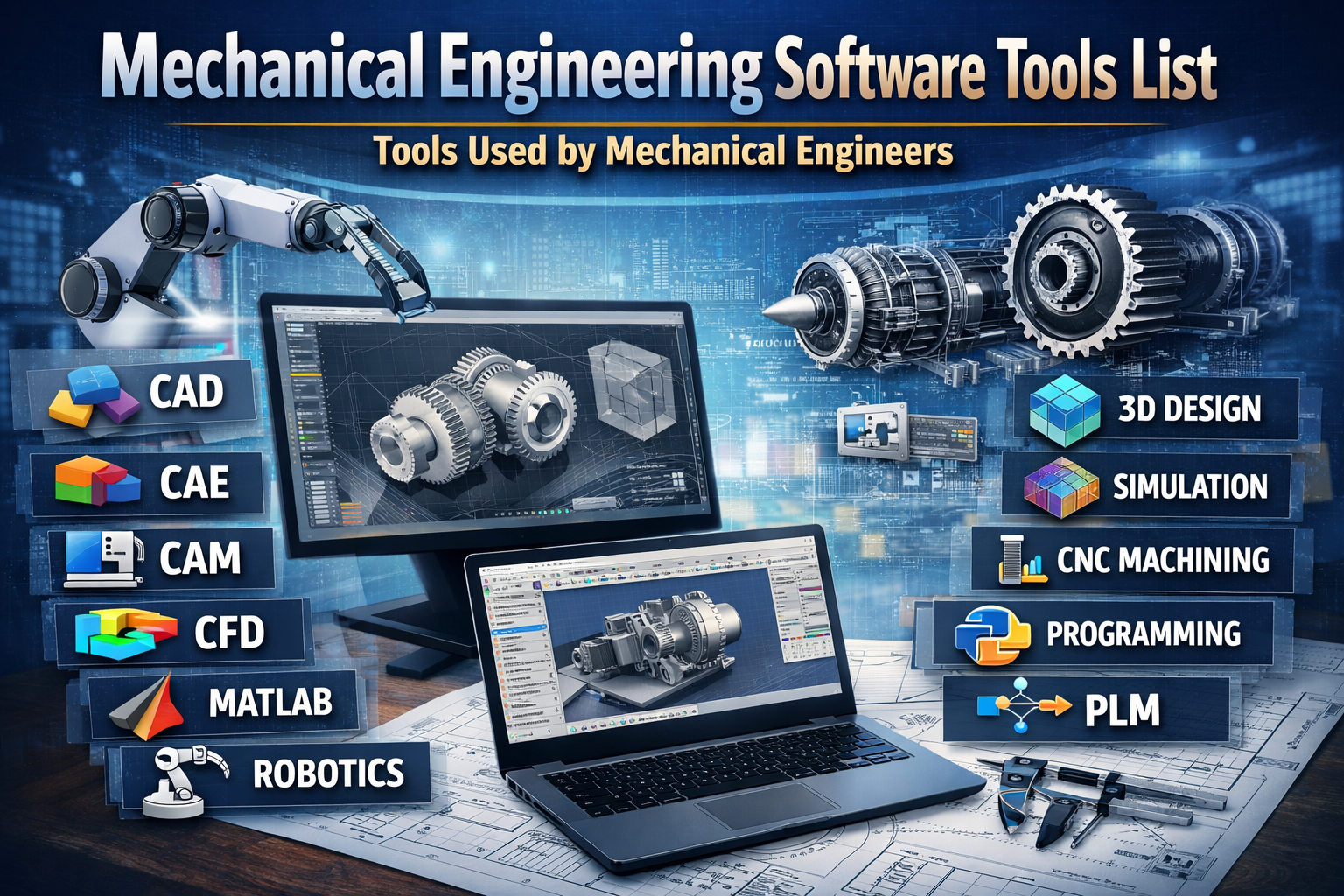
Mechanical Engineering Software Tools List
Complete Guide to Tools Used by Mechanical Engineers
Mechanical engineering is one of the broadest and most dynamic branches of engineering. From designing automobiles and aircraft to manufacturing heavy machinery and developing robotics systems, mechanical engineers rely heavily on advanced software tools to improve accuracy, efficiency, productivity, and innovation.
In today’s digital era, mechanical engineering software tools are no longer optional—they are essential. Companies demand engineers who are proficient in CAD, CAM, CAE, CFD, simulation, automation, and programming tools. Whether you are a student, fresher, working professional, or industry expert, understanding the tools used by mechanical engineers is critical for career growth.
This comprehensive guide explains the complete mechanical engineering software tools list, their applications, industry usage, career importance, and future scope.
1. Introduction to Mechanical Engineering Software Tools
Mechanical engineering software tools are digital applications that assist engineers in:
-
Product design and drafting
-
3D modeling and assembly creation
-
Structural and thermal analysis
-
Fluid flow simulation
-
Manufacturing and CNC programming
-
Robotics and automation
-
Data analysis and system modeling
-
Product lifecycle management
These tools reduce manual work, minimize design errors, improve product quality, and shorten development cycles.
Modern engineering industries such as automotive, aerospace, energy, robotics, heavy machinery, HVAC, and manufacturing depend completely on advanced software solutions.
2. CAD Software (Computer-Aided Design)
CAD software is the foundation of mechanical engineering design.
2.1 AutoCAD
AutoCAD is one of the most widely used drafting tools in engineering.
Key Uses:
-
2D drafting
-
Technical drawings
-
Layout planning
-
Mechanical components drafting
-
Basic 3D modeling
Industry Use:
-
Manufacturing
-
Construction
-
Fabrication
-
Plant design
AutoCAD is often the first software mechanical students learn.
2.2 SolidWorks
SolidWorks is one of the most popular 3D mechanical design software tools.
Features:
-
Parametric modeling
-
Assembly design
-
Sheet metal design
-
Weldment design
-
Motion simulation
Used In:
-
Product design companies
-
Automotive industries
-
Machinery manufacturing
-
Consumer product development
SolidWorks is beginner-friendly yet powerful for industry applications.
2.3 CATIA
CATIA is advanced design software widely used in aerospace and automotive sectors.
Applications:
-
Surface modeling
-
Complex product assemblies
-
Aircraft and automotive body design
-
Advanced simulation integration
Major automobile and aircraft companies rely heavily on CATIA.
2.4 Siemens NX
Siemens NX is a high-end integrated CAD/CAM/CAE solution.
Key Applications:
-
Advanced product design
-
Mold and die design
-
Automotive engineering
-
Aerospace systems
It integrates design and manufacturing in a single platform.
2.5 PTC Creo
PTC Creo is known for its strong parametric design capabilities.
Used For:
-
Mechanical assemblies
-
Design optimization
-
3D modeling
-
Simulation integration
It is commonly used in heavy equipment and industrial manufacturing.
3. CAE Software (Computer-Aided Engineering)
CAE tools help engineers simulate and analyze real-world performance.
3.1 ANSYS
ANSYS is one of the most powerful engineering simulation software tools.
Analysis Types:
-
Structural analysis
-
Thermal analysis
-
Vibration analysis
-
Fatigue analysis
-
Electromagnetic simulation
Industries:
-
Automotive
-
Aerospace
-
Energy
-
Defense
ANSYS reduces physical prototyping costs significantly.
3.2 Abaqus
Abaqus is widely used for advanced structural simulations.
Applications:
-
Crash simulation
-
Nonlinear analysis
-
Material behavior simulation
-
Plastic deformation analysis
It is highly used in research and automotive crash testing.
3.3 COMSOL Multiphysics
COMSOL allows multiphysics simulations.
Used For:
-
Heat transfer
-
Fluid dynamics
-
Electromagnetic analysis
-
Coupled physics simulations
It is popular in academic research and advanced product design.
4. CFD Software (Computational Fluid Dynamics)
CFD tools simulate fluid and airflow behavior.
4.1 ANSYS Fluent
Used for:
-
Airflow analysis
-
HVAC system simulation
-
Turbine analysis
-
Heat transfer
4.2 STAR-CCM+
Used in:
-
Automotive aerodynamics
-
Marine applications
-
Energy systems
4.3 OpenFOAM
An open-source CFD platform used in research and industry.
5. CAM Software (Computer-Aided Manufacturing)
CAM software converts designs into manufacturing instructions.
5.1 Mastercam
-
CNC programming
-
Milling
-
Turning
-
Toolpath generation
5.2 PowerMill
-
High-speed machining
-
Complex 5-axis machining
5.3 SolidCAM
-
Integrated with CAD systems
-
CNC manufacturing
6. Programming & Computational Tools
Modern mechanical engineers must know programming.
6.1 MATLAB
Used for:
-
Mathematical modeling
-
Control systems
-
Robotics
-
Signal processing
6.2 Simulink
Used for:
-
Dynamic system simulation
-
Control system design
6.3 Python
Used for:
-
Automation
-
Data analysis
-
Machine learning
-
AI integration
Python is increasingly important in modern engineering industries.
7. Robotics & Automation Tools
Mechanical engineers working in automation use:
-
RoboDK
-
ROS
-
PLC programming software
-
SCADA systems
These tools are used in industrial automation and smart manufacturing.
8. Product Lifecycle Management (PLM)
PLM tools manage product data from concept to disposal.
-
Teamcenter
-
Windchill
Used in large enterprises for managing design versions and collaboration.
9. HVAC & MEP Software
Mechanical engineers working in HVAC use:
-
Revit MEP
-
HAP software
-
Duct design tools
These are used in building services engineering.
10. Industrial & Statistical Tools
-
Minitab (Statistical analysis)
-
LabVIEW (System design & automation)
-
ERP software
-
MS Excel
These tools help in production management and quality control.
11. Software Tools Based on Career Path
Design Engineer
-
AutoCAD
-
SolidWorks
-
CATIA
-
Creo
-
NX
CAE Analyst
-
ANSYS
-
Abaqus
-
COMSOL
Manufacturing Engineer
-
Mastercam
-
SolidCAM
-
PowerMill
HVAC Engineer
-
Revit MEP
-
HAP
-
AutoCAD
Robotics Engineer
-
MATLAB
-
Python
-
RoboDK
12. Importance of Software Skills in Mechanical Engineering
-
Improves productivity
-
Reduces design errors
-
Enhances employability
-
Enables innovation
-
Saves time and cost
-
Supports digital manufacturing
-
Essential for Industry 4.0
Career Roadmap:-
Complete Guide for Mechanical Engineering Students & Professionals
Mechanical engineering is no longer limited to workshop practices and manual drafting. Today, the industry is driven by digital tools, smart manufacturing, robotics, and simulation-based product development. If you want to build a high-growth career in mechanical engineering, you must follow a structured roadmap.
This detailed guide explains the complete career roadmap from Mechanical Engineering fundamentals to Design, Simulation, and finally Automation — along with the best software tools used at each stage.
🚀 Stage 1: Mechanical Engineering Fundamentals (Foundation Level)
Before entering design or simulation, you must build strong core mechanical concepts.
Key Subjects to Master:
-
Engineering Mechanics
-
Strength of Materials
-
Theory of Machines
-
Machine Design
-
Thermodynamics
-
Fluid Mechanics
-
Manufacturing Processes
These fundamentals help you understand how mechanical components behave under load, heat, pressure, and motion.
Essential Beginner Software
1️⃣ AutoCAD
Used for 2D drafting and technical drawings.
Why Learn It First?
-
Basic industry requirement
-
Helps understand dimensions and engineering drawings
-
Easy to learn
2️⃣ MS Excel
Used for calculations, data analysis, and engineering reports.
Career Roles at This Stage:
-
Junior Mechanical Engineer
-
Production Trainee
-
Quality Trainee
-
Maintenance Engineer
🚀 Stage 2: Mechanical Design Engineering (CAD Specialist)
Once fundamentals are clear, the next step is 3D design and product modeling.
Design engineering focuses on creating components and assemblies using CAD software.
Core CAD Software to Learn
1️⃣ SolidWorks
-
3D modeling
-
Assembly design
-
Sheet metal design
-
Weldments
-
Motion study
Highly demanded in product manufacturing companies.
2️⃣ CATIA
-
Surface modeling
-
Automotive body design
-
Aerospace design
Used by major automotive and aircraft industries.
3️⃣ Siemens NX
-
Advanced design
-
Mold design
-
Tooling design
Preferred in automotive and heavy industries.
4️⃣ PTC Creo
-
Parametric modeling
-
Industrial product design
Skills Required:
-
GD&T (Geometric Dimensioning & Tolerancing)
-
Design for Manufacturing (DFM)
-
Design for Assembly (DFA)
-
Material selection
-
BOM creation
Career Roles:
-
Design Engineer
-
Product Development Engineer
-
CAD Engineer
-
Tool Design Engineer
🚀 Stage 3: Simulation & Analysis (CAE Specialist)
After mastering design, the next step is validating designs using simulation tools.
Simulation engineers analyze whether the product can withstand stress, heat, vibration, and fluid forces.
Top Simulation Software
1️⃣ ANSYS
Used for:
-
Structural analysis
-
Thermal analysis
-
Fatigue analysis
-
CFD simulation
Highly demanded in automotive and aerospace sectors.
2️⃣ Abaqus
Used for:
-
Crash simulation
-
Nonlinear analysis
-
Advanced material behavior
3️⃣ COMSOL Multiphysics
Used for multiphysics simulations including heat transfer and electromagnetics.
4️⃣ ANSYS Fluent
Specialized for:
-
Fluid flow
-
Aerodynamics
-
HVAC airflow analysis
Skills Required:
-
Finite Element Analysis (FEA)
-
Mesh generation
-
Boundary conditions
-
Solver setup
-
Result interpretation
Career Roles:
-
CAE Engineer
-
Simulation Analyst
-
CFD Engineer
-
Thermal Engineer
Simulation engineers often earn higher salaries due to advanced expertise.
🚀 Stage 4: Manufacturing & CAM Engineering
Design must be converted into physical products using CNC machines.
CAM Software to Learn
1️⃣ Mastercam
-
CNC programming
-
Milling
-
Turning
2️⃣ PowerMill
-
5-axis machining
-
High-speed machining
3️⃣ SolidCAM
-
CAD-integrated manufacturing
Skills Required:
-
CNC operations
-
G & M codes
-
Toolpath optimization
-
Manufacturing processes
Career Roles:
-
Manufacturing Engineer
-
CNC Programmer
-
Production Engineer
🚀 Stage 5: Automation & Robotics (Advanced Level)
The highest-growth field in mechanical engineering today is automation.
Industries are moving toward Industry 4.0 and smart manufacturing.
Programming & Automation Tools
1️⃣ MATLAB
Used for:
-
Control systems
-
Robotics
-
Mathematical modeling
2️⃣ Simulink
Used for:
-
System simulation
-
Mechatronics design
3️⃣ Python
Used for:
-
Automation scripting
-
AI integration
-
Data analysis
4️⃣ RoboDK
Used for robot programming and simulation.
Skills Required:
-
PLC programming
-
Robotics
-
Sensors & actuators
-
Control systems
-
Industrial automation
Career Roles:
-
Automation Engineer
-
Robotics Engineer
-
Mechatronics Engineer
-
Control Systems Engineer
Automation engineers often work in multinational companies and smart factories.
🎯 Complete Career Growth Path (Step-by-Step Timeline)
Year 1–2:
✔ Learn AutoCAD + Mechanical fundamentals
Year 2–3:
✔ Master SolidWorks / CATIA
✔ Learn GD&T
Year 3–4:
✔ Learn ANSYS or Abaqus
✔ Do simulation projects
After Graduation (0–2 Years Experience):
✔ Specialize in Design or Simulation
2–5 Years Experience:
✔ Learn CAM tools
✔ Move toward Automation
5+ Years:
✔ Become Senior Engineer / Technical Lead
13. Future Scope of Mechanical Engineering Software Tools
The future of mechanical engineering is becoming increasingly digital.
Emerging trends:
-
AI-integrated CAD systems
-
Generative design
-
Digital twins
-
Smart manufacturing
-
IoT-based systems
-
Cloud-based engineering platforms
-
Additive manufacturing software
Mechanical engineers who master both core engineering concepts and advanced software tools will have strong career opportunities globally.
14.
Conclusion
The mechanical engineering software tools list is vast, dynamic, and continuously evolving with advancements in digital engineering and Industry 4.0 technologies. From industry-standard CAD platforms like AutoCAD, SolidWorks, CATIA, Siemens NX, and PTC Creo to advanced simulation tools such as ANSYS and Abaqus, and manufacturing solutions like Mastercam and PowerMill, each software platform plays a strategic role in modern engineering development. These tools are not just technical applications—they are the backbone of product innovation, digital validation, precision manufacturing, and smart automation.
In today’s competitive global market, mechanical engineers are expected to deliver faster design cycles, higher product reliability, cost optimization, and improved manufacturing efficiency. This is only possible when engineers are proficient in integrated digital workflows that combine CAD (design), CAE (analysis), CAM (manufacturing), and computational programming. The ability to move seamlessly from conceptual design to virtual simulation and then to automated production defines the modern mechanical engineer.
Moreover, companies increasingly prefer professionals who can reduce dependency on physical prototypes through simulation, optimize manufacturing processes using CAM tools, and automate repetitive tasks using programming languages. Knowledge of tools such as MATLAB and Python adds a powerful advantage by enabling engineers to work in robotics, control systems, data analysis, AI integration, and smart manufacturing environments.
Why Mastering These Tools Matters
-
Enhances technical accuracy and design precision
-
Reduces product development time
-
Minimizes manufacturing defects and production costs
-
Improves employability across industries
-
Opens global career opportunities
-
Increases salary potential significantly
-
Supports transition into advanced roles like Simulation Engineer, Automation Engineer, or Technical Lead
Mechanical engineering is no longer limited to traditional workshops or manual drafting boards. It is now driven by digital engineering ecosystems, cloud-based collaboration, AI-driven optimization, and Industry 4.0 systems. Engineers who continuously upgrade their software skills remain relevant and future-ready.
Recommended Learning Path for Students
If you are starting your journey in mechanical engineering, build your skills step by step:
Begin With:
-
AutoCAD – For drafting and drawing fundamentals
-
SolidWorks – For 3D modeling and assemblies
-
ANSYS – For structural and thermal analysis
-
MATLAB or Python – For programming and automation basics
Then Progress Toward:
-
Advanced CAD tools like CATIA, NX, or Creo
-
High-level simulation tools like Abaqus
-
CAM software such as Mastercam or PowerMill
-
Robotics and automation platforms
Choose advanced tools based on your specialization—Design, Simulation, Manufacturing, HVAC, Robotics, or Automation.
Final Thought
Mastering the right mechanical engineering software tools can transform your career from a beginner-level engineer into an industry expert. Technical knowledge combined with digital expertise creates professionals who are capable of leading complex engineering projects, innovating new products, and contributing to cutting-edge technologies.
Continuous learning, hands-on practice, certification, and real-world project exposure are key to long-term success. The future of mechanical engineering belongs to those who embrace digital tools, integrate multidisciplinary skills, and adapt to evolving technologies.
Invest in the right tools today, and you build the foundation for a powerful, future-proof engineering career.


Comments
No comments yet. Be the first to comment.
Leave a Comment