



UX UI Designing in TechCadd Mohali – Complete Guide for 2026
Introduction
In today’s digital world, every app, website, and software product needs a clean, user-friendly interface. From food delivery apps to banking apps, from e-commerce websites to educational platforms — everything depends on User Experience (UX) and User Interface (UI) design.
If you are in Mohali and planning to build a strong career in design, then the UX/UI Designing course at TechCadd Mohali can be a powerful starting point.
As someone already connected with IT education and design (and if you’re serious about building a strong portfolio), this guide will help you understand everything about UX/UI training at TechCadd Mohali — syllabus, tools, career scope, salary, and why this course is valuable in 2026.
What is UX/UI Designing?
Before we talk about the course, let’s understand the basics.
🔹 UX (User Experience)
UX focuses on:
-
How users feel while using a product
-
How easy it is to navigate
-
How quickly they achieve their goal
-
Problem-solving through research
UX includes:
-
User research
-
Personas
-
User journey mapping
-
Wireframing
-
Prototyping
-
Usability testing
🔹 UI (User Interface)
UI focuses on:
-
Visual design
-
Colors, typography
-
Layout
-
Buttons and components
-
Design systems
-
Animations and interactions
In simple words:
UX = How it works
UI = How it looks
Why Learn UX/UI Designing in Mohali?
Mohali is becoming a fast-growing IT hub in Punjab. Many startups and IT companies are hiring:
-
UI Designers
-
UX Researchers
-
Product Designers
-
Interaction Designers
-
Figma Experts
Learning UX/UI locally in Mohali gives you:
-
Offline classroom environment
-
Direct mentor interaction
-
Placement assistance
-
Local internship opportunities
And this is where TechCadd Mohali plays a strong role.
Detailed UX/UI Designing Syllabus at TechCadd Mohali
Below is a complete structured syllabus:
Module 1: Introduction to UX/UI
-
What is UX?
-
What is UI?
-
Difference between UX and UI
-
Importance of user-centered design
-
Design thinking process
-
Understanding digital products
Module 2: User Research
-
Types of research (Primary & Secondary)
-
Creating user personas
-
Empathy mapping
-
Competitor analysis
-
User journey mapping
-
Problem statement creation
This module is very important because UX is about solving real user problems.
Module 3: Wireframing
-
Low-fidelity wireframes
-
Mid-fidelity wireframes
-
Layout structuring
-
Grid systems
-
Information architecture
Tools used:
-
Paper sketching
-
Digital wireframing
Module 4: UI Design Principles
-
Typography basics
-
Color psychology
-
Spacing and alignment
-
Visual hierarchy
-
UI components
-
Design consistency
You will learn how to design professional interfaces that look modern and clean.
Module 5: Figma Mastery
You will learn:
-
Frames and layouts
-
Auto layout
-
Components and variants
-
Prototyping
-
Smart animations
-
Design systems
-
Responsive design
This tool is highly demanded in companies.
Module 6: Prototyping & Interaction Design
-
Clickable prototypes
-
Micro-interactions
-
Button animations
-
Page transitions
-
Smooth flows
-
Testing user flows
You’ll learn how to make designs feel real and interactive.
Module 7: Design Systems
-
Creating reusable components
-
Style guides
-
Brand consistency
-
UI kits
-
Scaling products
Design systems are used in professional companies.
Module 8: Case Study Creation
This is very important for portfolio building.
You will learn:
-
Problem statement
-
Research documentation
-
Wireframes
-
UI design
-
Prototype
-
Final presentation
A strong case study helps you get hired faster.
Module 9: Portfolio Building
-
Behance portfolio
-
Dribbble profile
-
LinkedIn optimization
-
Resume creation
-
Mock interviews
For someone serious about UX/UI (especially if you want to grow on LinkedIn), this module is very helpful.
Who Can Join This Course?
This course is suitable for:
-
12th pass students
-
BTech students
-
Diploma students
-
Working professionals
-
Graphic designers
-
Web developers
-
Anyone interested in creative IT careers
No coding knowledge is required to start UX/UI designing.
Career Opportunities After UX/UI Course
After completing UX/UI from TechCadd Mohali, you can apply for:
-
UI Designer
-
UX Designer
-
Product Designer
-
Interaction Designer
-
Mobile App Designer
-
Web Designer
Salary in India (2026 Approx)
-
Fresher: ₹3 – ₹6 LPA
-
2–3 years experience: ₹6 – ₹12 LPA
-
Senior Product Designer: ₹15+ LPA
Freelancing and remote work opportunities are also growing.
Why UX/UI is a Future-Proof Career
-
Every startup needs designers
-
Apps are increasing daily
-
Digital products are growing
-
AI tools still need designers
-
Good design increases business revenue
UX/UI is not going anywhere. It is growing every year.
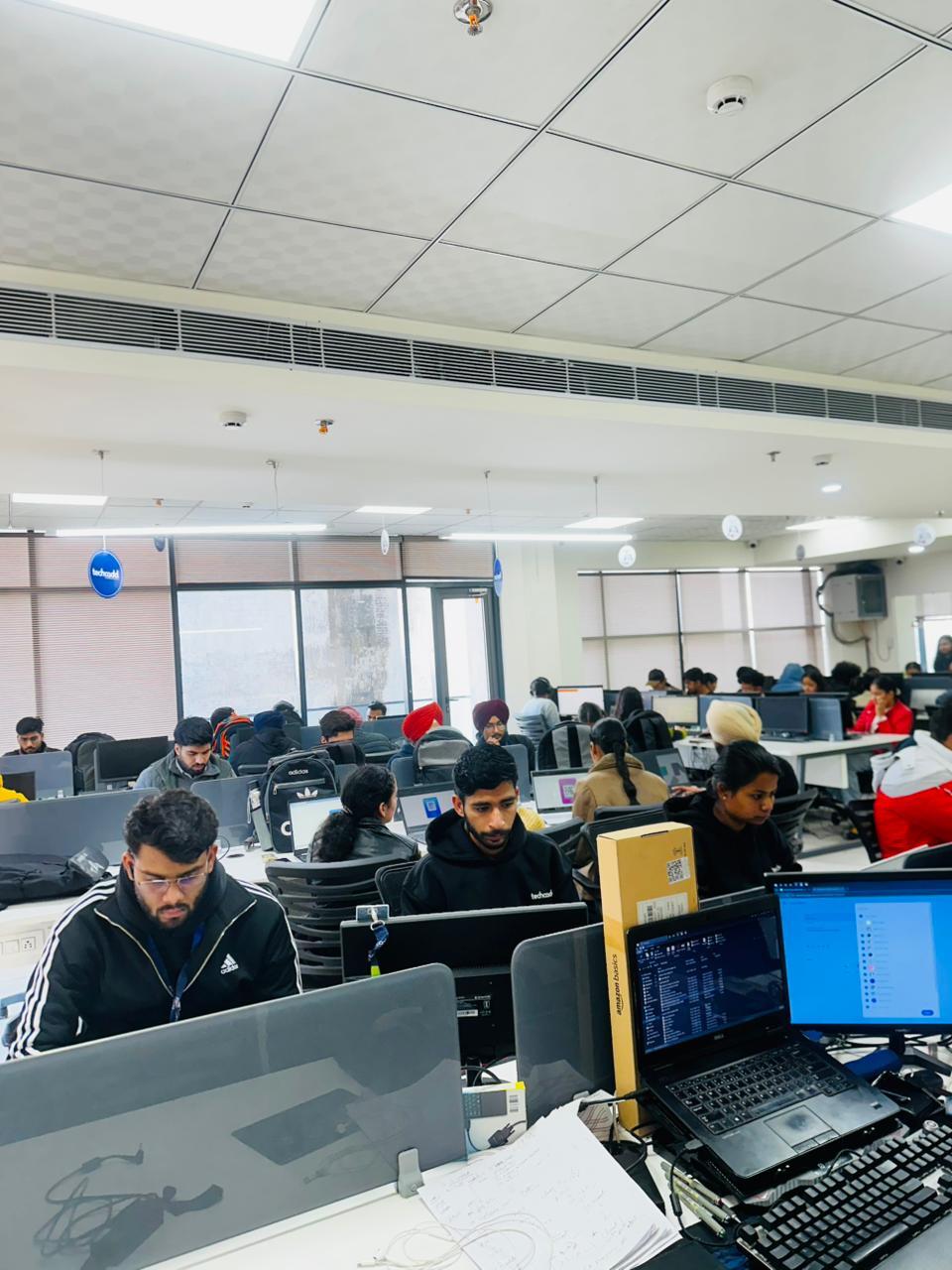
Practical Learning Environment at TechCadd Mohali
Students get:
-
Lab practice
-
Real-time projects
-
Doubt sessions
-
Assignment-based learning
-
Group discussions
Offline learning helps improve discipline and consistency.
Duration & Certification
-
Course Duration: 3–6 Months
-
Mode: Offline / Classroom
-
Certification Provided
-
Internship opportunities (based on performance)
Certification adds value to your resume.
Why TechCadd Mohali is Good for Beginners
Many students hesitate because:
-
“I am not creative.”
-
“I don’t know coding.”
-
“I am from non-technical background.”
But UX/UI is about:
-
Thinking
-
Problem solving
-
Structure
-
Consistency
With proper guidance, anyone can learn it.
Step-by-Step Career Roadmap After Course
-
Complete UX/UI course
-
Build 3–5 strong case studies
-
Create portfolio website
-
Optimize LinkedIn
-
Apply for internships
-
Start freelancing
-
Build personal brand
Consistency is key.
Practical Training Approach
At TechCadd Mohali, the training method focuses on:
-
Assignment-based learning
-
Real-life projects
-
Weekly tasks
-
Live demonstrations
-
Lab practice sessions
-
Peer reviews
-
Mentor feedback
This structured approach helps students gain confidence.
Who Should Join This Course?
This course is ideal for:
-
12th pass students
-
BTech students
-
Diploma holders
-
Graphic designers
-
Working professionals
-
Career switchers
-
Freelancers
No coding knowledge is mandatory.
Career Opportunities After UX/UI Course
After completing UX/UI training, you can apply for:
-
UI Designer
-
UX Designer
-
Product Designer
-
Interaction Designer
-
Mobile App Designer
-
Web Designer
-
UX Researcher
Salary Expectations in India (2026)
Fresher:
₹3 – ₹6 LPA
Mid-Level:
₹6 – ₹12 LPA
Senior Designer:
₹15 – ₹25 LPA
Freelancing:
₹20,000 – ₹1,00,000 per project (depending on complexity)
Remote work opportunities are increasing rapidly.
Freelancing and Remote Work Opportunities
UX/UI designers can:
-
Work with international clients
-
Sell UI kits
-
Create templates
-
Offer consulting services
-
Work remotely for startups
Platforms:
-
Upwork
-
Fiverr
-
LinkedIn
-
Freelancer
Why UX/UI is a Future-Proof Career
-
Digital transformation is growing
-
AI tools still require designers
-
Businesses depend on user experience
-
Mobile app market expansion
-
E-commerce growth
-
SaaS industry expansion
UX/UI is one of the safest creative-tech careers.
Certification and Duration
Course Duration:
3 to 6 months
Mode:
Offline classroom training
Certification:
Provided after completion
Internship:
Based on performance
Common Myths About UX/UI
Myth 1: You must know coding
Truth: Basic understanding helps, but coding is not mandatory.
Myth 2: You must be very creative
Truth: UX is more about logic and structure.
Myth 3: Only designers can learn it
Truth: Anyone interested in digital products can learn it.
Soft Skills Developed During Course
-
Problem-solving
-
Communication
-
Presentation skills
-
Critical thinking
-
Analytical skills
-
Client interaction
These skills increase job readiness.
Step-by-Step Career Roadmap After Completing Course
-
Finish course modules
-
Create 3–5 strong case studies
-
Build portfolio website
-
Optimize LinkedIn
-
Apply for internships
-
Prepare for interviews
-
Start freelancing
Consistency and practice are key.
Advanced UX/UI Learning at TechCadd Mohali
Real-World Industry Exposure
One of the most important aspects of learning UX/UI designing is exposure to real-world projects. Theory alone cannot make someone job-ready. At TechCadd Mohali, students are trained using practical case-based assignments that simulate real company environments.
Students work on:
-
E-commerce website UI
-
Food delivery mobile apps
-
FinTech dashboards
-
Educational platforms
-
Admin panels
-
SaaS product layouts
-
Landing pages for startups
This practical exposure prepares students for real job interviews.
Importance of Case Studies in UX/UI Career
A strong UX/UI portfolio is built on case studies. Recruiters do not just see visuals — they analyze your thinking process.
At TechCadd Mohali, students are trained to structure case studies properly:
Case Study Structure Includes:
-
Problem Identification
-
Research and User Analysis
-
Persona Creation
-
User Journey Mapping
-
Wireframing
-
UI Exploration
-
Prototyping
-
Testing & Feedback
-
Final Solution
-
Key Learnings
This structured format shows professional thinking.
Understanding UX/UI Tools Beyond Figma
Although Figma is the primary tool, students are also introduced to other design tools for awareness:
-
Adobe XD (basic overview)
-
Photoshop for UI assets
-
Illustrator basics
-
Icon libraries
-
Font systems
-
Color system generators
Understanding multiple tools increases adaptability.
Building Design Confidence
Many beginners hesitate due to self-doubt. They think:
-
“My design is not good.”
-
“Others are more creative.”
-
“I am from a non-design background.”
The structured training at TechCadd Mohali focuses on:
-
Step-by-step practice
-
Design critique sessions
-
Improvement feedback
-
Re-design challenges
-
Iteration learning
Confidence comes from repetition and guided improvement.
UX/UI Interview Preparation
Learning design is one part. Cracking interviews is another.
Students are trained in:
-
How to explain your case study
-
How to answer “Why UX?”
-
How to justify design decisions
-
How to discuss user research
-
How to present prototypes
-
Handling design challenge rounds
Mock interviews are extremely useful for freshers.
Portfolio Optimization for Maximum Impact
A portfolio is your digital identity.
Students learn how to:
-
Write impactful headings
-
Use storytelling format
-
Show before-and-after comparisons
-
Highlight measurable improvements
-
Present clean mockups
-
Add interactive prototypes
-
Maintain consistent branding
A strong portfolio increases selection chances.
Importance of Design Thinking
Design thinking is a problem-solving approach used by top global companies.
Stages of design thinking:
-
Empathize
-
Define
-
Ideate
-
Prototype
-
Test
Students understand how to think like a product designer, not just a visual designer.
UX/UI Trends in 2026
To stay relevant, designers must understand trends.
Major UX/UI trends in 2026:
-
Minimal interfaces
-
Clean typography
-
Dark mode design
-
Micro-interactions
-
AI-assisted UX
-
Voice interface design
-
Motion UI
-
Glassmorphism (subtle use)
-
Neumorphism (limited application)
-
Accessible design focus
Understanding trends helps students create modern designs.
Accessibility in UX/UI
Accessibility is becoming a major requirement in companies.
Students learn:
-
Color contrast rules
-
Font readability
-
Accessible button sizes
-
Keyboard navigation
-
Screen reader basics
-
Inclusive design principles
Designing for all users improves product usability.
UX Writing Basics
UX writing is another important aspect.
Students are introduced to:
-
Microcopy writing
-
Button labels
-
Error messages
-
Confirmation messages
-
Clear instructions
Good UX writing improves clarity and reduces confusion.
Freelancing as a UX/UI Designer
After completing training at TechCadd Mohali, students can explore freelancing.
Freelancing opportunities include:
-
Website UI design
-
App UI redesign
-
Landing page design
-
Dashboard creation
-
Design system setup
-
UI improvement consulting
Freelancing helps build experience even before getting a job.
Building Personal Brand as a UX/UI Designer
In today’s digital world, personal branding matters.
Students are guided on:
-
Optimizing LinkedIn profile
-
Posting design work regularly
-
Sharing learning journey
-
Writing UX case study breakdowns
-
Creating design reels
-
Building professional network
A strong online presence attracts recruiters.
UX/UI for Startup Jobs
Startups prefer designers who can:
-
Work independently
-
Take ownership
-
Understand product thinking
-
Communicate with developers
-
Handle multiple screens
Training at TechCadd Mohali prepares students for startup environments.
Communication Between Designers and Developers
UX/UI designers must collaborate with developers.
Students learn:
-
Handoff process
-
Exporting assets
-
Sharing design specs
-
Using inspect mode
-
Communicating spacing and padding
-
Responsive breakpoints
Understanding developer collaboration improves real-world performance.
Real Industry Challenges Covered
During training, students also learn how to handle:
-
Changing client requirements
-
Tight deadlines
-
Feedback rejection
-
Multiple revision cycles
-
Conflicting opinions
-
Budget constraints
This prepares them mentally for professional life.
Time Management in UX/UI Projects
Project timelines are important.
Students learn:
-
Project breakdown planning
-
Research time allocation
-
Design sprint approach
-
Revision scheduling
-
Client presentation timing
Time management increases efficiency.
Long-Term Growth in UX/UI Career
After 2–3 years of experience, designers can grow into:
-
Senior UX Designer
-
Product Designer
-
UX Strategist
-
Design Lead
-
UX Consultant
With experience, salary and responsibility both increase.
Difference Between Graphic Design and UX/UI
Many students confuse graphic design with UX/UI.
Graphic Design:
-
Focus on posters
-
Social media creatives
-
Branding visuals
-
Print media
UX/UI Design:
-
Focus on digital products
-
Apps and websites
-
Interaction design
-
User flows
-
Research-based solutions
UX/UI offers stronger career growth in tech industry.
Remote Work Opportunities
UX/UI designers can work remotely for:
-
Indian startups
-
International SaaS companies
-
US-based agencies
-
European product firms
Remote jobs increase income potential.
Importance of Continuous Learning
UX/UI is a dynamic field.
Designers must continuously learn:
-
New trends
-
New tools
-
AI integrations
-
New interaction patterns
-
Updated design systems
Students are encouraged to maintain learning habit even after course completion.
AI and UX/UI Future
AI tools are helping designers with:
-
Wireframe generation
-
Layout suggestions
-
Image creation
-
Content writing
-
Rapid prototyping
However, AI cannot replace:
-
Human empathy
-
User research
-
Problem-solving logic
-
Strategic thinking
UX/UI designers will always be needed.
Why Mohali is a Good Location for UX/UI Learning
Mohali offers:
-
Growing IT companies
-
Startup ecosystem
-
Affordable living
-
Access to Chandigarh market
-
Strong educational infrastructure
Learning locally reduces relocation cost for beginners.
Final Extended Conclusion
UX/UI designing is not just a short-term course — it is a long-term career opportunity in the digital industry.
The structured training, practical exposure, portfolio building, interview preparation, and tool mastery at TechCadd Mohali provide students with a strong foundation.
With consistent practice, strong case studies, and personal branding, students can build:
-
Stable job careers
-
Freelancing income
-
Remote opportunities
-
Long-term growth in product design
If you are serious about entering the digital design field in 2026 and beyond, UX/UI Designing in Mohali is a smart career decision.

Comments
No comments yet. Be the first to comment.
Leave a Comment